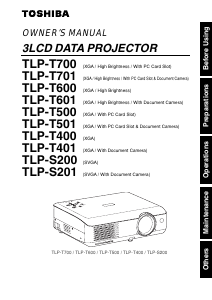
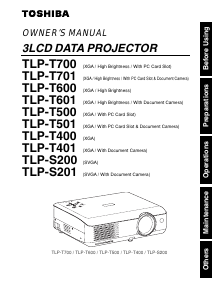
Manual Toshiba TLP-T501 Projector

Need a manual for your Toshiba TLP-T501 Projector? Below you can view and download the PDF manual for free in English. This product currently has 3 frequently asked questions, 0 comments and has 0 votes. If this is not the manual you want, please contact us.

Is your product defective and the manual offers no solution? Go to a Repair Café for free repair services.

Manual

Loading…
33
Operations
32
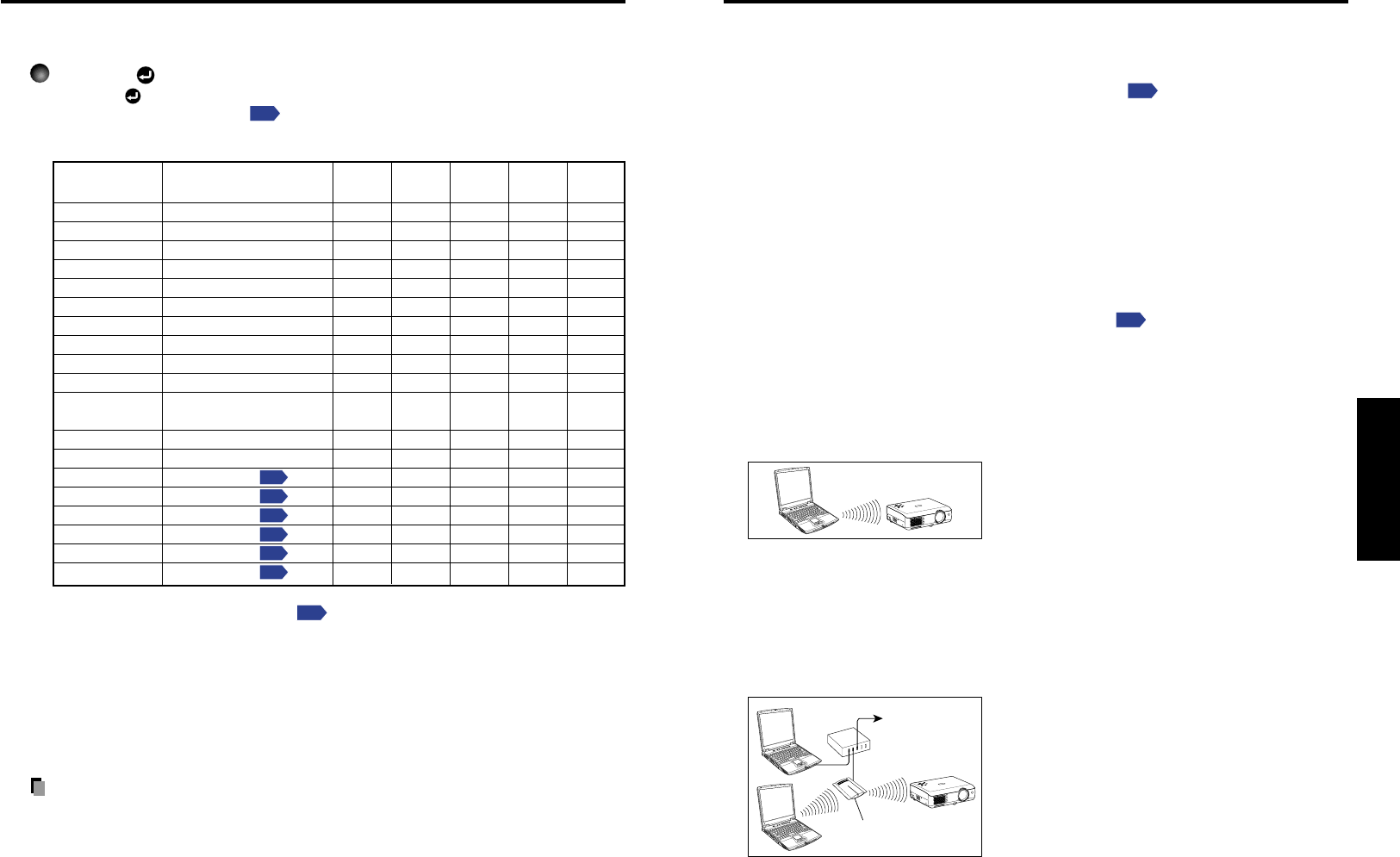
Displaying Information [Status display]
This displays information about the input signal, lamp use time, etc.
Press the button twice.
When the button is pressed once, the Setting display menu appears. Pressing
it again displays information
p.52
. The table below shows what kind of information
is displayed. Press the button again to dismiss the display.
Ye s: displayed, No: not displayed
Item Description
Computer Y/PB/PR
Video
PC Card Camera
S-video
Input Input source name Yes Yes Yes Yes Yes
RGB signal mode
RGB input mode
[Note 1]
YesNoNoNoNo
H-resolution
Horizontal resolution (in bits)
YesNoNoNoNo
V-resolution
Vertical resolution (in bits)
YesNoNoNoNo
H-frequency
Horizontal sync frequency
YesNoNoNoNo
V-frequency
Vertical sync frequency
[Note 2]
YesNoNoNoNo
Sync
Sync signal polarity
[Note 3]
YesNoNoNoNo
Signal format Y/PB/PR signal format No Yes No No No
Video mode
Color method of video signal
No No Yes No No
Card type PC card type No No No Yes No
Shutter speed
Shutter speed of document
No No No No Yes
imaging camera
Lamp time Time of lamp use
[Note 4]
Yes Yes Yes Yes Yes
Version Firmware version
[Note 5]
Yes Yes Yes Yes Yes
MAC address See page 59
p.59
No No No
Ye s
[Note 6]
No
SSID See page 60
p.60
No No No
Ye s
[Note 6]
No
DHCP See page 60
p.60
No No No
Ye s
[Note 6]
No
IP address See page 60
p.60
No No No
Ye s
[Note 6]
No
Subnet mask See page 60
p.60
No No No
Ye s
[Note 6]
No
Gateway See page 60
p.60
No No No
Ye s
[Note 6]
No
Notes
1: The mode of supported RGB signals
p.68
is shown.
2: Same as the refresh rate of the computer signal.
3: Sync signal polarity shown as P (positive) or N (negative) for [H/V].
4: Displays [Lamp time] as a measure of when the lamp should be replaced. (Cannot be
used as a counter of guaranteed lamp time.) When the time displayed approaches 2,000
hours, consult with a store about getting a TLPLW1 replacement lamp (sold separately)
prepared.
5: [Version] shows the version of the projectors internal control program. This version is
referred to for customer service, etc.
6: Displayed when wireless LAN PC card is being used.
Notes
The displayed information will not be refreshed if the status changes. To refresh the
information, dismiss the display, then display it again.
Conducting another operation while information is being displayed dismisses the
display.
Using handy features (Continued)
Using the wireless LAN PC card
Please read this chapter if the model you purchased includes a PC card slot.
Functions
The following functions are available via wireless communications, when the wireless
LAN PC card and dedicated Wireless Utility software
p.24
included with this projector
are used.
Note: Toshiba does not guarantee operation if a wireless LAN PC card other than
the one supplied with this product is used.
1) Displaying a computers screen via the projector
The computers desktop screen can be sent, as well as the screens of a variety of
software applications, to the projector for display.
2) Displaying an image saved on a computer via the projector
JPEG files can be sent to the projector for display.
3) Sending images taken with the projectors document camera to a computer
This function is for models equipped with document camera.
See Sending the cameras images to a computer
p.48
for details.
4) Operating the projector by means of a computer
Some of the same functions available from the remote control can be performed.
Communication mode
This projector supports both Ad-hoc and Infrastructure Communication modes.
Ad-Hoc Communication Mode
This is transmission mode to communicate
between wireless LAN equipment.
Wireless communication can be performed via
the simple configurations.
This function can only be used if the projector is
in range of the computers wireless signals.
For security reason, confirm the specifications of your computer for the distance that
the radio wave can reach. The coverage of this projector may vary, depending on the
computer and the surrounding environment. When tested with a PC manufactured by
Toshiba with built-in wireless LAN system, the coverage is approximately 60 m.
This figure is not guaranteed and should be considered as merely a guideline.
Infrastructure Communication Mode
A mixed wireless and wired LAN can be created
via access points. Connecting to the rest of the
world via a wired LAN or the Internet generally
requires a high level of security.
Use the appropriate transmission mode for your network environment. The instructions
in this owners manual assume that you will be using a simple ad-hoc communication
mode setup.
Access point
To LAN,
Internet, etc.
Hub
O
N
/
S
T
A
N
D
B
Y
I
N
P
U
T
M
E
N
U
A
U
T
O
S
E
T
F
A
N
T
E
M
P
L
A
M
P
O
N
V
O
L
.
+
V
O
L
.
-
A
U
T
O
K
E
Y
S
T
O
N
E
O
N
/
S
T
A
N
D
B
Y
I
N
P
U
T
M
E
N
U
A
U
T
O
S
E
T
F
A
N
T
E
M
P
L
A
M
P
O
N
V
O
L
.
+
V
O
L
.
-
A
U
T
O
K
E
Y
S
T
O
N
E
Download manual in English (PDF, 3.34 MB)
(Consider the environment and only print this manual if it is really necessary)

Loading…

Rating

Let us know what you think about the Toshiba TLP-T501 Projector by leaving a product rating. Want to share your experiences with this product or ask a question? Please leave a comment at the bottom of the page.
Are you satisfied with the Toshiba TLP-T501 Projector?
Yes No
Be the first to rate this product
0 votes

Join the conversation about this product

Here you can share what you think about the Toshiba TLP-T501 Projector. If you have a question, first carefully read the manual. Requesting a manual can be done by using our contact form.

More about this manual

We understand that it’s nice to have a paper manual for your Toshiba TLP-T501 Projector. You can always download the manual from our website and print it yourself. If you would like to have an original manual, we recommend you contact Toshiba. They might be able to provide an original manual. Are you looking for the manual of your Toshiba TLP-T501 Projector in a different language? Choose your preferred language on our homepage and search for the model number to see if we have it available.

Specifications

Brand Toshiba
Model TLP-T501
Category Projectors
File type PDF
File size 3.34 MB

All manuals for Toshiba Projectors
More manuals of Projectors

Frequently Asked Questions about Toshiba TLP-T501 Projector

Our support team searches for useful product information and answers to frequently asked questions. If you find an inaccuracy in our frequently asked questions, please let us know by using our contact form.

Can I power off my projector immediately after use? Verified

After using the projector the lamp is still very hot. It is best to leave the projector on after use, giving the internal fan time to do it's work and cool the lamp. This will extend the lifetime of the lamp.

This was helpful (214) Read more

What is keystone correction? Verified

A projector can often not be placed straight in front of a screen or wall. The projected image can become distorted because of this. This is the keystone effect. Keystone correction is a feature that addresses this distortion. Not all projectors offer keystone correction.

This was helpful (158) Read more

What is the contrast ratio? Verified

The contrast ratio tells how far the whitest white is from the blackest black. A contrast ratio of for example 400:1 means that the blackest black on screen is 400 times darker than the whitest white. A high contrast ratio contributes to the sharpness of the image.

This was helpful (104) Read more
Manual Toshiba TLP-T501 Projector

Related products

Related categories

×
Download