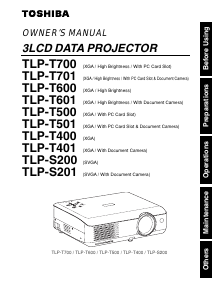
Manual Toshiba TLP-T501 Projector

Need a manual for your Toshiba TLP-T501 Projector? Below you can view and download the PDF manual for free in English. This product currently has 3 frequently asked questions, 0 comments and has 0 votes. If this is not the manual you want, please contact us.

Is your product defective and the manual offers no solution? Go to a Repair Café for free repair services.

Manual

Loading…
31
Operations
30
ON/
STANDBY
AUTO
KEYSTONE
MUTE
AUTO SET FREEZE
INPUT
R-CLICK
PJ MODE LASER
VOL.
+
VOL.
-
MENU / ENTER
RESIZE
OFF
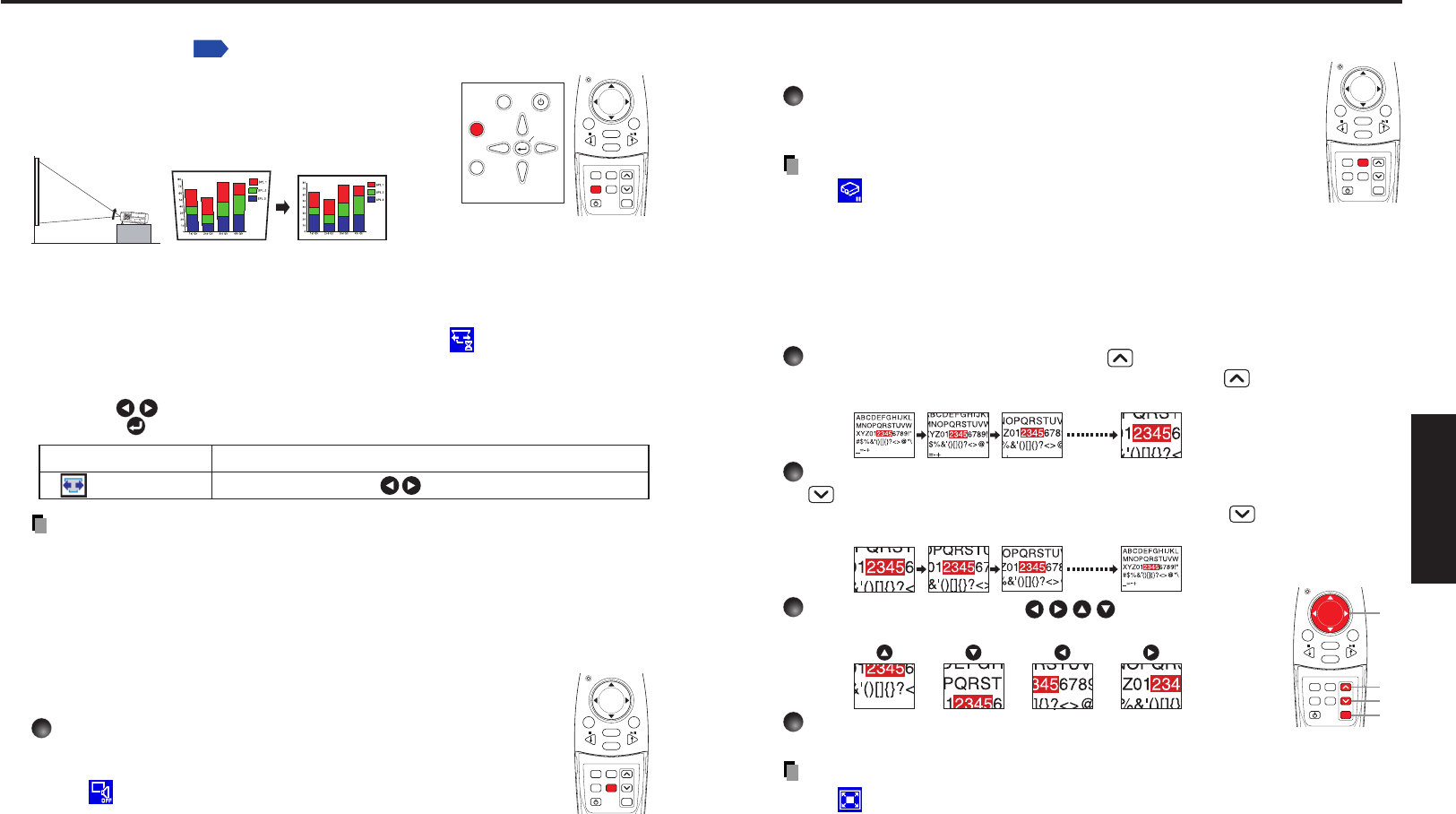
Freezing the image (Freeze)
The image being projected can be made to be frozen. This function is to
be used to pause a video during a presentation, etc.
Press the remote control’s FREEZE button.
The picture is paused. The Freeze function is released when
pressing the FREEZE button again.
Notes
The icon will appear while freeze is in effect.
The freeze function can be used on the resize function. Other
operations will release the freeze.
Even if an image is frozen on the projector, it is still changing on the video or other
equipment.
Enlarging the picture size (Resize)
The image being projected can be enlarged.
1
Press the remote control’s RESIZE
button.
The enlargement ratio is increased each time the RESIZE
button is pressed.
While the button is pushed, the image continues increasing to a limit.
2
To decrease the enlargement ratio, press the remote control’s RESIZE
button.
The enlargement ratio is decreased each time the RESIZE
button is pressed.
(The image cannot be shrunk to less than its original size.)
3
Press and hold down the
buttons to
move the enlarged area.
4
Press the OFF button to undo the resize.
The resize is released, and the image returns to its original size.
Notes
The icon will appear while resize is in effect.
An enlarged image can be frozen using the FREEZE button. The resize function on
a frozen image can also be used.
Operations other than freeze will release the resize.
Since the enlargement is performed using digital processing, enlarging the image
will cause it to appear jagged.
Rarely, the picture could become garbled while the enlarged area is being moved.
Remote
Control
ON/
STANDBY
AUTO
KEYSTONE
MUTE
AUTO SET FREEZE
INPUT
R-CLICK
PJ MODE LASER
VOL.
+
VOL.
-
MENU / ENTER
RESIZE
OFF
Remote
Control
q
w
r
e
ON/
STANDBY
AUTO
KEYSTONE
MUTE
AUTO SET FREEZE
INPUT
R-CLICK
PJ MODE LASER
VOL.
+
VOL.
-
MENU / ENTER
RESIZE
OFF
ON/STANDBY
INPUT
FAN TEMP LAMP ON
VOL.
+
VOL.
-
AUTO
KEYSTONE
MENU
AUTO SET
ON/
STANDBY
AUTO
KEYSTONE
MUTE
AUTO SET FREEZE
INPUT
R-CLICK
PJ MODE LASER
VOL.
+
VOL.
-
MENU / ENTER
RESIZE
OFF
Using handy features (Continued)
Correcting the keystone distortion (Keystone)
When the foot adjuster
p.28
is used to change the
projection angle, the picture will undergo keystone (trap-
ezoidal) distortion.
This projector is capable of correcting this keystone
distortion.
Before correction After correction
U
S
B
C
O
M
P
U
T
E
R
(
Y
,
P
B
/
P
R
)
S
-
V
I
D
E
O
V
I
D
E
O
V
I
D
E
O
R
-
A
U
D
I
O
-
L
A
U
D
I
O
M
O
N
I
T
O
R
C
O
N
T
R
O
L
1
2
q Press the AUTO KEYSTONE button.
The Keystone menu appears.
w Press the AUTO KEYSTONE button again.
The keystone distortion is automatically corrected. The icon will appear during
processing.
Manual adjustment
Use the buttons for keystone adjustment. When the adjustment is finished,
press the
button. The menu disappears.
Notes
Depending on the amount of keystone adjustment and the contents of images,
some information may be lost, or the picture quality may suffer.
Keystone adjustment will not change the shape of the menus.
Cutting off the picture and sound temporarily (Mute)
When you want to temporarily project the images of another projector,
overhead projector, etc., this projector’s images and sound can be turned
off.
Press the remote control’s MUTE button.
The picture and sound are cut off. The Mute function is released
when pressing the MUTE button again.
The icon will appear while mute is in effect.
Control panel
Remote
Control
Remote
Control
Keystone Shrink screen bottom Shrink screen top
Item Description
Download manual in English (PDF, 3.34 MB)
(Consider the environment and only print this manual if it is really necessary)

Loading…

Rating

Let us know what you think about the Toshiba TLP-T501 Projector by leaving a product rating. Want to share your experiences with this product or ask a question? Please leave a comment at the bottom of the page.
Are you satisfied with the Toshiba TLP-T501 Projector?
Yes No
Be the first to rate this product
0 votes

Join the conversation about this product

Here you can share what you think about the Toshiba TLP-T501 Projector. If you have a question, first carefully read the manual. Requesting a manual can be done by using our contact form.

More about this manual

We understand that it’s nice to have a paper manual for your Toshiba TLP-T501 Projector. You can always download the manual from our website and print it yourself. If you would like to have an original manual, we recommend you contact Toshiba. They might be able to provide an original manual. Are you looking for the manual of your Toshiba TLP-T501 Projector in a different language? Choose your preferred language on our homepage and search for the model number to see if we have it available.

Specifications

Brand Toshiba
Model TLP-T501
Category Projectors
File type PDF
File size 3.34 MB

All manuals for Toshiba Projectors
More manuals of Projectors

Frequently Asked Questions about Toshiba TLP-T501 Projector

Our support team searches for useful product information and answers to frequently asked questions. If you find an inaccuracy in our frequently asked questions, please let us know by using our contact form.

Can I power off my projector immediately after use? Verified

After using the projector the lamp is still very hot. It is best to leave the projector on after use, giving the internal fan time to do it's work and cool the lamp. This will extend the lifetime of the lamp.

This was helpful (214) Read more

What is keystone correction? Verified

A projector can often not be placed straight in front of a screen or wall. The projected image can become distorted because of this. This is the keystone effect. Keystone correction is a feature that addresses this distortion. Not all projectors offer keystone correction.

This was helpful (158) Read more

What is the contrast ratio? Verified

The contrast ratio tells how far the whitest white is from the blackest black. A contrast ratio of for example 400:1 means that the blackest black on screen is 400 times darker than the whitest white. A high contrast ratio contributes to the sharpness of the image.

This was helpful (104) Read more
Manual Toshiba TLP-T501 Projector

Related products

Related categories

×
Download