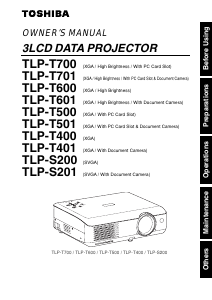
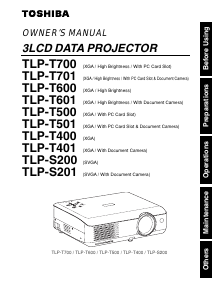
Manual Toshiba TLP-T501 Projector

Need a manual for your Toshiba TLP-T501 Projector? Below you can view and download the PDF manual for free in English. This product currently has 3 frequently asked questions, 0 comments and has 0 votes. If this is not the manual you want, please contact us.

Is your product defective and the manual offers no solution? Go to a Repair Café for free repair services.

Manual

Loading…
25
Operations
24
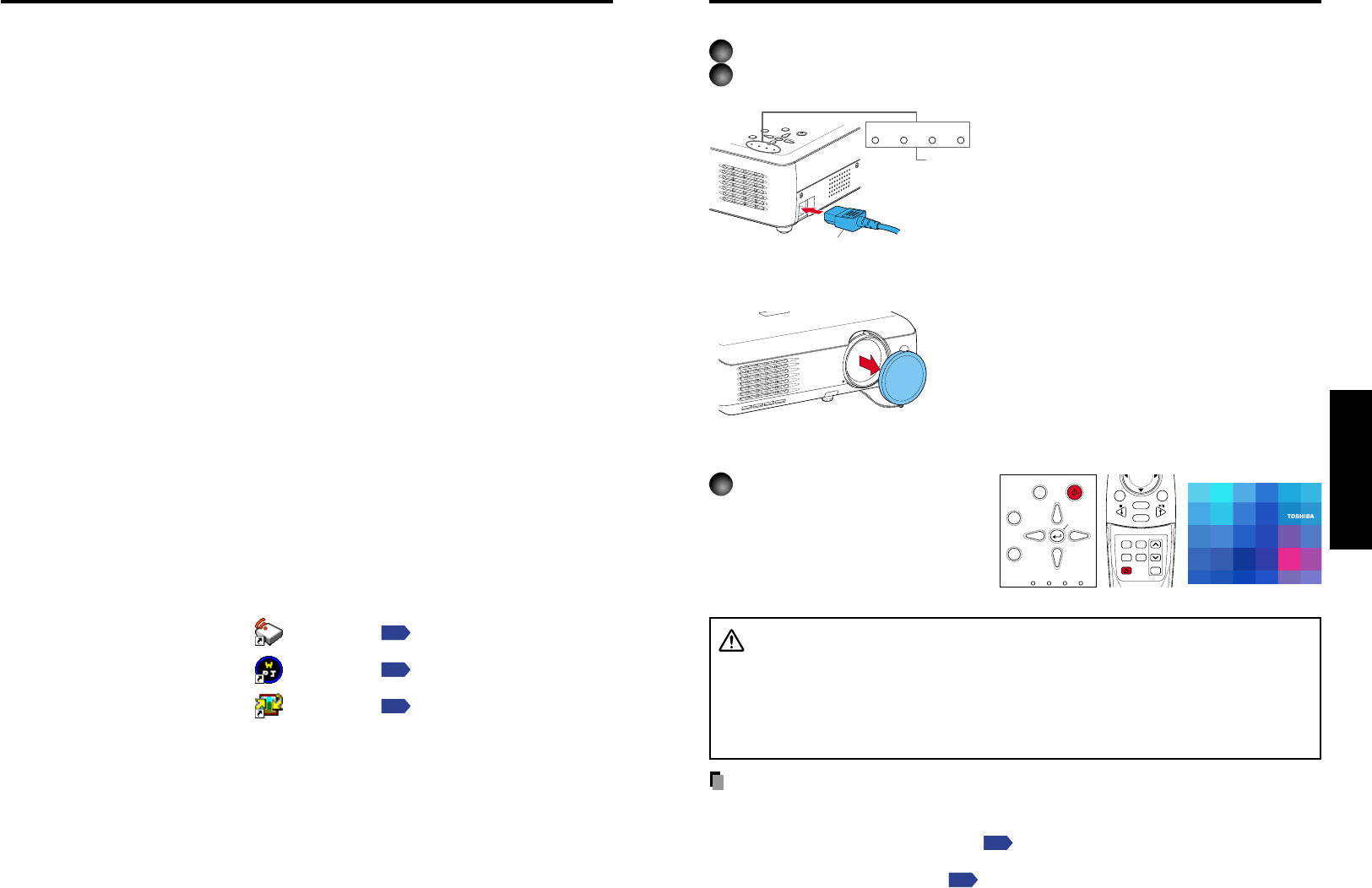
Connecting the power cord
1
Insert the power cord connector into the AC IN socket of the projector.
2
Insert the power cord plug into a wall or other power outlet.
O
N
/S
T
A
N
D
B
Y
I
N
P
U
T
M
E
N
U
A
U
T
O
S
E
T
F
A
N
T
E
M
P
L
A
M
P
O
N
V
O
L
.
+
V
O
L
.
-
A
U
T
O
K
E
Y
S
T
O
N
E
FAN TEMP LAMP ON
Removing the lens cover
Be sure to remove the lens cover when the power is
turned on. If it is left on, it could become deformed due
to heat.
Turning the power on
Press the ON/STANDBY
button.
The power turns on, and the
following 3 green indicators light:
ON, LAMP, and FAN. After a
moment, the start-up screen
appears.
CAUTION
Do not look into the lens during operation. Doing so could damage your vision.
Do not block the air intake or exhaust. Doing so could cause a fire due to internal
overheating.
Do not place your hands, face, or other objects near the air exhaust. Doing so could
cause burns, deform/break the object.
Notes
The start-up screen will disappear after a moment. You can dismiss the start-up screen
before this by performing any operation. You can also configure the start-up screen not to
appear via the Display setting menu
p.54
.
The first time you use the projector after purchase, after the start-up screen disappears,
the Language menu is displayed
p.27
.
Turning the power on and off
When the power cord is plugged in, the following three
green indicators will come on for several seconds: ON,
TEMP, and LAMP. Next, the ON indicator will change to
orange, indicating standby mode.
(Do not perform any operations while the 3 green
indicators are lit.)
(Supplied) Power cord connector
Start-up screen
ON/
STANDBY
AUTO
KEYSTONE
MUTE
AUTO SET FREEZE
INPUT
R-CLICK
PJ MODE LASER
VOL
.
+
VOL
.
-
MENU / ENTER
RESIZE
OFF
ON/STANDBY
INPUT
FAN TEMP LAMP ON
VOL.
+
VOL.
-
AUTO
KEYSTONE
MENU
AUTO SET
Control panel
Remote
Control
Please read this chapter if the model you purchased includes a PC card slot.
If you will use the supplied wireless LAN PC card function, install the application on the
supplied CD-ROM onto your computer.
System Requirements
Supported OSs: Windows
®
98SE, Windows
®
Me, Windows
®
2000, Windows
®
XP
CPU: Pentium III 750 MHz or higher recommended
RAM: 256 MB or more recommended
Screen area (resolution): 1024 by 768 pixels recommended
Application Types and Major Functions
Wireless utility
This application is used for wireless connections. Use it to send the images from the
computers screen to your projector, and display on the screen.
Projector Configuration Tool
Use to modify wireless LAN and TCP/IP settings.
JPEG Conversion Tool
Use to convert JPEG and other files into a format that can be displayed as a slide show
using a memory PC card.
How to install
In the supplied CD-ROM, select the Applications folder, and run setup.exe. Follow the
instructions on your computer screen.
If you are using Windows
®
XP or Windows
®
2000, during installation a dialog box may
appear with the following message: has not passed Windows Logo to verify its
compability with Windows XP (2000). Click Continue Anyway, and continue with the
installation.
When installation is finished, the following shortcuts will appear on your computers
desktop:
Wireless Utility
Operations
p.35
Projector Configuration Tool Operations
p.59
JPEG Conversion Tool Operations
p.61
How to uninstall
Select [Start Menu] [Settings] [Control Panel] [Add/Remove Programs],
and remove Toshiba Data Projector from currently installed programs.
Installing the applications
Download manual in English (PDF, 3.34 MB)
(Consider the environment and only print this manual if it is really necessary)

Loading…

Rating

Let us know what you think about the Toshiba TLP-T501 Projector by leaving a product rating. Want to share your experiences with this product or ask a question? Please leave a comment at the bottom of the page.
Are you satisfied with the Toshiba TLP-T501 Projector?
Yes No
Be the first to rate this product
0 votes

Join the conversation about this product

Here you can share what you think about the Toshiba TLP-T501 Projector. If you have a question, first carefully read the manual. Requesting a manual can be done by using our contact form.

More about this manual

We understand that it’s nice to have a paper manual for your Toshiba TLP-T501 Projector. You can always download the manual from our website and print it yourself. If you would like to have an original manual, we recommend you contact Toshiba. They might be able to provide an original manual. Are you looking for the manual of your Toshiba TLP-T501 Projector in a different language? Choose your preferred language on our homepage and search for the model number to see if we have it available.

Specifications

Brand Toshiba
Model TLP-T501
Category Projectors
File type PDF
File size 3.34 MB

All manuals for Toshiba Projectors
More manuals of Projectors

Frequently Asked Questions about Toshiba TLP-T501 Projector

Our support team searches for useful product information and answers to frequently asked questions. If you find an inaccuracy in our frequently asked questions, please let us know by using our contact form.

Can I power off my projector immediately after use? Verified

After using the projector the lamp is still very hot. It is best to leave the projector on after use, giving the internal fan time to do it's work and cool the lamp. This will extend the lifetime of the lamp.

This was helpful (214) Read more

What is keystone correction? Verified

A projector can often not be placed straight in front of a screen or wall. The projected image can become distorted because of this. This is the keystone effect. Keystone correction is a feature that addresses this distortion. Not all projectors offer keystone correction.

This was helpful (158) Read more

What is the contrast ratio? Verified

The contrast ratio tells how far the whitest white is from the blackest black. A contrast ratio of for example 400:1 means that the blackest black on screen is 400 times darker than the whitest white. A high contrast ratio contributes to the sharpness of the image.

This was helpful (104) Read more
Manual Toshiba TLP-T501 Projector

Related products

Related categories

×
Download