MDR-ZX110NA [GB, FR, ES] 4-540-895-14 (1)
Noise Cancelling
Headphones
Operating Instructions
Mode d’emploi
Manual de instrucciones
© 2014 Sony Corporation Printed in Malaysia
4-540-895-14(1)
MDR-ZX110NA
2
3
4
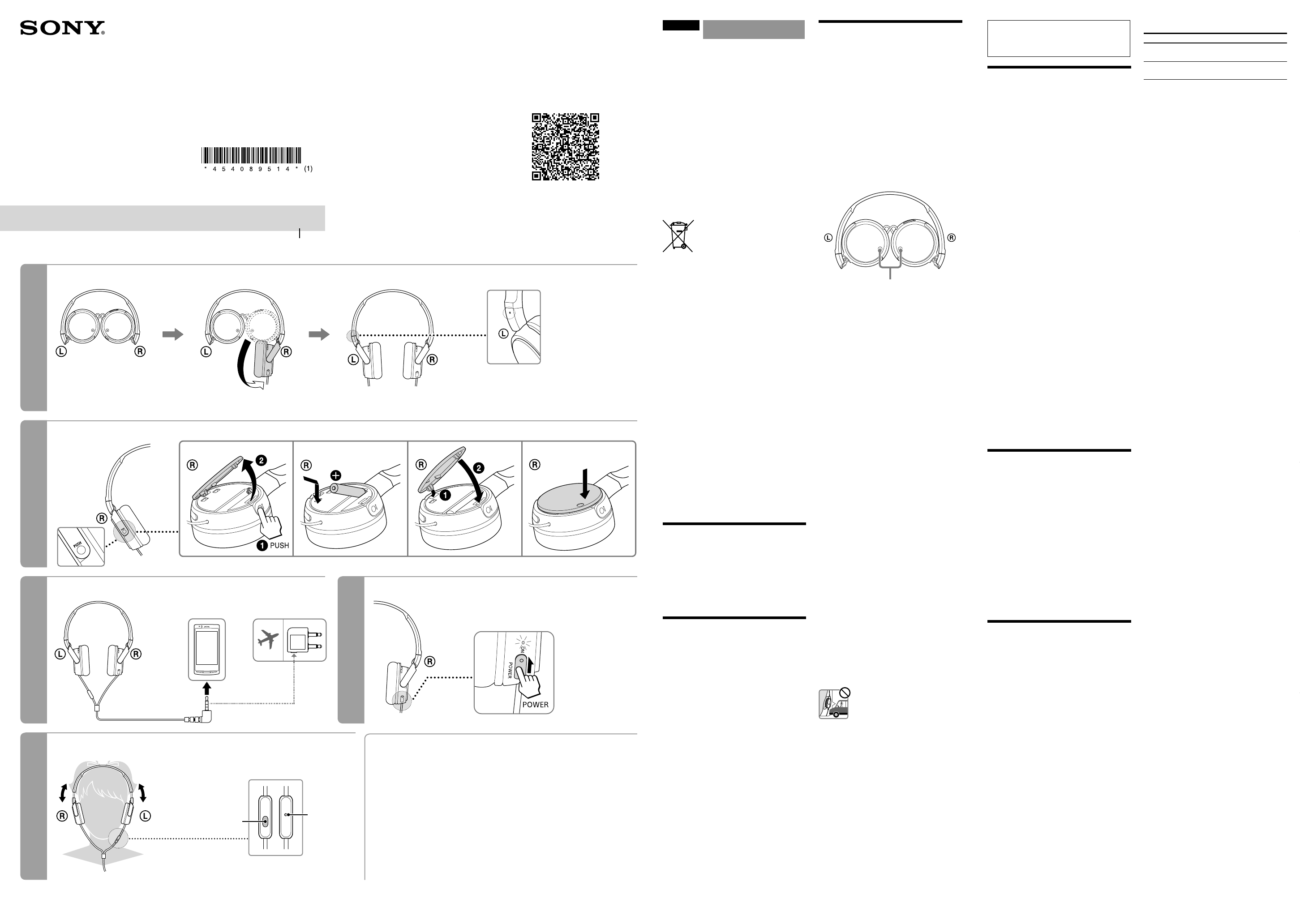
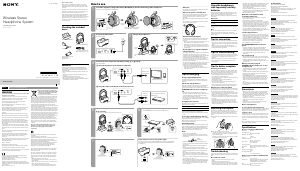
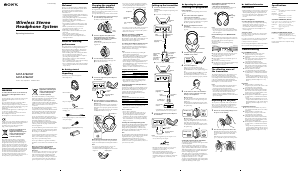
How to use/Mode d’utilisation/Utilización
Installing a battery/Installation d’une pile/Instalación de la pila
Connecting/Raccordement/Conexión Turning on the power/Mise sous tension/Encendido
5
Wearing and controlling/Port et contrôles/Colocación y control
After use
Turn off the power of the headphones
Après utilisation
Éteignez le casque
Después del uso
Apague los auriculares
1
Unfolding the headphones/Dépliage du casque/Abrir los auriculares
Smartphone
Smartphone
Teléfono inteligente
Notes on use
What is noise cancelling?
The noise cancelling circuit actually senses
outside noise with built-in microphones and
sends an equal-but-opposite cancelling signal to
the headphones.
Notes on the noise cancelling
function
Adjust the earpads so that they cover your
ears, otherwise noise cancelling will not
function properly.
The noise cancelling effect may vary
depending on how you wear the headphones.
Do not cover the microphone of the
headphones with your hands. The noise
cancelling function may not work properly.
Microphone
After you turn on the power of the
headphones, you may hear a slight hiss. This
is the operating sound of the noise cancelling
function, not a malfunction.
The noise cancelling function works for noise
in the low frequency band primarily. Although
noise is reduced, it is not cancelled completely.
The noise cancelling effect may not be
pronounced in a very quiet environment, or
some noise may be heard.
When you use the headphones in a train or
a car, noise may occur depending on street
conditions.
Mobile phones may cause interference
and noise. Should this occur, locate the
headphones further away from the mobile
phone.
Notes on using on the airplane
Do not use the headphones when use of
electronic equipment is prohibited or when
use of personal headphones for in-flight
entertainment services is prohibited.
Notes on handling
Because the headphones are designed to fit
closely in your ears, forcing them against your
ears may result in eardrum damage. Avoid
using the headphones where they are liable to
be struck by people or other objects, such as
a ball, etc.
Pressing the headphones against your ears
may produce a diaphragm click sound. This is
not a malfunction.
Clean the headphones with a soft dry cloth.
Do not leave the plug dirty otherwise the
sound may be distorted.
Be sure to consult a Sony dealer when the
earpads become dirty or damaged, or when
the headphones require repair work.
Do not leave the headphones in a location
subject to direct sunlight, heat or moisture.
Do not subject the headphones to excessive
shock.
Handle the driver units carefully.
If you feel drowsy or sick while using this
headphones, stop use immediately.
Notes on headphones
High volume may affect your
hearing. For traffic safety, do not use
while driving or cycling.
As headphones reduce outside sounds, they may
cause a traffic accident. Also, avoid listening with
your headphones in situations where hearing
must not be impaired, for example, a railroad
crossing, a construction site, etc.
Preventing hearing damage
Avoid using headphones at high volume. Hearing
experts advise against continuous, loud and
extended play. If you experience a ringing in your
ears, reduce the volume or discontinue use.
Note on static electricity
In particularly dry air conditions, noise or sound
skipping may occur, or mild tingling may be felt
on your ears. This is a result of static electricity
accumulated in the body, and not a malfunction
of the headphones.
The effect can be minimized by wearing clothes
made from natural materials.
English
Noise Cancelling
Headphones
WARNING
Do not expose the battery to excessive heat such
as sunshine, fire or the like for a long time.
The validity of the CE marking is restricted to
only those countries where it is legally enforced,
mainly in the countries EEA (European Economic
Area) and Switzerland.
Notice for customers: the following information
is only applicable to equipment sold in
countries applying EU directives
This product has been manufactured by or on
behalf of Sony Corporation.
EU Importer: Sony Europe B.V.
Inquiries to the EU Importer or related to product
compliance in Europe should be sent to the
manufacturer’s authorized representative, Sony
Belgium, bijkantoor van Sony Europe B.V., Da
Vincilaan 7-D1, 1930 Zaventem, Belgium.
Disposal of waste batteries and
electrical and electronic equipment
(applicable in the European Union
and other countries with separate
collection systems)
This symbol on the product, the battery or on
the packaging indicates that the product and
the battery shall not be treated as household
waste. On certain batteries this symbol might
be used in combination with a chemical symbol.
The chemical symbol for lead (Pb) is added if
the battery contains more than 0.004% lead. By
ensuring that these products and batteries are
disposed of correctly, you will help to prevent
potentially negative consequences for the
environment and human health which could
be caused by inappropriate waste handling.
The recycling of the materials will help to
conserve natural resources. In case of products
that for safety, performance or data integrity
reasons require a permanent connection with
an incorporated battery, this battery should be
replaced by qualified service staff only. To ensure
that the battery and the electrical and electronic
equipment will be treated properly, hand over
these products at end-of-life to the appropriate
collection point for the recycling of electrical
and electronic equipment. For all other batteries,
please view the section on how to remove the
battery from the product safely. Hand the battery
over to the appropriate collection point for the
recycling of waste batteries. For more detailed
information about recycling of this product or
battery, please contact your local Civic Office,
your household waste disposal service or the
shop where you purchased the product or
battery.
Compatibleproducts
Use this unit with smartphone.
Notes
Depending on the model of smartphone, the
microphone of this unit may not function, or
the volume level may be low.
This unit is not guaranteed to operate digital
music players.
Using the Multi-
function button
Press once to answer the call, press again to end;
press to play/pause a track.
Available operations for
smartphones
Plays/pauses a track of the connected
smartphone with a single press. Skips to the next
track with a double press.
Hold down for about two seconds and release to
reject an incoming call.
Notes
The button function may vary depending on
the smartphone.
Be careful not to press the button
unintentionally when you carry your
smartphone with the headphones connected.
If you have any questions or problems
concerning the system that are not covered in
this manual, please consult the nearest Sony
dealer.
Troubleshooting
No sound
Check the connection of the headphones and
the equipment.
Check that the connected equipment is turned
on.
Turn up the volume of the connected
equipment.
Clean the plug of the headphones with a soft
dry cloth.
The noise cancelling effect is
not sufficient
The noise cancelling function is effective in low
frequency ranges such as airplanes, trains, or
offices (near air-conditioning, etc.) and is not
as effective for higher frequencies, such as
human voices.
Turn on the headphones.
Distorted sound
Turn down the volume of the connected
equipment.
Clean the plug of the headphones with a soft
dry cloth.
Power does not turn on
Check if the battery has expired (the POWER
indicator lights off) and the battery is inserted
in the correct orientation. Replace the battery
with a new one or reinsert the battery in the
correct orientation.
No operation works
Set the POWER switch of the headphones to
“OFF”, confirm the connections, and then set
the POWER switch back to “ON”.
The connected smartphone
does not work
Check the connection of the headphones and
the smartphones.
Features
95% Ambient Noise Reduction
Noise cancelling headphones reduce
unwanted ambient noise and provide a
quieter environment to enhance your listening
experience.
Quick folding style
Original compact folding mechanism for easy
carriage and storage.
Producing balanced, clear and powerful high
quality sound
300 kJ/m
3
Neodymium magnet delivers
powerful sound and equalizer provides
balanced sound from bass to high note.
Able to use as a regular headphones even
when the POWER switch is set to “OFF”.
Long battery life - approx. 80 hours with AAA
alkaline battery.
Specifications
General
Type Dynamic, closed
Driver units 30 mm, dome type (CCAW
adopted)
Maximum input 28 mW
Impedance 220 Ω at 1 kHz (when the power
is on)
45 Ω at 1 kHz (when the power
is off)
Sensitivity 115 dB/mW (when the power is
on)
110 dB/mW (when the power is
off)
Frequency response
10 Hz – 22,000 Hz
Total Noise Suppression Ratio
1)
Approx. 13 dB
2)
Cable Approx. 1.2 m, OFC Litz wire
Plug Four-conductor gold plated
L-shaped stereo mini plug
Power source DC 1.5 V, 1 × R03 (size AAA)
battery
Mass Approx. 150 g including battery,
not including cable
Talk microphone Open circuit voltage level
–40 dB (0 dB = 1 V/Pa)
Battery life
Battery Approx. hours
3)
Sony alkaline battery
LR03 SIZE AAA
80 hours
4)
Sony manganese battery
R03 SIZE AAA
40 hours
4)
Note
The supplied battery was included in the package
during manufacturing (as a convenience to the
user), it is possible that the battery life may be
depleted by the time of purchase. The actual life
of the supplied battery may be shorter than the
standard time described in this manual when
using a fresh battery.
When the battery is low
Replace the battery with a new one when the
POWER indicator blinks or lights off.
Notes
The sound and noise cancelling effect may
become intermittent when the battery is low.
The headphones will automatically switch
to passive mode when the battery power
is empty. You might hear the sound
characteristics change in this mode.
Included items
Headphones (1)
Plug adaptor for in-flight use
5)
(1)
Sony R03 (SIZE AAA) battery (1)
Operating Instructions (1)
Warranty card (1)
1)
Under the Sony measurement standard.
2)
Equivalent to approx. 95% reduction of
energy of sound compared with not wearing
headphones.
3)
At 1 kHz, 0.1 mW + 0.1 mW output
4)
Time stated above may vary, depending on the
temperature or conditions of use.
5)
May not be compatible with some in-flight
entertainment services.
Design and specifications are subject to change
without notice.
Xperia
TM
is a registered trademark or a trademark
of Sony Mobile Communications AB.
Android
TM
and Google Play
TM
are trademarks or
registered trademarks of Google, Inc.
If you install the Smart Key app* from
Google Play
TM
store, the track and volume
adjustment on your smartphone will be enabled
with multi-function button.
* Smart Key is an application for Xperia
TM
,
Android
TM
OS 4.0 and above. The app may
not be available in some countries and/or
regions, and may not be used with unsupported
smartphone models.
Si vous installez l’application Smart Key* à partir
de Google Play
TM
, vous pourrez activer les
réglages de piste et de volume sur votre
smartphone grâce à la touche multifonction.
* Smart Key est une application pour for Xperia
TM
,
Android
TM
OS 4.0 et ultérieur. Il est possible
que l’application ne soit pas disponible dans
certains pays et/ou certaines régions et qu’elle
ne puisse pas être utilisée avec des modèles de
smartphone non pris en charge.
Si instala la aplicación Smart Key* desde la tienda
Google Play
TM
, el ajuste de pista y volumen
de su smartphone se habilitará con el botón
multifunción.
* Smart Key es una aplicación para Xperia
TM
,
Android
TM
OS 4.0 y posteriores. Es posible que
la aplicación no esté disponible en algunos
países y/o regiones y que no pueda utilizarse
con modelos de smartphone no compatibles.
https://play.google.com/store/apps/
details?id=com.sonymobile.extras.liveware.
extension.smartkey
Multi-function button
Touche multifonction
Botón Multifunción
Microphone
Micro
Micrófono
Tactile dot (on the left)
Point tactile (à gauche)
Punto táctil (en el lado
izquierdo)
Do the same for the left side.
Faites de même pour le côté gauche.
Haga lo mismo en el lado izquierdo.
Push
Poussez
Empujar


Join the conversation about this product
Here you can share what you think about the Sony MDR-ZX110NA Headphone. If you have a question, first carefully read the manual. Requesting a manual can be done by using our contact form.