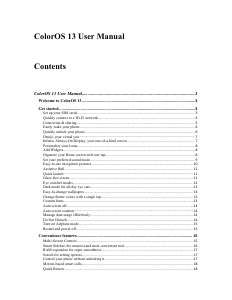
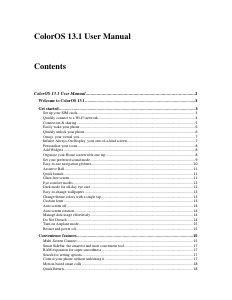
Manual Oppo ColorOS 13.1

Need a manual for your Oppo ColorOS 13.1? Below you can view and download the PDF manual for free in English. This product currently has 0 frequently asked questions, 0 comments and has 0 votes. If this is not the manual you want, please contact us.

Is your product defective and the manual offers no solution? Go to a Repair Café for free repair services.

Manual

Loading…

Note:
The two Wi-Fi networks cannot be both on the 2.4 GHz band or the 5 GHz band. They send and
receive data independently without interfering with each other.
Passpoint Wi-Fi Direct
ColorOS comes preinstalled with a Passpoint certificate, which allows direct connections with
hundreds of branded Wi-Fi networks. Discovering and connecting to networks are automatic and
do not require a password. Wi-Fi encryption and two-way authentication between your phone and
the server also ensure connection security and prevent information leakage.
Path: Settings - Wi-Fi - Advanced settings - Passpoint.
Connection & sharing
Personal hotspot
Go to "Settings - Connection & sharing - Personal hotspot", and turn on "Personal hotspot".
Nearby devices can then discover your personal hotspot. Note: Sharing a personal hotspot may
consume more data and battery. Your personal hotspot will be turned off automatically when it is
not connected to any device for 10 minutes.
Tap "Personal hotspot" to set a name and password for enhanced security.
In "Connection management", you can block devices, set the maximum number of connections,
and limit the mobile data usage.
USB tethering
Connect your phone to a PC with a data cable and go to "Settings - Connection & sharing".
Turn on "USB tethering". The PC will automatically identify and use your phone's mobile data.
Bluetooth tethering
You can share your network with other devices via Bluetooth.
For example, to share your OPPO Reno's network connection with another OPPO phone, pair the
devices via Bluetooth.
Turn on Bluetooth in "Settings" and pair with the target device.
Then go to "Settings - Connection & sharing" and turn on "Bluetooth tethering".
On the OPPO phone, open the Bluetooth page and tap the paired device. The OPPO phone can
then use the OPPO Reno's network connection.
To stop sharing, go to "Settings - Connection & sharing" and turn off "Bluetooth tethering".
Alternatively, go to "Settings - Bluetooth", tap the paired device, and turn off "Internet access".
Ethernet tethering
Connect your phone to your other device using an Ethernet cable to share your phone’s network
connection.
Go to "Settings - Connection & sharing Personal hotspot Ethernet tethering" and turn on
"Ethernet tethering".
NFC
Near-field communication (NFC) enables contactless exchange of data over short distances.
Go to "Settings - Connection & sharing - NFC" and turn on "NFC".
You can then use contactless payment and Android Beam to pay or transfer data.
Wireless transmission
Screencast
Go to "Settings - Connection & sharing" and turn on "Screencast".
Download manual in English (PDF, 0.4 MB)
(Consider the environment and only print this manual if it is really necessary)

Loading…

Rating

Let us know what you think about the Oppo ColorOS 13.1 by leaving a product rating. Want to share your experiences with this product or ask a question? Please leave a comment at the bottom of the page.
Are you satisfied with the Oppo ColorOS 13.1?
Yes No
Be the first to rate this product
0 votes

Join the conversation about this product

Here you can share what you think about the Oppo ColorOS 13.1. If you have a question, first carefully read the manual. Requesting a manual can be done by using our contact form.

More about this manual

We understand that it’s nice to have a paper manual for your Oppo ColorOS 13.1. You can always download the manual from our website and print it yourself. If you would like to have an original manual, we recommend you contact Oppo. They might be able to provide an original manual. Are you looking for the manual of your Oppo ColorOS 13.1 in a different language? Choose your preferred language on our homepage and search for the model number to see if we have it available.

Specifications

Brand Oppo
Model ColorOS 13.1
Category Software
File type PDF
File size 0.4 MB

All manuals for Oppo Software
More manuals of Software
Manual Oppo ColorOS 13.1

Related products

Related categories

×
Download