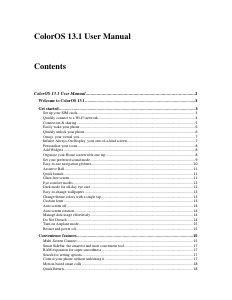
Manual Oppo ColorOS 13.1

Need a manual for your Oppo ColorOS 13.1? Below you can view and download the PDF manual for free in English. This product currently has 0 frequently asked questions, 0 comments and has 0 votes. If this is not the manual you want, please contact us.

Is your product defective and the manual offers no solution? Go to a Repair Café for free repair services.

Manual

Loading…

Path: Settings - Mobile network - More settings - Use mobile data during calls.
Manage mobile data
Allow your apps to use Wi-Fi, mobile data, or both for Internet access, or do not allow apps to
connect to a network. You can also check the total mobile data usage of your system and apps.
Path: Settings - Mobile network - Data usage - Network access.
Quickly connect to a Wi-Fi network
Set up Wi-Fi network connections
• Connect to a Wi-Fi network without a password:
Simply tap the Wi-Fi network.
• Connect to a Wi-Fi network with a password:
Tap the Wi-Fi network and enter the password.
• Connect to a Wi-Fi network with authentication:
Tap the Wi-Fi network and sign in or complete the authentication steps.
• Add a network:
If you do not find the network you want to connect to in the network list, tap "Add network" and
enter the network name and password.
Once your device successfully connects to a Wi-Fi network, it will automatically connect to the
Wi-Fi network whenever the network is available, without needing you to enter the password
again. If you do not want to connect to a Wi-Fi network automatically, tap the icon to the right of
the Wi-Fi network and remove it. Check and manage saved networks in "Advanced settings".
Share a Wi-Fi network
To share a Wi-Fi network with another phone, open the Wi-Fi details page and tap "Share" to
display a QR code. On the other phone, go to the "Wi-Fi" page and tap the scan icon in the
upper-right corner to scan the QR code. The phone will automatically connect to the Wi-Fi
network.
Use Wi-Fi Assistant
Use Wi-Fi Assistant when your Wi-Fi signal is unstable.
Turn on "Auto connect to the best Wi-Fi". Your phone will check the quality of available Wi-Fi
networks and automatically connect to the best one.
You can also turn on "Auto switch to mobile network". When all Wi-Fi networks are slow and
your mobile data is enabled, your phone will automatically switch to the mobile network.
Path: Settings - Wi-Fi - Wi-Fi Assistant - Auto connect to the best Wi-Fi.
Use dual-channel acceleration
Dual channel acceleration uses both mobile data and Wi-Fi for smoother and faster internet
access.
Apps that support dual channel acceleration are displayed on the page.
Path: Settings - Wi-Fi - Wi-Fi Assistant - Dual channel acceleration.
Use dual Wi-Fi acceleration
Dual Wi-Fi acceleration allows your phone to switch between two Wi-Fi networks seamlessly for
faster internet access.
Path: Settings - Wi-Fi - Wi-Fi Assistant - Dual Wi-Fi acceleration.
Download manual in English (PDF, 0.4 MB)
(Consider the environment and only print this manual if it is really necessary)

Loading…

Rating

Let us know what you think about the Oppo ColorOS 13.1 by leaving a product rating. Want to share your experiences with this product or ask a question? Please leave a comment at the bottom of the page.
Are you satisfied with the Oppo ColorOS 13.1?
Yes No
Be the first to rate this product
0 votes

Join the conversation about this product

Here you can share what you think about the Oppo ColorOS 13.1. If you have a question, first carefully read the manual. Requesting a manual can be done by using our contact form.

More about this manual

We understand that it’s nice to have a paper manual for your Oppo ColorOS 13.1. You can always download the manual from our website and print it yourself. If you would like to have an original manual, we recommend you contact Oppo. They might be able to provide an original manual. Are you looking for the manual of your Oppo ColorOS 13.1 in a different language? Choose your preferred language on our homepage and search for the model number to see if we have it available.

Specifications

Brand Oppo
Model ColorOS 13.1
Category Software
File type PDF
File size 0.4 MB

All manuals for Oppo Software
More manuals of Software
Manual Oppo ColorOS 13.1

Related products

Related categories

×
Download