Manual Makita DUH507 Hedgecutter

Need a manual for your Makita DUH507 Hedgecutter? Below you can view and download the PDF manual for free in English. This product currently has 4 frequently asked questions, 0 comments and has 0 votes. If this is not the manual you want, please contact us.

Is your product defective and the manual offers no solution? Go to a Repair Café for free repair services.

Manual

Loading…
12 ENGLISH
Overdischarge protection
When the battery capacity is not enough, the tool stops
automatically. In this case, remove the battery from the
tool and charge the battery.
Protections against other causes
Protection system is also designed for other causes
that could damage the tool and allows the tool to stop
automatically. Take all the following steps to clear the
causes, when the tool has been brought to a temporary
halt or stop in operation.
 󰀨
restart.
2. Charge the battery(ies) or replace it/them with
recharged battery(ies).
3. Let the machine and battery(ies) cool down.
If no improvement can be found by restoring protection
system, then contact your local Makita Service Center.
NOTICE: If the tool stops due to a cause
not described above, refer to the section for
troubleshooting.
Switch action
WARNING: NEVER use the tool if it runs when
you simply pull the switch trigger or the switch
lever. Return the tool to our authorized service
center for proper repairs BEFORE further usage.
WARNING: NEVER tape down or defeat pur-
pose and function of switch lever.
WARNING: Before installing the battery car-
tridge on the tool, always check to see that the
switch trigger and switch lever actuate properly
and return to the "OFF" position when released.
Operating a tool with a switch that does not actuate
properly can lead to loss of control and serious per-

CAUTION: 
switch trigger when carrying. The tool may start

For your safety, this tool is equipped with a dual switch-
ing system which prevents the tool from unintended
starting.
To start the tool, hold the front handle while pressing the
switch lever and pull the switch trigger. To stop the tool,
release either the switch trigger or the switch lever. The
sequence of switching is unimportant as the tool only
starts when both switches are activated.
Fig.3: 1. Front handle 2. Switch lever 3. Switch
trigger
Indication lamp
Fig.4: 1. Indication lamp
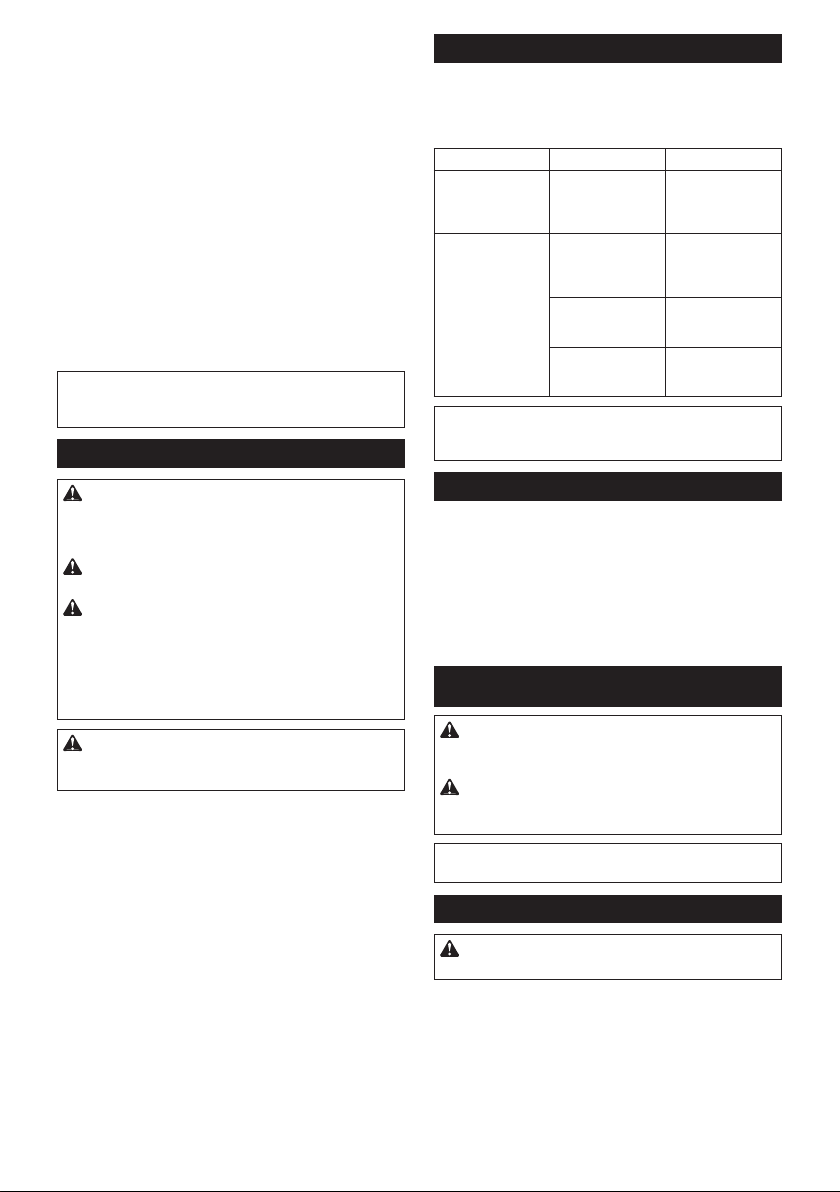
The indication lamp blinks or lights up when the battery
becomes low or the tool is overloaded. Refer to the
following table for the status and action to be taken.
Indication lamp Status Action to be taken
The lamp blinks
in red.
The remaining
battery is low.
Recharge the
battery, or replace
the battery with a
charged one.
The lamp lights up
in red.
The remaining
battery is empty.
Recharge the
battery, or replace
the battery with a
charged one.
The tool has
stopped due to
overload.
󰀨
and remove the
cause of overload.
The tool has
stopped due to
overheat.
󰀨
and cool down the
tool and battery.
NOTE: The time at which the indication lamp blinks or
lights up varies by the temperature around the work
area and the battery cartridge conditions.
Electronic function
The tool is equipped with the electronic functions for easy operation.
Electric brake
This tool is equipped with an electric brake. If the
tool consistently fails to quickly stop the shear
blades after releasing the switch trigger or the
switch lever, have the tool serviced at Makita
Authorized Service Center.
ASSEMBLY
CAUTION: Always be sure that the tool is
󰀨
before carrying out any work on the tool.
CAUTION: When replacing the shear blades,
always wear gloves so that your hands do not
directly contact the shear blades.
NOTICE: When replacing the shear blades, do
󰀨
Installing or removing the shear blades
CAUTION: Attach the blade cover before
removing or installing the shear blades.
You can install 500 mm or 600 mm shear blades to your
tool.
1. Attach the blade cover to the shear blades.
Fig.5: 1. Blade cover
2. Place the tool upside down.
Remove 6 screws, and then remove the cover.
Fig.6: 1. Screw 2. Cover
Download manual in English (PDF, 15.47 MB)
(Consider the environment and only print this manual if it is really necessary)

Loading…

Rating

Let us know what you think about the Makita DUH507 Hedgecutter by leaving a product rating. Want to share your experiences with this product or ask a question? Please leave a comment at the bottom of the page.
Are you satisfied with the Makita DUH507 Hedgecutter?
Yes No
Be the first to rate this product
0 votes

Join the conversation about this product

Here you can share what you think about the Makita DUH507 Hedgecutter. If you have a question, first carefully read the manual. Requesting a manual can be done by using our contact form.

More about this manual

We understand that it’s nice to have a paper manual for your Makita DUH507 Hedgecutter. You can always download the manual from our website and print it yourself. If you would like to have an original manual, we recommend you contact Makita. They might be able to provide an original manual. Are you looking for the manual of your Makita DUH507 Hedgecutter in a different language? Choose your preferred language on our homepage and search for the model number to see if we have it available.

Specifications

Brand Makita
Model DUH507
Category Hedgecutters
File type PDF
File size 15.47 MB

All manuals for Makita Hedgecutters
More manuals of Hedgecutters

Frequently Asked Questions about Makita DUH507 Hedgecutter

Our support team searches for useful product information and answers to frequently asked questions. If you find an inaccuracy in our frequently asked questions, please let us know by using our contact form.

How do I know my hedgecutter is blunt? Verified

When branches are being pulled instead of cut, the hedgecutter is blunt and needs to be sharpened.

This was helpful (346) Read more

How do I sharpen my hedgecutter blades? Verified

Sharpening your hedgecutter blades is important for maintaining the performance and efficiency of the tool. To sharpen the blades, you will need a file or sharpening stone specifically designed for the type of blade on your hedgecutter.

This was helpful (299) Read more

How do I lubricate my hedgecutter blades? Verified

Lubricating your hedgecutter blades will help to reduce friction and wear, prolonging the life of the tool. Use a high-quality lubricating oil specifically designed for hedgecutters and apply a small amount to the blades after each use.

This was helpful (147) Read more

How can I prevent rust from forming on my hedgecutter blades? Verified

Rust can cause damage to your hedgecutter blades, reducing their performance and lifespan. To prevent rust, clean and dry the blades thoroughly after each use and store them in a dry, clean place. You can also consider applying a protective coating, such as oil or a rust inhibitor, to the blades before storing them.

This was helpful (90) Read more
Manual Makita DUH507 Hedgecutter

Related products

Related categories

×
Download