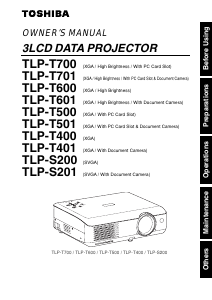
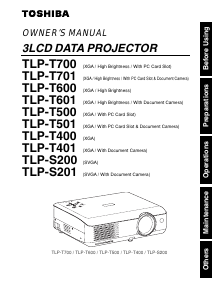
Manual Toshiba TLP-T501 Projector

Need a manual for your Toshiba TLP-T501 Projector? Below you can view and download the PDF manual for free in English. This product currently has 3 frequently asked questions, 0 comments and has 0 votes. If this is not the manual you want, please contact us.

Is your product defective and the manual offers no solution? Go to a Repair Café for free repair services.

Manual

Loading…
37
Operations
36
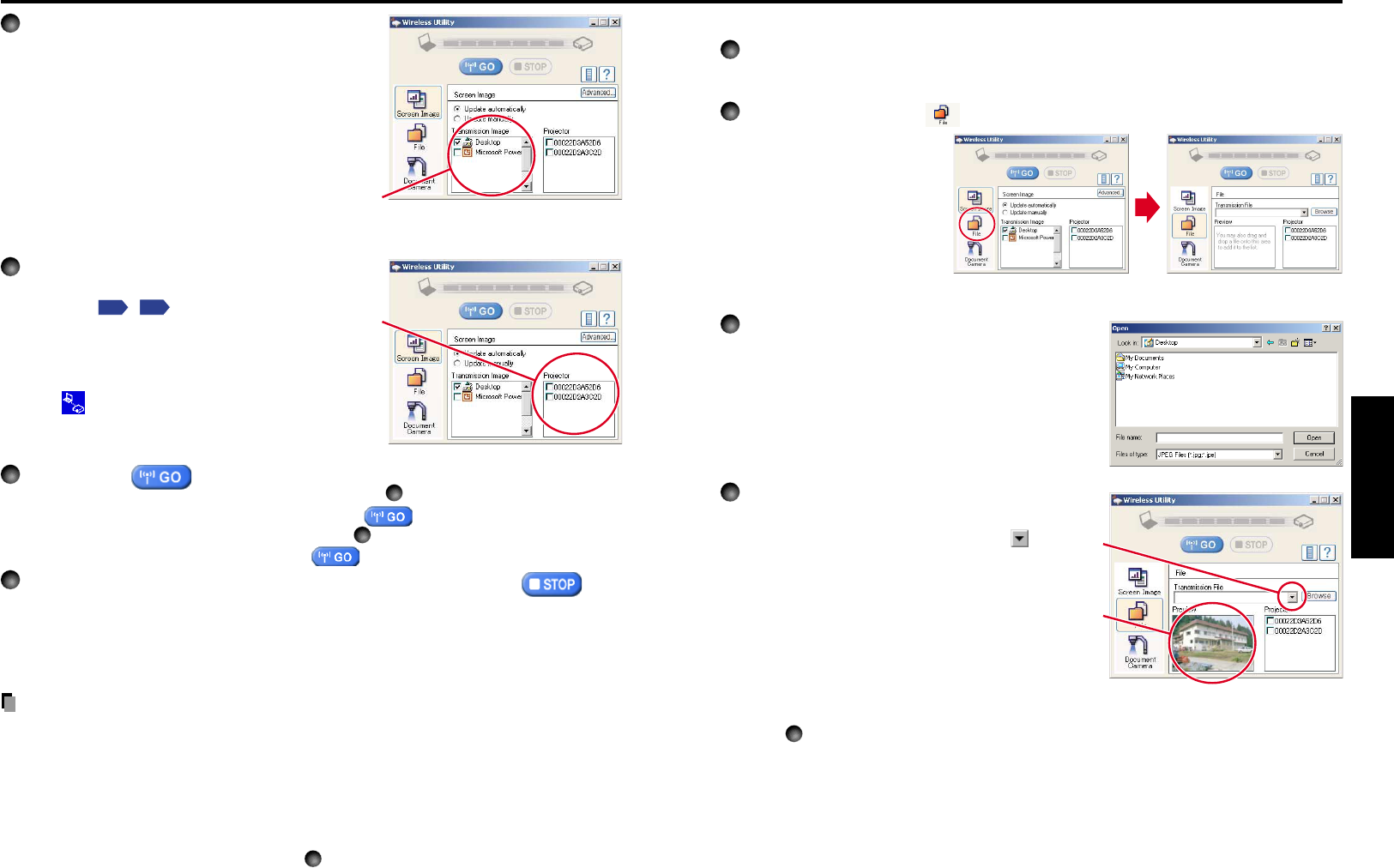
Displaying a JPEG image saved on a computer via the projector
1
Launch the Wireless Utility software application.
The Screen image transmission mode window appears on the computer’s screen.
2
Click on the File icon .
The Wireless Utility window
changes to File transmission
mode.
3
Click on the Browse button, and select the
file to send.
Clicking on the Browse button displays the Open
dialog box. Select the file to send, then click on the
Open button.
The selected file is added to the pull-down list in the
Wireless Utilitys Transmission File field.
4
Select the file to be sent from the pull-down
list of the Transmission File field.
Click on the Transmission File field’s button
to display the pull-down list. Select the file to be
sent from this list.
A thumbnail of the selected file appears in the
Preview box. The file displayed here will be
transmitted.
Step
3
can be skipped.
The way that drag and drop the file to be sent from the desktop or Windows Explorer
into the Preview box is also available. In this case as well, the selected file is added to
the file pull-down list Transmission File field’s.
4
Select the screen image you wish the
projector to display.
Select Desktop
The computer screen image is transmitted as-is.
Select application window
Select a running application (e.g. Microsoft
®
PowerPoint
®
), and send that application’s window
only.
The desktop and a list of running applications are displayed.
Select the desired application from this list. (If the desired
application is not on the list, launch it. Note that if too many
applications are running, it will consume the computer’s
resources, which could slow communication speed.)
5
Select the projector to be transmitted.
A list of the MAC addresses of the wireless LAN
PC cards
p.32
,
p.59
mounted on the projectors
that are available for transmission appears. (When
a projector name is set, that name appears instead
of MAC address.) Select the checkbox of the
projector you wish to transmit to from this list. Then
icon
is displayed on the projector’s screen for
few seconds.
It is possible to select up-to four projectors.
6
Click on the button.
When Update automatically is selected in step
2
Screen images are sent consecutively after the button is clicked.
When Update manually is selected in step
2
A single screen image is sent when the button is clicked.
7
To halt transmission from Update automatically, click on the
button.
If the Wireless Utility icon has been placed in the tasktray, double click on the icon to
display the window, then halt transmission, or right click on the icon, and halt
transmission.
Notes
It may not be possible to transmit the images from movie player or other video
applications.
If using consecutive transmission, the transmitted image refresh rate depends on the
performance of the computer you are using.
The projector screen may have a few differences from the computer screen.
It is not possible to transmit to a projector that is already receiving from another
computer.
If you selected application window in step
4
, if that application is not active (in use), the
image may not be correctly displayed by the projector.
Using the wireless LAN PC card (Continued)
Download manual in English (PDF, 3.34 MB)
(Consider the environment and only print this manual if it is really necessary)

Loading…

Rating

Let us know what you think about the Toshiba TLP-T501 Projector by leaving a product rating. Want to share your experiences with this product or ask a question? Please leave a comment at the bottom of the page.
Are you satisfied with the Toshiba TLP-T501 Projector?
Yes No
Be the first to rate this product
0 votes

Join the conversation about this product

Here you can share what you think about the Toshiba TLP-T501 Projector. If you have a question, first carefully read the manual. Requesting a manual can be done by using our contact form.

More about this manual

We understand that it’s nice to have a paper manual for your Toshiba TLP-T501 Projector. You can always download the manual from our website and print it yourself. If you would like to have an original manual, we recommend you contact Toshiba. They might be able to provide an original manual. Are you looking for the manual of your Toshiba TLP-T501 Projector in a different language? Choose your preferred language on our homepage and search for the model number to see if we have it available.

Specifications

Brand Toshiba
Model TLP-T501
Category Projectors
File type PDF
File size 3.34 MB

All manuals for Toshiba Projectors
More manuals of Projectors

Frequently Asked Questions about Toshiba TLP-T501 Projector

Our support team searches for useful product information and answers to frequently asked questions. If you find an inaccuracy in our frequently asked questions, please let us know by using our contact form.

Can I power off my projector immediately after use? Verified

After using the projector the lamp is still very hot. It is best to leave the projector on after use, giving the internal fan time to do it's work and cool the lamp. This will extend the lifetime of the lamp.

This was helpful (215) Read more

What is keystone correction? Verified

A projector can often not be placed straight in front of a screen or wall. The projected image can become distorted because of this. This is the keystone effect. Keystone correction is a feature that addresses this distortion. Not all projectors offer keystone correction.

This was helpful (159) Read more

What is the contrast ratio? Verified

The contrast ratio tells how far the whitest white is from the blackest black. A contrast ratio of for example 400:1 means that the blackest black on screen is 400 times darker than the whitest white. A high contrast ratio contributes to the sharpness of the image.

This was helpful (105) Read more
Manual Toshiba TLP-T501 Projector

Related products

Related categories

×
Download