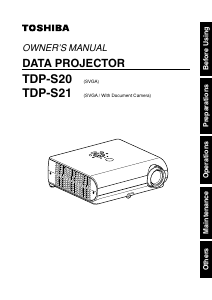
Manual Toshiba TLP-S20 Projector

Need a manual for your Toshiba TLP-S20 Projector? Below you can view and download the PDF manual for free in English. This product currently has 3 frequently asked questions, 0 comments and has 0 votes. If this is not the manual you want, please contact us.

Is your product defective and the manual offers no solution? Go to a Repair Café for free repair services.

Manual

Loading…
25
Operations
24
1
Turn on the power.
Turn on the power by following the instructions in “Turning on the power
p.22
.
2
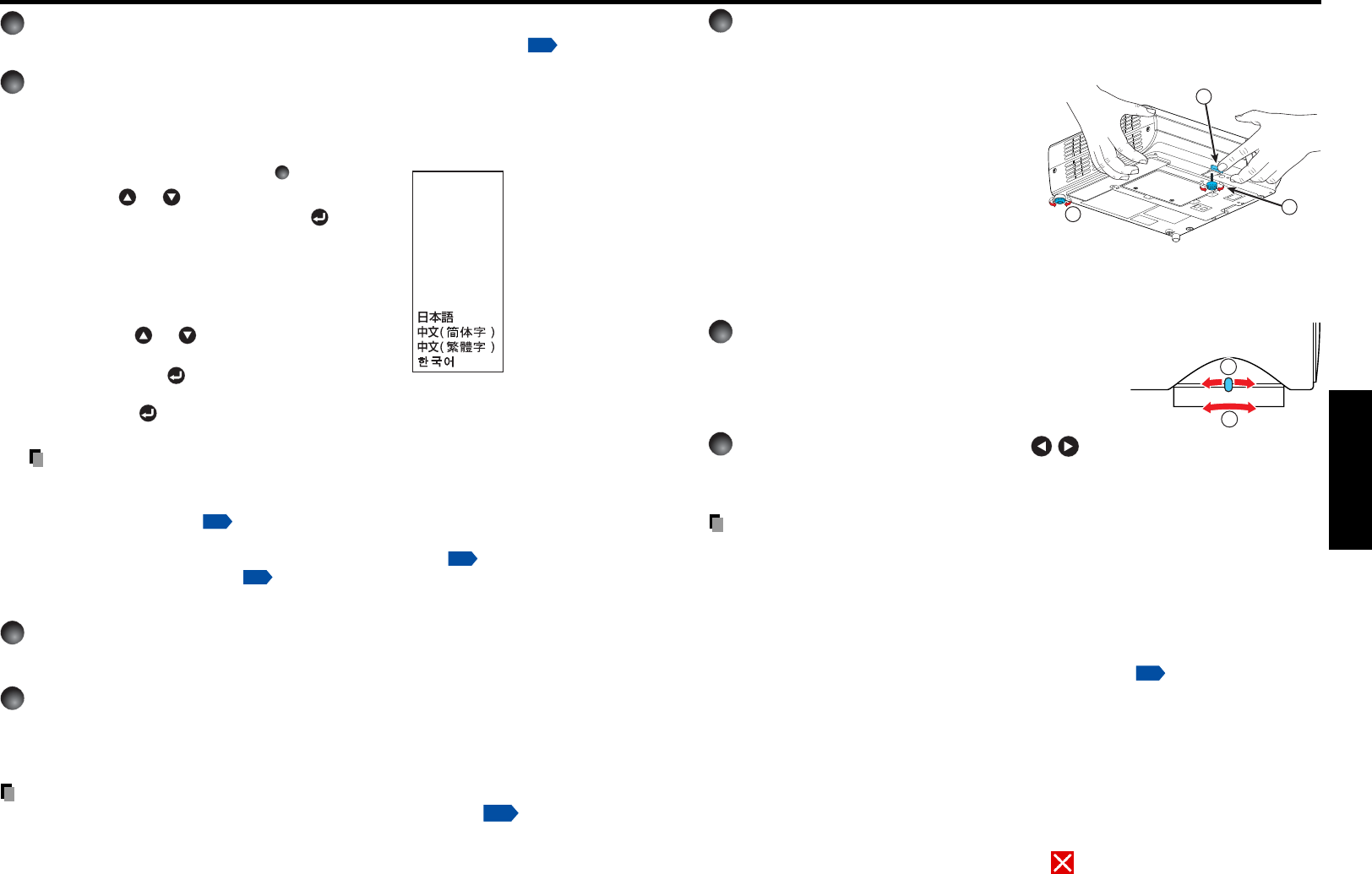
Select the language and the lamp power (When using the
first time).
When the projector is used for the first time after purchase, menu for language and
lamp power selection and configuration is displayed in English. (If the screen is out of
focus, adjust it according to the step
6
.)
q Use the or button to select the
desired language and press the
button.
Message for setup confirmation is displayed in a
selected language.
Then, the menu for lamp power selection and
configuration is displayed. It is automatically set as
Standard. To change the setting, follow the step w.
w Using the or button, select Standard
or Low for the lamp power (menu item)
and press the
button.
The lamp power, if selected, will be toggled without
pressing the
button. The display automatically
disappears in a few seconds.
Notes
When the projector is turned on the next time, the Language and Lamp power
menus do not appear upon startup. However, if “Reset all” is executed from the
Default setting menu
p.32
, the Language and Lamp power menus will be
displayed the next time when the power is turned on.
The language can also be set via the Display setting menu
p.31
and Lamp power
via the Default setting menu
p.32
.
This owners manual assumes that English has been selected.
3
Activate the connected device.
Turn on and start the connected device such as a computer.
4
Press the INPUT button.
An image of the connected equipment is projected.
Each time you press the INPUT button, it switches to the input of the connected
equipment.
Basic operations
Notes
When [Auto input search] is set to [On] in the default setting menu
p.32
, the image
of the equipment which is connected and turned on is projected.
Moving pictures generated with the DVD software for computers may appear unnatural if
it is projected with this projector, but it is not a malfunction.
English
Français
Português
Deutsch
Italiano
Español
................
..............
..............
................
...............
..........
...............
..............
................
.................
.......
.......
...................
Russian
Swedish
English
French
German
Italian
Spanish
Portuguese
Russian
Swedish
Tur kish
Japanese
Chinese (simplified)
Chinese (traditional)
Korean
Türkçe
5
Projector placement angle adjustments
The placement angle and the height of the projected image can be adjusted by the foot
adjuster.
q Lift up the front of the projector to
the desired angle, then press the
foot adjuster release button.
The foot adjuster extends. Release the
button to lock the position.
w Turn the foot adjuster to fine-tune
the angle.
e To adjust the horizontal angle, use
the tilt adjuster.
To stow the foot adjuster, hold up the projector while pressing the foot adjuster
release button, then slowly lower the projector.
6
Adjusting the screen size and focus
q Use the zooming lever to adjust the screen
size.
w Use the focusing lever to adjust the focus.
7
Adjusting the volume with the buttons
The speaker volume can be adjusted when an audio signal is being input.
Notes
Note that a lamp characteristics may rarely cause the brightness to fluctuate slightly.
•A lamp is consumable item. If used for extended periods, images will appear dark, and
the lamp could burn out. This is characteristic of a lamp, and is not malfunction. (The
lifetime of the lamp depends on conditions of use.)
The DMD
TM
is made using extremely advanced technology, but there may be black spots
(pixels that do not light) or bright spots (pixels that are constantly lit) on the panel. Please
note that these are not malfunctions.
Although this projector supports a wide range of RGB signals
p.45
, any resolutions not
supported by this projector (SVGA) will be expanded or shrunk, which will affect image
quality slightly. To view high-quality images, it is recommended that the computer’s
external output should be set to SVGA (800 × 600) resolution.
•With some models of computer having LCD displays or the like, displaying images
simultaneously on the projector and the monitor’s display may prevent the images from
displaying properly. If this happens, turn off the computer’s LCD display. For information
on how to turn off the LCD display, see the owner’s manual of your computer.
If a signal not supported by the projector is input, the “Unsupported signal” will appear.
If no signal is being input from the connected device, the “No signal” will appear.
If an unavailable operation button is pressed, the
icon will appear.
1
2
3
1
2
Download manual in English (PDF, 5.73 MB)
(Consider the environment and only print this manual if it is really necessary)

Loading…

Rating

Let us know what you think about the Toshiba TLP-S20 Projector by leaving a product rating. Want to share your experiences with this product or ask a question? Please leave a comment at the bottom of the page.
Are you satisfied with the Toshiba TLP-S20 Projector?
Yes No
Be the first to rate this product
0 votes

Join the conversation about this product

Here you can share what you think about the Toshiba TLP-S20 Projector. If you have a question, first carefully read the manual. Requesting a manual can be done by using our contact form.

More about this manual

We understand that it’s nice to have a paper manual for your Toshiba TLP-S20 Projector. You can always download the manual from our website and print it yourself. If you would like to have an original manual, we recommend you contact Toshiba. They might be able to provide an original manual. Are you looking for the manual of your Toshiba TLP-S20 Projector in a different language? Choose your preferred language on our homepage and search for the model number to see if we have it available.

Specifications

Brand Toshiba
Model TLP-S20
Category Projectors
File type PDF
File size 5.73 MB

All manuals for Toshiba Projectors
More manuals of Projectors

Frequently Asked Questions about Toshiba TLP-S20 Projector

Our support team searches for useful product information and answers to frequently asked questions. If you find an inaccuracy in our frequently asked questions, please let us know by using our contact form.

Can I power off my projector immediately after use? Verified

After using the projector the lamp is still very hot. It is best to leave the projector on after use, giving the internal fan time to do it's work and cool the lamp. This will extend the lifetime of the lamp.

This was helpful (214) Read more

What is keystone correction? Verified

A projector can often not be placed straight in front of a screen or wall. The projected image can become distorted because of this. This is the keystone effect. Keystone correction is a feature that addresses this distortion. Not all projectors offer keystone correction.

This was helpful (158) Read more

What is the contrast ratio? Verified

The contrast ratio tells how far the whitest white is from the blackest black. A contrast ratio of for example 400:1 means that the blackest black on screen is 400 times darker than the whitest white. A high contrast ratio contributes to the sharpness of the image.

This was helpful (104) Read more
Manual Toshiba TLP-S20 Projector

Related products

Related categories

×
Download