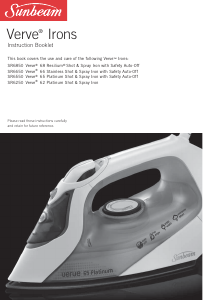
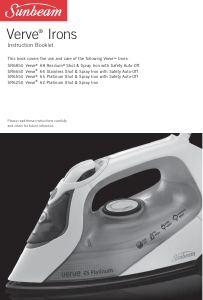
Manual Sunbeam SR6250 Verve Iron

Need a manual for your Sunbeam SR6250 Verve Iron? Below you can view and download the PDF manual for free in English. This product currently has 4 frequently asked questions, 0 comments and has 0 votes. If this is not the manual you want, please contact us.

Is your product defective and the manual offers no solution? Go to a Repair Café for free repair services.

Manual

Loading…
Before first use
Remove any adhesive stickers, plastic covers
or cardboard sleeves from the soleplate.
Ensure that all adhesive is removed by rubbing
the soleplate with a cloth dampened with
methylated spirits.
Fill the water tank and empty the water. This
will rinse out any foreign particles remaining
in the water tank from the manufacturing
process.
NOTE: When turned on for the first time,
your new iron may give off vapours for up
to 10 minutes. This is due to the initial
heating of the materials used. It is safe, not
detrimental to the performance of the iron,
and will not reoccur.
Filling the iron with water
Befo
re filling the iron with water ensure the
power is turned off and the plug is removed
from the power outlet. The iron can be filled
with water while it is hot.
Place the iron on its heel and open the water
inlet cover.
Slowly pour water into the water inlet until
the maximum water level is reached. Do not
exceed the maximum water level indicator.
Push the water inlet cover firmly to close.
NOTE: The special soleplate design allows you
to use tap water with your Verve iron without
affecting the steam performance. However in
very hard water areas, Sunbeam recommends
the use of distilled water, or wate
r which has
been demineralised.
For best performance, we recommend the use
of Sunbeam Water Demineraliser, available
from selected retailers. This will produce up to
30 litres of demineralised water.
Do not fill the iron with fabric conditioner,
starches or any other solution as these will
damage the steam mechanism. Do not use
contaminated water.
Using your iron
1. Insert the plug into a 230/240 volt power
outlet and turn the power on. The power
ON light (positioned on top of the handle)
will illuminate to indicate that the iron is
switched on and heating.
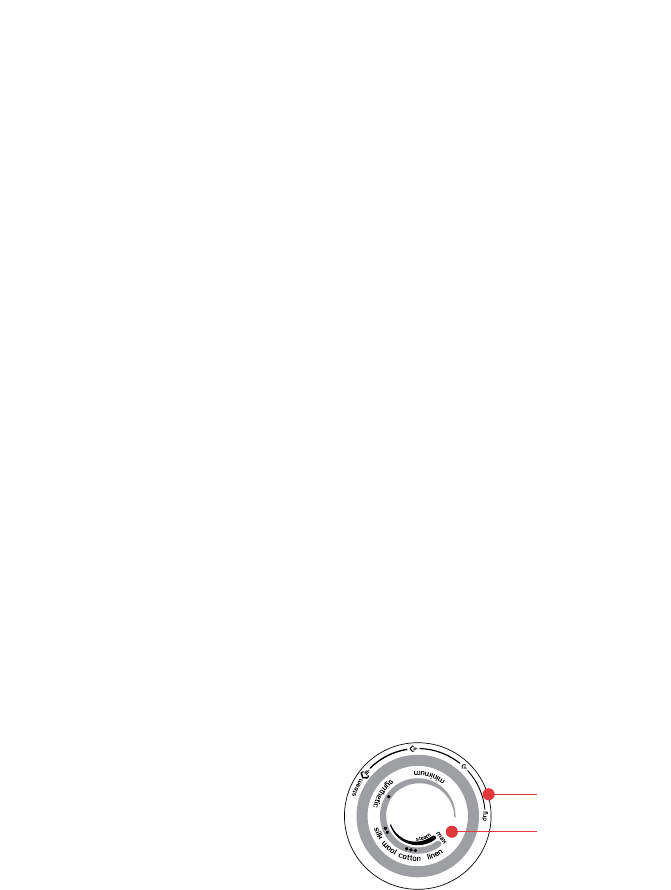
2. Turn the temperatu
re dial to the desired
setting by aligning the setting on the
dial with the temperature indicator. The
thermostat light will illuminate to indicate
that the iron is heating to the selected
temperature. When the thermostat light
goes out the iron has reached the selected
temperature and is ready to use.
NOTE: When the temperature dial is changed
from a high setting to a lower temperature
setting during ironing, the thermostat light will
go out immediately. This indicates that the
iron is cooling to the selected temperature.
To ensure that the iro
n has reached the
selected temperature and is not too hot, wait
until the thermostat light comes on again and
then goes out before ironing.
Steam ironing
Follow steps 1 and 2 above.
NOTE: When steam ironing, ensure that the
temperature dial is set to any temperature
within the steam band, and that the tank
is at least ¼ full of water.
3. Turn the steam dial to the desired
steam setting.
For best results, select the steam setting
that corresponds to the selected temperature,
as indicated on the temperature dial.
6
Using your Sunbeam Verve Iron
Steam Dial
Temperature Dial
Download manual in English (PDF, 1.14 MB)
(Consider the environment and only print this manual if it is really necessary)

Loading…

Rating

Let us know what you think about the Sunbeam SR6250 Verve Iron by leaving a product rating. Want to share your experiences with this product or ask a question? Please leave a comment at the bottom of the page.
Are you satisfied with the Sunbeam SR6250 Verve Iron?
Yes No
Be the first to rate this product
0 votes

Join the conversation about this product

Here you can share what you think about the Sunbeam SR6250 Verve Iron. If you have a question, first carefully read the manual. Requesting a manual can be done by using our contact form.

More about this manual

We understand that it’s nice to have a paper manual for your Sunbeam SR6250 Verve Iron. You can always download the manual from our website and print it yourself. If you would like to have an original manual, we recommend you contact Sunbeam. They might be able to provide an original manual. Are you looking for the manual of your Sunbeam SR6250 Verve Iron in a different language? Choose your preferred language on our homepage and search for the model number to see if we have it available.

Specifications

Brand Sunbeam
Model SR6250 Verve
Category Irons
File type PDF
File size 1.14 MB

All manuals for Sunbeam Irons
More manuals of Irons

Frequently Asked Questions about Sunbeam SR6250 Verve Iron

Our support team searches for useful product information and answers to frequently asked questions. If you find an inaccuracy in our frequently asked questions, please let us know by using our contact form.

Can I clean the bottom of my iron with a scourer? Verified

No, this might damage the bottom. Use a moist cloth or a soft sponge to clean it.

This was helpful (424) Read more

What are the differences between a steam iron and a regular iron? Verified

The biggest advantage of a steam iron is that it removes wrinkles easier due to the use of steam. A regular iron on the contrary is much lighter and often cheaper.

This was helpful (346) Read more

The sole of my iron is discoloured, can I still iron with it? Verified

That is possible, but there is a chance it will rub off on light coloured clothing.

This was helpful (287) Read more

Can I iron over buttons? Verified

No, this will damage the sole of the iron and that will prevent the iron from working correctly. Never iron over buttons, zippers or other hard objects.

This was helpful (238) Read more
Manual Sunbeam SR6250 Verve Iron

Related products

Related categories

×
Download