
Installing WALKMAN Guide and Media Go (for
Windows)
1 Connect your Walkman to a running
computer using the USB cable (supplied).
2 Select the following order with the
computer.
Windows 7 or earlier: Select [Start] – [Computer] or [My Computer]
– [WALKMAN] – [Storage Media] – [FOR_WINDOWS].
Windows 8: Select [Desktop] from [Start screen] to open [File
Explorer]. In the [Computer] list, select [WALKMAN] – [Storage Media]
– [FOR_WINDOWS].
3 Double-click [Setup.exe].
The install wizard appears.
When you execute [Setup.exe], the [Setup.exe] file stored in
the [FOR_WINDOWS] folder of your Walkman is copied to
your computer for backup, and WALKMAN Guide and Media
Go are installed to your computer.
If [Setup.exe] does not start, copy the [Setup.exe] file to your
desktop, then double-click it.
4 Follow the on-screen instructions.
After the install wizard finishes, the WALKMAN Guide and
Media Go shortcuts appear on the desktop of your computer.
The Help Guide is included in the WALKMAN Guide.
Contents
Please check the items in the package.
“WALKMAN” (1)
USB cable (1)
Headphones cable (1)
Quick Start Guide (this manual)
About the Operating System
Make sure that the OS is Windows XP*
1
(Service Pack 3 or later), Windows
Vista*
2
(Service Pack 2 or later), Windows 7*
2
(Service Pack 1 or later), or
Windows 8.
*
1
Excluding 64-bit OS versions.
*
2
[Compatibility mode] for Windows XP is not supported.
For a Mac computer, make sure that the OS is Mac OS X v10.6 or later.
Not supported by OSs other than above
Installing the Help Guide and the Content Transfer
software (for Mac)
1 Connect your Walkman to a running
computer using the USB cable (supplied).
2 On the computer, select [WALKMAN] in the
sidebar of Finder, then open the [FOR_MAC]
folder.
3 Double-click the installer icon of the desired
software:
To install the Help Guide:[Help_Guide_Installer_for_Mac]
To install the Content Transfer software: [ContentTransfer.pkg]
4 Follow the on-screen instructions.
After the installer finishes, the alias (shortcut) of the installed
software (Help Guide or the Content Transfer software)
appears on the desktop of your computer.
Hint
Before you attempt to delete the software from your Walkman, copy the
[FOR_MAC] folder to your Mac computer as a backup if necessary.
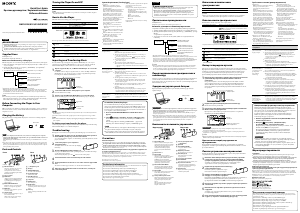
OPR lamp
USB cable (supplied)
1 Connect your Walkman to a running
computer using the USB cable (supplied).
Charging starts. The OPR (operation) lamp lights up.
Notes on charging by using the computer
Charge the battery when the OPR lamp blinks in green and orange alternately.
When the battery is nearly depleted, the OPR lamp blinks in red and orange
alternately.
While the battery is charging, the lamp indicates the charging status of your
Walkman.
Lights up in orange: Being charged
Turns off: Charged fully or not being charged
Charging time is approx. 2 hours.
When your Walkman has been fully charged, disconnect it from the computer.
For a Mac computer, click the [WALKMAN] eject icon in the sidebar of Finder to
disconnect your Walkman.
How to Install the Supplied Software
About the manuals
This Quick Start Guide only describes the basic operating instructions
and how to install the supplied software.
For detailed information and operating instructions, refer to the Help
Guide (HTML document) included in the supplied software after
installation.
Attaching Your “WALKMAN” to Your Computer and Charging the Battery Parts and Controls
Quick Start Guide
©2013 Sony Corporation
Printed in Malaysia
How to Install the Supplied Software
How to Use Your “WALKMAN”
NWZ-WH505/WH303
RESET button
POWER switch
OUTPUT switch
(headphones)
(built‑in speakers)
Built‑in speakers
Illuminations
OPR (operation) lamp
Micro USB jack
HEADPHONES jack
SOUND/ILLUMINATION
button
SHUFFLE/PLAY LIST button
VOLUME –/+*
1
button
Jog lever (//)
Press to start/pause
playback. Press and hold for
longer than 1 second during
playback to start ZAPPIN
playback.
Slide to or to skip to the
next or previous song. Slide to
or and hold for longer
than 1 second to skip to the
beginning of the previous or next
folder.
*
1
There is a tactile dot. Use it to help with volume adjustment operations.
This product is a headphones-type “WALKMAN.”
In addition to transferring music directly to your Walkman and enjoying the
music, you can also use it simply as headphones by turning the POWER
switch to OFF and connecting your Walkman to other music players. This
headphones-type Walkman is referred to as a “Walkman” in this manual.
4-467-857-11(1)
About volume operation (Only for countries/areas
complying with European Directives)
An alarm (beep) and warning “Check the volume level” are meant to
protect your ears when you raise the volume setting beyond a specific
level*
1
for the first time.
You can cancel the alarm and warning by pressing any button.
Note
You can turn up the volume beyond the specific level*
1
after canceling the
alarm and warning.
After the initial warning, the alarm and warning repeat for every 20 cumulative
hours that the volume is set beyond the specific level*
1
; when this happens,
the volume is changed to level [7] automatically.
If the volume is set beyond the specific level*
1
and you turn off the Walkman,
the volume returns to the specific level*
1
automatically.
*
1
Specific level = [17]
If some computer enters a power saving mode such as the Sleep or
Hibernation mode while your Walkman is connected via the USB cable
(supplied), the Walkman may continue to draw power from the battery,
discharging it.
When you use your Walkman for the first time, or if you have not used the
Walkman for a long time, it may take a few minutes to be recognized by the
computer, even if charging has already started (the OPR lamp lights up in
orange). Check that the computer recognizes your Walkman after you have
connected it to the computer for about 10 minutes.
You cannot operate your Walkman while it is charging.
To prevent battery deterioration, charge the battery at least once every six
months or every year.
Access to the online Help Guide (Full version).
For PC or Smart phones
While browsing is free, you may charge the
communication fee according to your carrier
contract.
http://rd1.sony.net/help/dmp/nwzwh300_500/en/





Join the conversation about this product
Here you can share what you think about the Sony NWZ-WH303 Walkman Mp3 Player. If you have a question, first carefully read the manual. Requesting a manual can be done by using our contact form.