
2
TABLE OF CONTENTS
Copyright, Trademarks, GPL, Legal Disclaimers ...................................................7
Important information .........................................................................................8
Safety instructions ..............................................................................................8
Standards conformance ......................................................................................9
Product specications .......................................................................................11
Disposal of the device ........................................................................................11
Cleaning ............................................................................................................11
Setting up the phone .........................................................................................12
Delivery Content ................................................................................................12
Attaching and detaching the footstand ............................................................... 12
Wall mounting ...................................................................................................13
Rotating the tab of the cradle .............................................................................13
Connecting the phone .......................................................................................14
Removing the protective lm from the display ...................................................15
Connecting a headset .........................................................................................15
Initializing and registering the phone ................................................................17
Prerequisites ................................................................................................17
Initialization .................................................................................................. 17
What to do if initialization and registration are unsuccessful ......................... 21
Correcting the clock ...................................................................................... 21
Getting to know your phone ...............................................................................22
At a glance ......................................................................................................... 22
LED indicators ...................................................................................................24
Call indicator .................................................................................................24
Function key LEDs ......................................................................................... 24
Hard keys ..........................................................................................................25
Context-sensitive, programmable function keys ...........................................25
Navigation, conrmation, and cancel keys ....................................................25
Dedicated keys ..............................................................................................25
Audio Control Keys ........................................................................................26
SmartLabel Keys (freely programmable function keys with LEDs) ................ 26
Alphanumeric Keypad ...................................................................................27
Input modes and navigation .................................................................27
Entering numerals, letters, special characters, and symbols ...............28
Display layout ....................................................................................................29
In idle mode ..................................................................................................29
When the phone is active ..............................................................................31





Join the conversation about this product
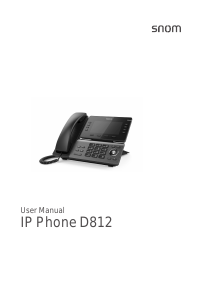
Here you can share what you think about the Snom D812 IP Phone. If you have a question, first carefully read the manual. Requesting a manual can be done by using our contact form.