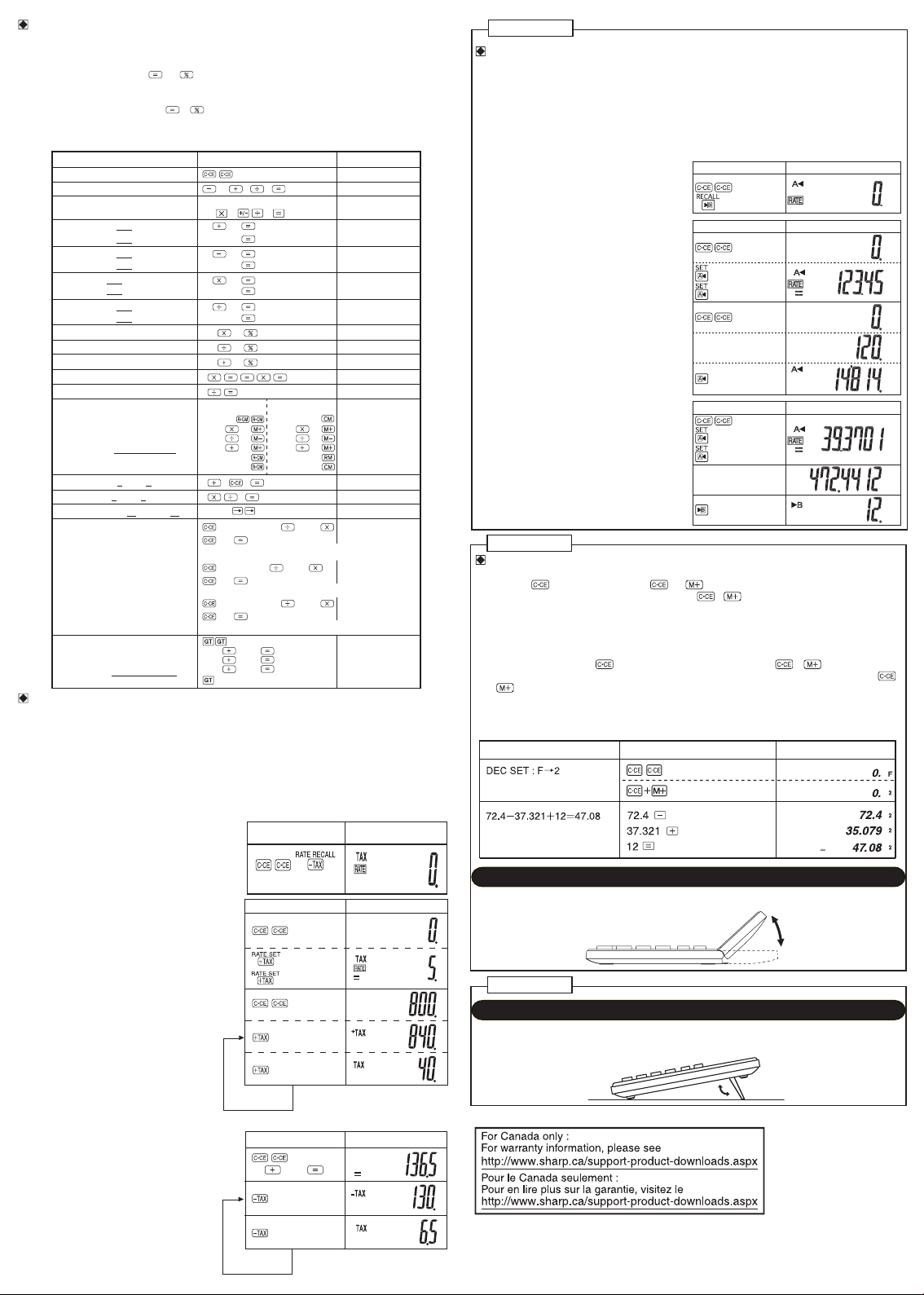
HOW TO PERFORM BASIC CALCULATIONS / COMMENT EFFECTUER DES CALCULS SIMPLES
•
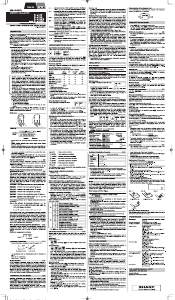
In these display examples, symbols such as “=” and “+”, “–”, “×”, “÷” which are visible on the actual display are omitted.
• Dans ces exemples d’affichage, les symboles tels que “=” et “+”, “–”, “×”, “÷” visibles sur l’affichage réel sont omis.
EL-334W :
• If the value obtained by pressing and is other than 0, it is automatically added to the grand total memory and
the “G” symbol appears on the display. Note that the “G” symbol is not shown in this operational manual, except for in the
grand total calculation display.
• Si la valeur obtenue en appuyant sur
et est différente de 0, elle est automatiquement ajoutée à la mémoire
du total général et le symbole “G” s’affiche à l’écran. Il est à noter que le symbole “G” n’est pas indiqué dans ce mode
d’emploi, sauf dans le cas de l’affichage du calcul du total général.
EL-334W:
EL-334W:
EL-330W:
)3( )2()1(
0.
(–24+2)÷4=–5.5
13×(–4)÷2=–26
24
13
2
2
4
4
–5.5
–26.
34+57=91 57
91.
45+57=102
102.
38–26=12 26
12.
35–26=9
9.
68×25=1700 68
34
45
38
35
35
98
200
200
25
40
1’700.
68×40=2720
2’720.
35÷14=2.5 14
2.5
98÷14=7
7.
200×10%=20 10
20.
(9÷36)×100=25 009 36
25.
200+(200×10%)=220 10
220.
4
6
=(4
3
)
2
=40964
4’096.
1/8=0.125 8
0.125
100+200= 300
300+400=700
0
+) 500+600=1100
0
2100
2+
3 → 2+4=623 4
6.
5×2 → 5÷2=2.5
123456 → 123478
25
12345678
2.5
0.
300.
700.
1’100.
2’100.
123’478.
100
300
500
200
400
600
987654320988÷0.444987654320988 0.444
2.22444666889
×555
555
1’234.56790123
=1234.56790123
×
10
12
(1234.56790123×10
12
=1234567901230000)
E
G
G
G
G
25 ×05=125
–) 84 ÷03=028
+) 68 +17=085
182
25 05
84
03
68 17
00
125.
M
28.
M
85.
M
182.
M
182.
M
9876543211÷0.444 9876543211 0.444
2.224446669
×555
555
1’234.567901
=1234.567901
×
10
10
(1234.567901×10
10
=12345679010000)
E
EL-330W
EL-334W:
EL-330W/EL-334W:EL-320W:
25 05
84
03
68 17
EL-320W:
987654320988÷0.444
×555
=1234.56790123
×
10
12
987654320988 0.444
555
(1234.56790123×10
12
=1234567901230000)
2.22444666889
1’234.56790123
E
HOW TO PERFORM TAX CALCULATIONS / COMMENT EFFECTUER UN CALCUL DE TAXE
• Prior to making this calculation, make sure that the tax rate is set correctly. (The initial tax rate is 0.) A tax rate can
be set (or changed) with a number containing up to four digits. (Decimal point is not regarded as a digit.)
The set tax rate is retained until it is changed. However, the set tax rate may be changed or lost if the battery runs out.
• Avant de procéder à ce calcul, assurez-vous que le taux d‘imposition est correctement établi.
(Le taux d‘imposition initial est 0.)
Un taux d‘imposition peut être établi (ou modifié) avec un nombre comprenant jusqu’à quatre chiffres.
(La virgule décimale n’est pas considérée comme un chiffre.)
Le taux d‘imposition établi est conservé jusqu‘à ce qu‘il soit modifié. Toutefois, le taux d‘imposition établi peut être
modifié ou perdu si la pile est épuisée.
(1) • Confirming the tax rate. (0%)
• Confirmer le taux d‘imposition. (0%)
(1) • Set a 5% tax rate.
Calculate the tax on $800 and calculate the total
Including tax.
• Etablissez une taux d‘imposition de 5%.
Calculez la taxe sur 800$ et calculez le total
taxe incluse.
(1) • Perform two calculations using $84 and $52.5,
both of which already include tax. (tax rate: 5%)
Calculate the tax on the total and the total
without tax.
• Effectuez deux calculs en utilisant 84$ et 52,5$,
tous deux incluant déjà la taxe.
(taux d‘imposition : 5%)
Calculez la taxe pour le total et le total hors taxe.
PERFORMING A MULTIPLE CONVERSION / EXÉCUTION DE PLUSIEURS CONVERSIONS
• Before performing Multiple Conversion, set and confirm a conversion rate first. (The initial conversion rate is “0”.)
A conversion rate can be set (or changed) using 6 digits. (A decimal point does not count as 1 digit.)
Once set, the conversion rate is memorized until it is changed. However, the conversion rate may change because of
battery replacement or consumption, etc.
•
Avant d’exécuter plusieurs conversions, adoptez un taux de conversion et validez-le. (Le taux initial de conversion est “0”.)
Le taux de conversion peut être défini (ou modifié) en utilisant 6 chiffres. (Le point décimal ne compte pas pour un chiffre.)
Après sa définition, le taux de conversion demeure en mémoire jusqu’à ce qu’il soit à nouveau modifié. Toutefois, le
taux de conversion peut être modifié du fait du remplacement des piles ou de leur épuisement, etc.
(1) • Confirm the conversion rate (0).
• Validez le taux de conversion (0).
(2) (3)
(1) • Set up a conversion rate
(i.e. 1 dollar = 123.45 yen).
Converting 120 dollars to yen
(Conversion rate: 1 dollar = 123.45)
• Adoptez un taux de conversion
(par exemple, 1 dollar = 123,45 yens).
Convertissez 120 dollars en yens
(Taux de onversion: 1 dollar = 123,45)
(2) (3)
123.45
120
(1) • Set a conversion rate of 1 m = 39.3701 inches,
and convert 472.4412 inches to meters.
• Adoptez le taux de conversion 1 m = 39,3701
pouces puis convertissez 472, 4412 pouces en
mètres.
(2) (3)
39.3701
472.4412
CONFIGURING THE DECIMAL PLACE / CONFIGURATION DE LA DÉCIMALE
Decimal place setting key:
First, press twice. Then, press and hold and together (about a second) to rotate and select out of
three decimal configuration settings. (This is indicated as “ + ” hereafter.)
“F” setting: Decimal place is set to “floating”, and will not be fixed. Fractions will be rounded off.
“2” or “0” setting: Decimal place is fixed to either “2” or “0”. If “2” is selected, fractions are rounded off to two decimal
places. Selecting “0” rounds off the decimal part completely.
Touche de réglage de la décimale:
Appuyez d’abord deux fois sur
. Ensuite, maintenez enfoncées simultanément et (environ une seconde)
pour pivoter et sélectionner parmi trois réglages de configuration décimale. (Cette combinaison est indiquée par “
+ ” ci-après.)
Réglage “F”: La décimale est réglée sur “flottante” et ne sera pas fixée. Les fractions seront arrondies.
Réglage “2” ou “0”: La décimale est fixée à “2” ou “0”. Si “2” est sélectionné, les fractions sont arrondies à deux décimales.
Si vous sélectionnez “0”, la décimale est complètement arrondie.
EL-330W
5
800
)3()2(
84 52.5
EL-320W/330W/334W(Y12)-2
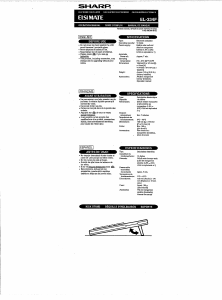
TILT DISPLAY
AFFICHAGE INCLINÉ
EL-320W
EL-334W
KICK STAND
SUPPORT


Join the conversation about this product
Here you can share what you think about the Sharp EL-330WB Calculator. If you have a question, first carefully read the manual. Requesting a manual can be done by using our contact form.