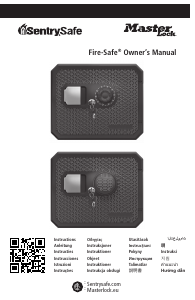
Manual SentrySafe DH-109E Safe

Need a manual for your SentrySafe DH-109E Safe? Below you can view and download the PDF manual for free in English. This product currently has 3 frequently asked questions, 0 comments and has 0 votes. If this is not the manual you want, please contact us.

Is your product defective and the manual offers no solution? Go to a Repair Café for free repair services.

Manual

Loading…

1
Getting started
1
Installation of the batteries
(keep door open during setup):
1. Turn the keypad housing counter clockwise
and carefully pull away from the mounting
plate to expose battery compartment.
2. Install four new AAA Alkaline batteries
(factory installed batteries may be included
with some models).
Caution: Hold onto the
keypad housing to avoid pulling wires.
Note: Do not use rechargeable batteries or any
other type of non-alkaline battery. Do not mix
old and new batteries. Do not mix alkaline and
standard batteries.
3. Carefully position the keypad into the
inserts on the mounting plate and turn
clockwise. Ensure that there are no wires or
cables trapped between the keypad and the
mounting plate. Pinched cables result in a
short circuit.
4. Enter: * - Master or Manager Code (from
front of booklet) - #
The lock will indicate a valid code entry with
a single signal and the open light will stay
green for five (5) seconds.
5. Turn the handle clockwise before the green
light disappears.
Depository Safe
Thank you for purchasing this security safe from Sentry
®
Safe. This guide is designed to maximize the user and security features of this product.
The SentrySafe electronic lock is shipped with a
factory set master & manager code (see front of
booklet). You should set the lock to your own
unique master & manager code immediately.
Please keep your codes in a secure location.
You may also register your codes on our
website at www.sentrysafe.com.
A single signal (LED flashes and beeps once)
response from the lock indicates valid entry.
A double signal (LED flashes and beeps
twice) response from the lock indicates an
invalid entry.
• If three incorrect entries are entered in a
row, the keypad will shut down for a period
of five minutes. During this shut down period
you will not get a response from the keypad.
Changing the Master Code
(Code length: 1 to 10 digit code)
Always
perform this operation with the door open.
1. Enter: # - Existing Master Code - #
2. The set light will stay orange for ten (10)
seconds.
3. Enter: 1 - * - New Master Code - # - New
Master Code - #, before the orange light
disappears.
If a mistake is made during the change, wait
thirty (30) seconds and repeat steps 1 thru 3.
Test the new code several times before closing
the door: Enter: * - Code - #
• The lock will indicate a valid code change
with a single signal.
• The lock will indicate an invalid code change
with a double signal and the old code is still
valid.
Changing the Manager Code
(Code length: 1 to 10 digit code)
Always
perform this operation with the door open.
1. Enter: # - Master Code or Manager Code - #
2. The set light will stay orange for ten (10)
seconds.
3. Enter: 2 - * - New Manger Code - # - New
Manager Code - #, before the orange light
disappears.
If a mistake is made during the change, wait
thirty (30) seconds and repeat steps 1 thru 3.
Test the new code several times before closing
the door: Enter: * - Code - #
• The lock will indicate a valid code change
with a single signal.
• The lock will indicate an invalid code change
with a double signal and the old code is still
valid.
Activate user codes
(Code length: 1 to 10 digit code)
Always
perform this operation with the door open.
1. Enter: # - Master Code or Manager Code - #
2. The set light will stay orange for ten (10)
seconds.
3. Enter: User ID Number (3-7) - * - New User
Code - # - New User Code - #, before the
orange light disappears.
If a mistake is made during the activation, wait
thirty (30) seconds and repeat steps 1 thru 3.
• The lock will indicate a valid code entry with
a single signal.
• The lock will indicate an invalid code entry
with a double signal and the old code is still
valid.
Example: # - Master Code or Manger Code - #
- 5 - * - New User Code - # - New User Code -
#. This will activate User Five (5).
Changing the user code
Always perform this operation with the door
open
1. Enter: # - User Code - #
2. The set light will stay orange for ten (10)
seconds.
3. Enter: New User Code - # - New User Code -
#, before the orange light disappears.
If a mistake is made during the change, wait
thirty (30) seconds and repeat steps 1 thru 3.
Test the new code several times before closing
the door: Enter: * - Code - #
• The lock will indicate a valid code change
with a single signal.
• The lock will indicate an invalid code change
with a double signal and the old code is still
valid.
The Master and Manager can also change
the user codes by following the Activate user
codes” section steps 1 thru 3.
Deleting user codes
Always perform this operation with the door
open.
1. Enter: # - Master Code or Manager Code - #
2. The set light will stay orange for ten (10) seconds.
3. Enter: User ID Number (3-7) - * - # - #
Programming your lock codes
2
Download manual in English (PDF, 0.15 MB)
(Consider the environment and only print this manual if it is really necessary)

Loading…

Rating

Let us know what you think about the SentrySafe DH-109E Safe by leaving a product rating. Want to share your experiences with this product or ask a question? Please leave a comment at the bottom of the page.
Are you satisfied with the SentrySafe DH-109E Safe?
Yes No
Be the first to rate this product
0 votes

Join the conversation about this product

Here you can share what you think about the SentrySafe DH-109E Safe. If you have a question, first carefully read the manual. Requesting a manual can be done by using our contact form.

More about this manual

We understand that it’s nice to have a paper manual for your SentrySafe DH-109E Safe. You can always download the manual from our website and print it yourself. If you would like to have an original manual, we recommend you contact SentrySafe. They might be able to provide an original manual. Are you looking for the manual of your SentrySafe DH-109E Safe in a different language? Choose your preferred language on our homepage and search for the model number to see if we have it available.

Specifications

Brand SentrySafe
Model DH-109E
Category Safes
File type PDF
File size 0.15 MB

All manuals for SentrySafe Safes
More manuals of Safes

Frequently Asked Questions about SentrySafe DH-109E Safe

Our support team searches for useful product information and answers to frequently asked questions. If you find an inaccuracy in our frequently asked questions, please let us know by using our contact form.

The lock on my electronic safe won't open, but I am sure the code I enter is correct. What can I do? Verified

This can happen when the batteru voltage is too low. This can be caused by cheap or nearly empty batteries. Replace the batteries and try again. If this does not solve the problem you should contact the manufacturer.

This was helpful (1503) Read more

I lost the combination of my safe, what can I do? Verified

In the case of a safe with an electronic lock, there is often an included emergency key with which the safe can still be opened. If no emergency key or other solution is available, there are specialized companies that can help. However, in the case of a small safe, the cost of a specialist may be higher than that of a new safe. In that case, the last option is to break open the safe.

This was helpful (727) Read more

When is it a good idea to secure my safe? Verified

In general it's a good idea to secure safes of 1000 kilogram or less. This prevents a thief to steal the entire safe. It's also possible that an insurance company demands a safe to be secured. Always have your safe secured by a specialist.

This was helpful (206) Read more
Manual SentrySafe DH-109E Safe

Related products

Related categories

×
Download