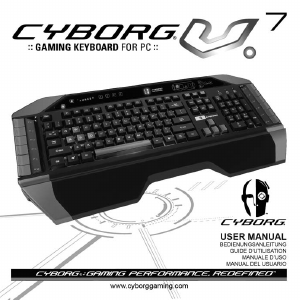
Manual Saitek Cyborg Keyboard

Need a manual for your Saitek Cyborg Keyboard? Below you can view and download the PDF manual for free in English. This product currently has 2 frequently asked questions, 0 comments and has 0 votes. If this is not the manual you want, please contact us.

Is your product defective and the manual offers no solution? Go to a Repair Café for free repair services.

Manual

Loading…
This symbol on the product or in the instructions means that your electrical and electronic equipment should be disposed at the
end of its life separately from your household waste. There are separate collection systems for recycling in the EU.
For more information, please contact the local authority or your retailer where you purchased the product.
Consult the dealer or an experienced radio/TV technician for help.
Saitek Industries, 2295 Jefferson Street, Torrance, CA 90501, USA
Canada ICES-003
Operation is subject to the following two conditions:
1 This device may not cause interference, and;
2 This device must accept any interference, including interference that may cause undesired operation of the device.
This Class B digital apparatus complies with Canadian ICES-003.
Cet appareil numérique de la classe B est conforme à la norme NMB-003 du Canada.
Conditions of Warranty
1 Warranty period is 2 years from date of purchase with proof of purchase submitted.
2 Operating instructions must be followed.
3 Specifically excludes any damages associated with leakage of batteries.
Note: Batteries can leak when left unused in a product for a period of time, so it is advisable to inspect batteries regularly.
4 Product must not have been damaged as a result of defacement, misuse, abuse, neglect, accident, destruction or alteration of the serial
number, improper electrical voltages or currents, repair, alteration or maintenance by any person or party other than our own service facility or
an authorized service center, use or installation of non-Saitek replacement parts in the product or the modification of this product in any way,
or the incorporation of this product into any other products, or damage to the product caused by accident, fire, floods, lightning, or acts of God,
or any use violative of instructions furnished by Saitek plc.
5 Obligations of Saitek shall be limited to repair or replacement with the same or similar unit, at our option. To obtain repairs under this warranty,
present the product and proof of purchase (eg, bill or invoice) to the authorized Saitek Technical Support Center (listed on the separate
sheet packaged with this product) transportation charges prepaid. Any requirements that
conflict with any state or Federal laws, rules and/or obligations shall not be enforceable in that particular territory and Saitek will adhere to
those laws, rules, and/or obligations.
6 When returning the product for repair, please pack it very carefully, preferably using the original packaging materials. Please also include an
explanatory note.
7 IMPORTANT: To save yourself unnecessary cost and inconvenience, please check carefully that you have read and followed the instructions
in this manual.
This warranty is in lieu of all other expressed warranties, obligations or liabilities. ANY IMPLIED WARRANTIES, OBLIGATIONS, OR
LIABILITIES, INCLUDING BUT NOT LIMITED TO THE IMPLIED WARRANTIES OF MERCHANTABILITY AND FITNESS FOR A
PARTICULAR PURPOSE, SHALL BE LIMITED IN DURATION TO THE DURATION OF THIS WRITTEN LIMITED WARRANTY. Some states
do not allow limitations on how long an implied warranty lasts, so the above limitations may not apply to you. IN NO EVENT SHALL WE BE
LIABLE FOR ANY SPECIAL OR CONSEQUENTIAL DAMAGES FOR BREACH OF THIS OR ANY OTHER WARRANTY, EXPRESS OR
IMPLIED, WHATSOEVER. Some states do not allow the exclusion or limitation of special, incidental or consequential damages, so the above
limitation may not apply to you. This warranty gives you specific legal rights, and you may also have other rights which vary from state to state.
Cyborg_Keyboard_manual_final.qxd 04/03/2008 16:04 Page 6
Download manual in English (PDF, 0.21 MB)
(Consider the environment and only print this manual if it is really necessary)

Loading…

Rating

Let us know what you think about the Saitek Cyborg Keyboard by leaving a product rating. Want to share your experiences with this product or ask a question? Please leave a comment at the bottom of the page.
Are you satisfied with the Saitek Cyborg Keyboard?
Yes No
Be the first to rate this product
0 votes

Join the conversation about this product

Here you can share what you think about the Saitek Cyborg Keyboard. If you have a question, first carefully read the manual. Requesting a manual can be done by using our contact form.

More about this manual

We understand that it’s nice to have a paper manual for your Saitek Cyborg Keyboard. You can always download the manual from our website and print it yourself. If you would like to have an original manual, we recommend you contact Saitek. They might be able to provide an original manual. Are you looking for the manual of your Saitek Cyborg Keyboard in a different language? Choose your preferred language on our homepage and search for the model number to see if we have it available.

Specifications

Brand Saitek
Model Cyborg
Category Keyboards
File type PDF
File size 0.21 MB

All manuals for Saitek Keyboards
More manuals of Keyboards

Frequently Asked Questions about Saitek Cyborg Keyboard

Our support team searches for useful product information and answers to frequently asked questions. If you find an inaccuracy in our frequently asked questions, please let us know by using our contact form.

The letters on the keyboard are not in the places that I am used to, why is that? Verified

Most keyboards use a QWERTY layout, standing for the first six letters on the keyboard. However, there are different keyboard layouts, matching the specific needs of a certain language. It is also possible that the keyboard keys have been swapped. Especially with older keyboards this is easy to do.

This was helpful (1365) Read more

What is the best way to clean my keyboard Verified

Never insert objects between the edges of the keys, as this will mainly push dirt in and damage the keyboard. It is best to clean the keyboard with compressed air while keeping the keyboard upside down. The top of the keys can be cleaned with a slightly damp cloth.

This was helpful (204) Read more
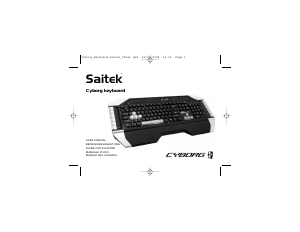
Manual Saitek Cyborg Keyboard

Related products

Related categories

×
Download