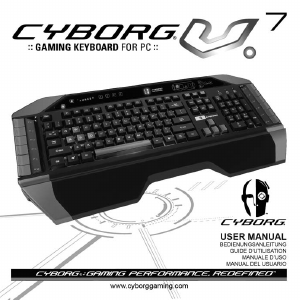
Manual Saitek Cyborg Keyboard

Need a manual for your Saitek Cyborg Keyboard? Below you can view and download the PDF manual for free in English. This product currently has 2 frequently asked questions, 0 comments and has 0 votes. If this is not the manual you want, please contact us.

Is your product defective and the manual offers no solution? Go to a Repair Café for free repair services.

Manual

Loading…
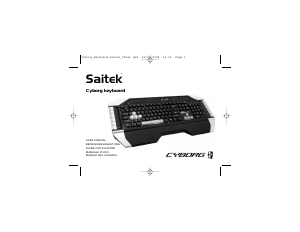
Saitek Cyborg keyboard
Congratulations on purchasing your Saitek Cyborg keyboard. As well as being a high performance office tool the Cyborg keyboard is designed
specifically for gaming and includes the following features:
Independent backlighting - set different colours and brightness for the key gaming areas of the keyboard
Tri-colour backlighting - choose from shades of red, green and amber
Key illumination settings ensure colours remain even after a system reboot
Enhanced multiple key presses in gaming areas for complex in-game commands
Cyborg keys - 12 programmable keys for all your favourite macros and commands
Hard wearing, metal-plated key caps in key gaming areas
Touch-sensitive, backlit dashboard panel to control lighting and media commands
Cyborg Mode - instantly disable the Windows keys and configure the colour and brightness of your gaming keys at the touch of a button
Pass-through USB, audio and microphone sockets
Adjustable wrist rest and keyboard rake angle (front and back)
Gold-plated connectors for USB and audio
The two keyboard modes - Normal and Cyborg mode - are selected by pressing the Cyborg head icon on the control panel.
Normal Mode
This is indicated by the left half of the Cyborg head icon illuminated. The media keys, brightness and colour controls, and keyboard lights on/off
icon are also illuminated dimly. When in normal mode only the colour and the brightness of the keyboard can be changed and game keys are not
lit.
Cyborg Mode
This is indicated by the whole Cyborg head icon illuminated. Everything that is lit in Normal mode plus the Widows key lock indicator and icons to
select lighting for the individual key areas (Game keys, WASD, QWERTY, Arrow keys, Num-pad) are also lit.
The Num pad, Game keys, WASD keys and Arrow keys all have independent controlled coloured lighting in Cyborg mode.
The Cybord keyboard also includes 12 gaming keys which are programmable using Saitek’s Smart Technology software and media keys for
controlling music or video tracks. The WASD, cursor, Cyborg and NumPad keys can be lit independently from the rest of keyboard to highlight
commonly used gaming keys.
Installing your Cyborg keyboard
1. First plug the USB cable marked "K/B" into one of your PC's free USB ports. If you intend to use headphones, speakers, headset or
microphone, also plug the pink and green mini jackplugs into the corresponding audio in and out sockets of your PC. Now plug your headset,
speaker cables etc into the pink audio in and green audio out sockets at the rear right side of your keyboard.
2. The Cyborg keyboard's second USB cable marked "Ext" functions as a USB extension. Plug the cable into one of your PC's free USB ports
and then plug a USB device directly into the USB port on the rear right side of the keyboard. The USB device will now communicate directly
with your PC.
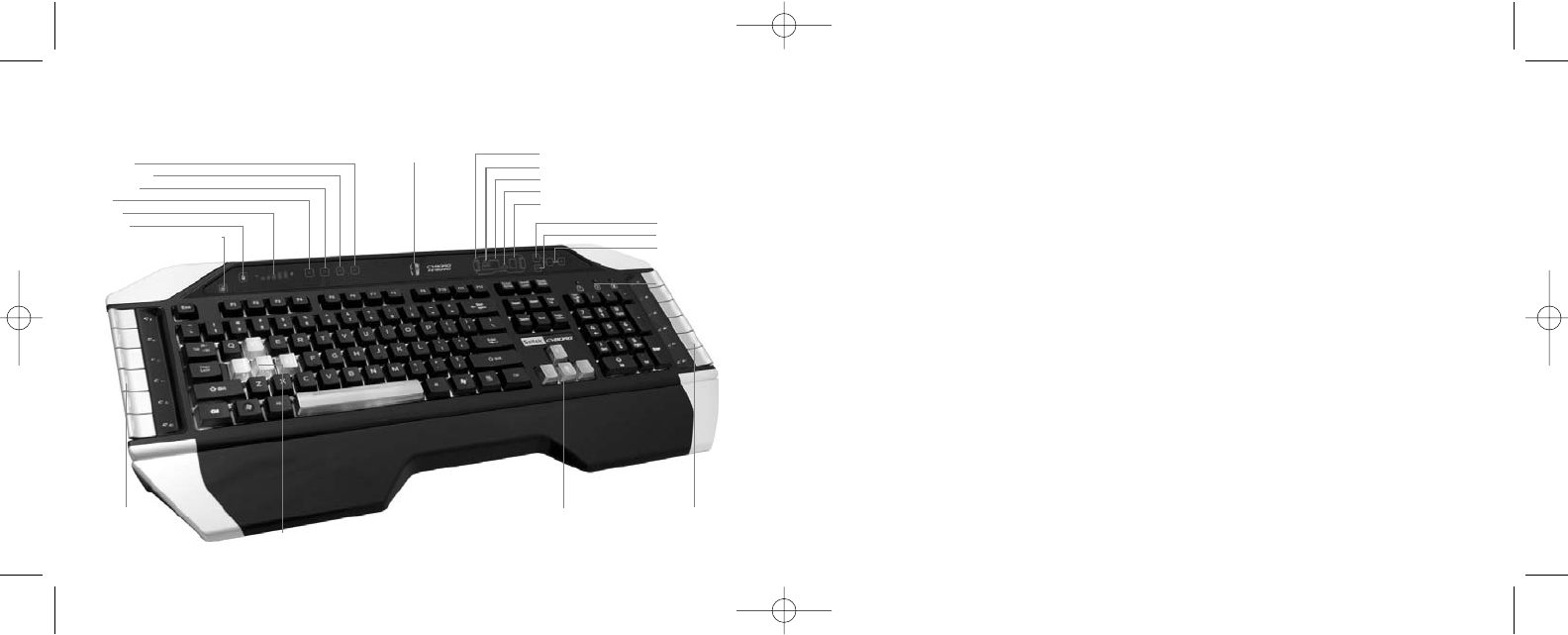
Game keys
WASD keys
Keyboard
Arrow keys
Cursor controls
Keyboard mode: Only human
side of face illuminated
Cyborg mode: Both sides of
face illuminated
Lighting brightness
Lighting colour
Increase/decrease
(brightness) or scroll
through (colour)
Caps/num/scroll locks
Next track
Previous track
Play/pause
Mute
Volume
Lights off
Windows key locked indicator
Saitek Cyborg keyboard controls
Cursor controls
WASD keys
Programmable
gaming keys
Programmable
gaming keys
Cyborg_Keyboard_manual_final.qxd 04/03/2008 16:04 Page 2
Download manual in English (PDF, 0.21 MB)
(Consider the environment and only print this manual if it is really necessary)

Loading…

Rating

Let us know what you think about the Saitek Cyborg Keyboard by leaving a product rating. Want to share your experiences with this product or ask a question? Please leave a comment at the bottom of the page.
Are you satisfied with the Saitek Cyborg Keyboard?
Yes No
Be the first to rate this product
0 votes

Join the conversation about this product

Here you can share what you think about the Saitek Cyborg Keyboard. If you have a question, first carefully read the manual. Requesting a manual can be done by using our contact form.

More about this manual

We understand that it’s nice to have a paper manual for your Saitek Cyborg Keyboard. You can always download the manual from our website and print it yourself. If you would like to have an original manual, we recommend you contact Saitek. They might be able to provide an original manual. Are you looking for the manual of your Saitek Cyborg Keyboard in a different language? Choose your preferred language on our homepage and search for the model number to see if we have it available.

Specifications

Brand Saitek
Model Cyborg
Category Keyboards
File type PDF
File size 0.21 MB

All manuals for Saitek Keyboards
More manuals of Keyboards

Frequently Asked Questions about Saitek Cyborg Keyboard

Our support team searches for useful product information and answers to frequently asked questions. If you find an inaccuracy in our frequently asked questions, please let us know by using our contact form.

The letters on the keyboard are not in the places that I am used to, why is that? Verified

Most keyboards use a QWERTY layout, standing for the first six letters on the keyboard. However, there are different keyboard layouts, matching the specific needs of a certain language. It is also possible that the keyboard keys have been swapped. Especially with older keyboards this is easy to do.

This was helpful (1365) Read more

What is the best way to clean my keyboard Verified

Never insert objects between the edges of the keys, as this will mainly push dirt in and damage the keyboard. It is best to clean the keyboard with compressed air while keeping the keyboard upside down. The top of the keys can be cleaned with a slightly damp cloth.

This was helpful (204) Read more
Manual Saitek Cyborg Keyboard

Related products

Related categories

×
Download