Manual Reebok ZR8 Treadmill

Need a manual for your Reebok ZR8 Treadmill? Below you can view and download the PDF manual for free in English. This product currently has 4 frequently asked questions, 15 comments and has 20 votes with an average product rating of 70/100. If this is not the manual you want, please contact us.

Is your product defective and the manual offers no solution? Go to a Repair Café for free repair services.

Manual

Loading…
0504
reebokfitnessequipment.com
4. During these programs the speed and incline settings are split into 20 segments. The time of each
segment depends on the overall time selected. For example a 20 minute program = 20 segments of
1 minute. Therefore the speed/incline would alter every 1 minute. Times will dier to allow for warm up
and cool down.
5. The console will count down and beep for 3 seconds each time the speed/incline is changed.
U01-U03 User Defined Programs
Within these programs the user can define the speed and incline for a personal workout.
1. From standby screen press PROGRAM button until U01, U02 or U03 is displayed.
2. Press MODE to enter the first segment of the program.
3. Press SPEED +/- to adjust the speed and INCLINE +/- to adjust incline for this segment and press
MODE to continue.
4. Repeat above for all 20 segments of the program.
5. Once the data is entered for all segments press START to begin.
When inputted the program will be saved within the selected user number (U01, U02 or U03).
Body Fat Function
1. Press PROGRAM button until Body Fat Function is displayed.
2. The SPEED window will display the preset program (F1-F5),TIME window will display the input data.
3. Press mode to select the required program.
4. The PULSE/INCLINE window will display the program parameters, press SPEED + or – to change this
and press MODE to confirm.
5. F1 – gender will be displayed. Press SPEED +/- to switch between 1 (male) and 2 (female).
Press MODE to confirm.
6. F2 – age will be displayed. Press INCLINE +/- to adjust (preset is 25 years, preset range 10-99years)).
Press MODE to confirm.
7. F3 – Height will be displayed. Press INCLINE +/- to adjust (preset is 170cm, preset range 100-200cm).
Press mode to confirm.
8. F4 – Weight will be displayed. Press INCLINE +/- to adjust (preset is 70kg, preset range 20-150kg).
Press MODE to confirm.
9. F5 will be displayed. At this stage the user information has been stored. Place both hands on the
pulse sensors for approximately 2-3 seconds. The test results will then be displayed as below:
19 or below Underweight
20-25 Normal Weight
25-29 Overweight
30 or above Obese
Note All readings given are a guideline only and not to be used as a medical device.
Mph to kph conversion
The Speed and distance can be set to operate in MPH or KPH
To switch between these:
1. Remove the SAFETY KEY, the computer will display ”---”
2. Press and hold PROGRAM and MODE buttons together for 6 -7 seconds
3. The console will change from MPH to KPH automatically, speed window will show”0.6” stand for MPH
“1.0” stands for KPH
Console User Guide
ZR8 Treadmill
HANDLEBAR CONTROLS
Speed +/-
Located on the right hand side handlebar the SPEED + or – buttons can be pressed to
change the running speed at any time during a program.
Incline +/-
Located on the left hand side handlebar the INCLINE + or – buttons can be pressed to change the incline
level of the running deck at any time during a program.
Pulse grips
There are pulse sensors located on both handlebars. In order to monitor the users pulse rate these can be
held during workout. Please note both sensors must be held in order for the reading to be given. The pulse
monitor is a guide for reference only and not for medical use or monitoring.
COMPUTER PROGRAMS
Manual mode includes normal mode, time, calories and distance countdown mode
P0
Manual mode
M1-M3 Time, distance and calories countdown mode
P1-P24 Preset workout programs
U01-U03 User defined programs
FAT Body fat functions
P0 Manual Program
Normal mode
1. From Standby press START to begin manual mode immediately.
2. Treadmill speed and incline can be manually adjusted by using the SPEED+/- or INCLINE +/- buttons at
any time during a workout.
3. Press STOP button can stop the working of the motor.
4. Take o the safety key also can stop the working of the motor.
Time, Distance and Calories countdown mode
1. From standby press MODE to select time distance and calories, Once selected use INCLINE +/- to alter
the required setting and press START to begin.
2. The TIME, DISTANCE or CALORIES will count down from the selection.
3. Once the countdown has completed the computer will beep to indicate the end of the program and
speed window will show ”End”, after 5 seconds the computer will beep and all the setting reserve
to zero.
P01-P24 Programs
These are preset programs in which the machines speed or incline will be changed automatically
during a workout.
Note: If speed/incline is altered by the user during these programs it will revert back to the preset
speed/incline at the next segment of the program.
1. From standby screen, Press program button to select required program, or use speed+/- to choose
program during program.
2. Press START to select and begin using the preset time.
3. The default workout time for these programs is 30 minutes. This can be altered by pressing INCLINE +/-
buttons before START is selected.
Programs and Functions
ZR8 Treadmill
RFE 5073_ZR8ConsoleManual_ALL LANG.indd 4-5 10/07/2012 14:28
Download manual in English (PDF, 10.81 MB)
(Consider the environment and only print this manual if it is really necessary)

Loading…

Rating

Let us know what you think about the Reebok ZR8 Treadmill by leaving a product rating. Want to share your experiences with this product or ask a question? Please leave a comment at the bottom of the page.
Are you satisfied with the Reebok ZR8 Treadmill?
Yes No
70%
30%
20 votes

Join the conversation about this product

Here you can share what you think about the Reebok ZR8 Treadmill. If you have a question, first carefully read the manual. Requesting a manual can be done by using our contact form.

Gregory Cassidy 23-11-2019
What does E05 error mean?

reply | This was helpful (35) Read more
Rod 11-03-2020
Hello did you find out what E05 means? Thanks

This was helpful (20)
fred 23-08-2019
my tread mill broke , and it displays an error message E02 what does it mean?

reply | This was helpful (32)
Heidi 02-01-2020
How do I change the distance from miles to km? Thank you

reply | This was helpful (17) Read more
fishcakes 28-04-2020
Power on. Remove safety key. Press mode and program for approx 6 to 7 secs. The display will show 0.6 if its mph or 1.0 if it's in kph

This was helpful (11)
Jacob 10-01-2021
What does the Error code E01 mean?

reply | This was helpful (7)
Paul 20-05-2022
What is the fuse called and where do I get it from as mine is blown

reply | This was helpful (7)

Loading…

Gabby Jones 05-03-2021
Is the distance measured in miles or km? Thanks

reply | This was helpful (2)
Jess 07-03-2025
When I light it now he puts an error message with "features" instead of the 0 to start the programs which I can not use it anymore
When I light it now he puts an error message with "features" instead of the 0 to start the ...

reply | This was helpful (2) (Translated by Google)
×
When I light it now he puts an error message with "features" instead of the 0 to start the ...
Durga Rai 18-06-2021
After few seconds my Reebok ZR8 stops and E03 error pops up. How to fix it?

reply | This was helpful (0)
Dan 04-08-2021
Where is the fan

reply | This was helpful (0)
Conny 25-09-2021
Hello can someone help me here

reply | This was helpful (0) (Translated by Google)
Dominique 18-11-2021
How do I change the batteries in the monitor ?

reply | This was helpful (0)
Jørgen Elsnab 13-02-2023
Getting error E05 after it has been running for a short time without anyone on the tape? Hasn't been used for the last 2 years, the error came after I started up again.

reply | This was helpful (0) (Translated by Google)
Michael Waters 25-02-2024
Hi my treadmill to stuck on incline and will not return how can i fix this?

reply | This was helpful (0)

More about this manual

We understand that it’s nice to have a paper manual for your Reebok ZR8 Treadmill. You can always download the manual from our website and print it yourself. If you would like to have an original manual, we recommend you contact Reebok. They might be able to provide an original manual. Are you looking for the manual of your Reebok ZR8 Treadmill in a different language? Choose your preferred language on our homepage and search for the model number to see if we have it available.

Specifications

Brand Reebok
Model ZR8
Category Treadmills
File type PDF
File size 10.81 MB

All manuals for Reebok Treadmills
More manuals of Treadmills

Frequently Asked Questions about Reebok ZR8 Treadmill

Our support team searches for useful product information and answers to frequently asked questions. If you find an inaccuracy in our frequently asked questions, please let us know by using our contact form.

What muscles are trained when using a treadmill? Verified

When correctly using a treadmill you train back, abdominal, gluteal and leg muscles.

This was helpful (763) Read more

What is the maximum heart rate during exercise? Verified

In general you can take a heart rate of 220 and deduct your age. So for a person aged 48 the maximum heart rate would be 220 minus 48 equaling 172. If you are unsure of your personal condition, be sure to consult your doctor.

This was helpful (122) Read more

The belt on my treadmill slips, what should I do? Verified

If the belt on the treadmill slips, it might be a sign that it is too loose and needs to be tightened. Consult the manual of your specific treadmill to learn how to tighten the belt on your model.

This was helpful (122) Read more

How much exercise does an average adult need? Verified

As an adult it is a good idea to perform moderately intensive exercise for a total ot at least 2.5 hours a week. Ideally this is spread out over several days.

This was helpful (61) Read more
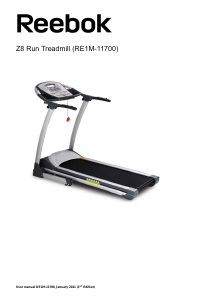
Manual Reebok ZR8 Treadmill

Related products

Related categories

×
Download