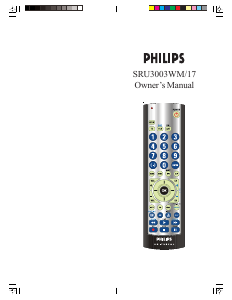
Manual Philips SRU3003WM Remote Control

Need a manual for your Philips SRU3003WM Remote Control? Below you can view and download the PDF manual for free in English. This product currently has 6 frequently asked questions, 0 comments and has 0 votes. If this is not the manual you want, please contact us.

Is your product defective and the manual offers no solution? Go to a Repair Café for free repair services.

Manual

Loading…
2120
Preparación
Funciones de botones
Funciones de DVD (con leyendas en azul)
Los botones SCAN+ y SCAN- controlan la velocidad para
adelantar o retroceder la reproducción respectivamente.
Los botones CHAPTER+ y CHAPTER- localizan
respectivamente los capítulos o pistas siguientes o
precedentes de un disco.
SUBTITLE (CC) [Transcripición en pantalla, subtítulos]
Activa y desactiva la función de transcripción del audio en
pantalla o los subtítulos de DVD.
El botón REPEAT hace las funciones “A-B REPEAT” (o
RPT A.B) de los reproductores de DVD para repetir la
reproducción del capítulo o pista actual.
El botón INFO/SELECT trae la pantalla o el Menú de
control del DVD para indicar el número de Capítulo/Pista/
Título, el tiempo restante/transcurrido, información del
sistema, etc.
QUIT (Salir) Se utiliza para salir de las funciones del menú.
El botón “PLAY” se utiliza para iniciar la reproducción del
disco y para la selección del Menú en algunas reproductoras
de DVD.
El botón “STOP” detiene la reproducción del DVD.
El botón “PAUSE” hace una pausa en la reproducción del
disco. Oprima PLAY para continuar.
INPUT [Configuración (Entrada)] trae el menú de
configuración de reproductores de DVD.
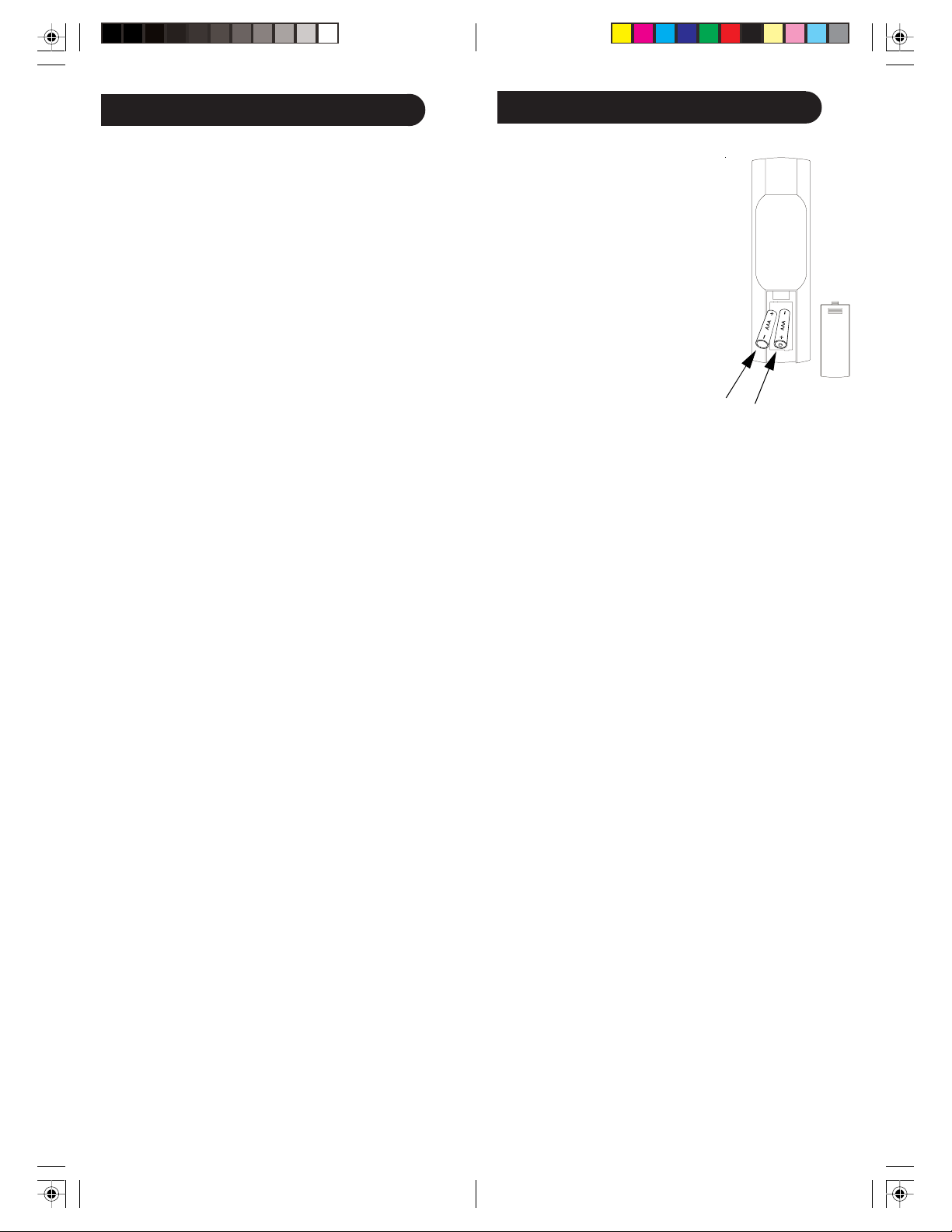
Instalación de baterías
1. En la parte posterior de su control
remoto empuje hacia abajo la
lengüeta y levante la tapa.
2. Acomode dos baterías alcalinas
AAA de manera que coincidan los
polos positivo y negativo dentro
del compartimiento de las baterías.
3. Acomode la tapa de las baterías en
su lugar.
Ahorrador de baterías
Su control remoto se desactiva automáticamente si los
botones se oprimen más de 30 segundos continuos. Esto
permite que las baterías conserven su carga en caso de que el
control remoto se atore en un lugar donde los botones se
puedan oprimir solos (por ejemplo, entre los cojines del
sofá).
Almacén de códigos
Tiene hasta 10 minutos para cambiar las baterías de su
control remoto sin perder los códigos que ha programado. Sin
embargo, no oprima ningún botón hasta que las baterías estén
instaladas. Si se oprimen botones sin las baterías puestas, se
perderán todos los códigos.
Encendido por omisión
El control remoto se enciende en la modalidad de TV
Fijación de códigos
El botón de búsqueda de códigos (SETUP) se utiliza para fijar
el control remoto. Puede fijar el control utilizando el código
de su marca de aparato, de las tablas de códigos (vea la hoja
separada), o puede buscar en la biblioteca de códigos hasta
que encuentre un código que funcione para su aparato. Por
favor consulte la sección de “Programación con búsqueda de
códigos” en la página 22 para obtener más información sobre
el uso de la función de búsqueda de códigos y aprender a
hacer una búsqueda en la biblioteca de códigos para sus
productos.
NOTA: También puede almacenar cualquier tipo de código
bajo cualquier modalidad (salvo TV). Es decir, puede
almacenar un código de videocasetera en el botón CBL, o un
código de cable en el botón de VCR, etc. Sin embargo,
únicamente puede almacenar códigos de TV en el botón de
TV.
Funciones de Satélite
El botón “Guide” presenta en pantalla la guía del canal vía
satélite.
Los botones “Chapter+” y “Chapter-” realizan la función
de “Page+” y “Page-” para los menús de guía en pantalla
utilizados en algunos sistemas de satélite.
El botón “Info/Select” trae la pantalla vía satélite que indica
la información actual del canal y del sistema.
Menu trae la pantalla del menú vía satélite. Úselo con los
botones de navegación hacia arriba, abajo, izquierda y
derecha.
El botón OK se utiliza para la selección del Menú en
pantalla.
El botón Quit se utiliza para salir o despejar las pantallas del
menú.
El botón Input hace la función de TV/SAT vía satélite.
Download manual in English (PDF, 0.36 MB)
(Consider the environment and only print this manual if it is really necessary)

Loading…

Rating

Let us know what you think about the Philips SRU3003WM Remote Control by leaving a product rating. Want to share your experiences with this product or ask a question? Please leave a comment at the bottom of the page.
Are you satisfied with the Philips SRU3003WM Remote Control?
Yes No
Be the first to rate this product
0 votes

Join the conversation about this product

Here you can share what you think about the Philips SRU3003WM Remote Control. If you have a question, first carefully read the manual. Requesting a manual can be done by using our contact form.

More about this manual

We understand that it’s nice to have a paper manual for your Philips SRU3003WM Remote Control. You can always download the manual from our website and print it yourself. If you would like to have an original manual, we recommend you contact Philips. They might be able to provide an original manual. Are you looking for the manual of your Philips SRU3003WM Remote Control in a different language? Choose your preferred language on our homepage and search for the model number to see if we have it available.

Specifications

Brand Philips
Model SRU3003WM
Category Remote Controls
File type PDF
File size 0.36 MB

All manuals for Philips Remote Controls
More manuals of Remote Controls

Frequently Asked Questions about Philips SRU3003WM Remote Control

Our support team searches for useful product information and answers to frequently asked questions. If you find an inaccuracy in our frequently asked questions, please let us know by using our contact form.

How do I connect a universal remote control to my television? Verified

To connect your universal remote control, you need the model number and brand name of both the remote control and the television. There is a list of codes for brands and model numbers in the manual of the remote control .

This was helpful (7995) Read more

Why are there letters next to the numbers on the remote control? Verified

Certain television settings may require you to enter letters. There are usually three letters or other characters on a button. When letter input is required, you can press that button once for the first letter, press twice for the second letter and press 3 times for the third letter. This way, text can be written with a minimum number of buttons.

This was helpful (682) Read more

Will my remote control also work on other television models of the same brand? Verified

Often a remote control of a television will also work on similar models of the same brand. However, it is unusual that it will work on all models of that brand. Universal remote controls are more suited to do this.

This was helpful (524) Read more

What is the average range of an infrared remote control? Verified

An average infrared remote control had a range of around 3 to 6 meters. Also, the further away the device is, the harder it will be to aim.

This was helpful (412) Read more

A battery in my device is oxidized, can I still safely use it? Verified

Ja, the device can still be safely used. Firstly, remove the oxidizd battery. Never use bare hands to do this. Then clean the battery compartment with a cotton swab dipped in vinegar or lemon juice. Let it dry and insert new batteries.

This was helpful (372) Read more

Can I leave a replacable battery in a device for a long time? Verified

Replacable batteries can remain in a device for a long time if the device is in use. When a device is being stored for a long time it is advisable to remove the batteries to prevent oxidation.

This was helpful (271) Read more
Manual Philips SRU3003WM Remote Control

Related products

Related categories

×
Download