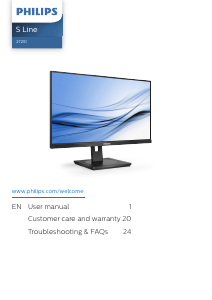
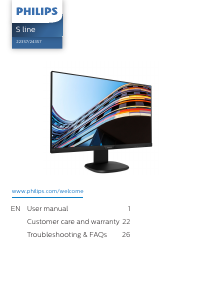
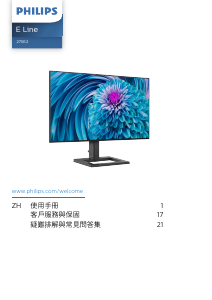
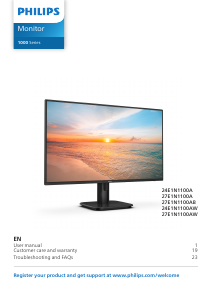
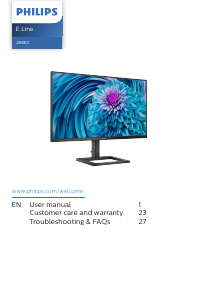
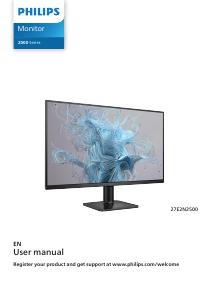
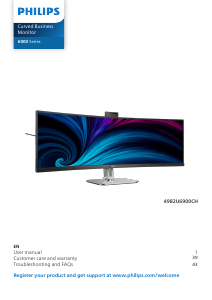
Manual Philips BDL5535QL LED Monitor

Need a manual for your Philips BDL5535QL LED Monitor? Below you can view and download the PDF manual for free in English. This product currently has 6 frequently asked questions, 0 comments and has 0 votes. If this is not the manual you want, please contact us.

Is your product defective and the manual offers no solution? Go to a Repair Café for free repair services.

Manual

Loading…

BDL5535QL
iii
Important Safety Instructions
1. Read these instructions.
2. Keep these instructions.
3. Heed all warnings.
4. Follow all instructions.
5. Do not use this apparatus near water.
6. Clean only with dry cloth.
7. Do not block any ventilation openings. Install in accordance with the
manufacturer’s instructions.
8. Do not install near any heat sources such as radiators, heat registers,
stoves, or other apparatus (including ampliers) that produce heat.
9. Do not defeat the safety purpose of the polarized or grounding-
type plug. A polarized plug has two blades with one wider than the
other. A grounding type plug has two blades and a third grounding
prong. The wide blade or the third prong are provided for your
safety. If the provided plug does not t into your outlet, consult an
electrician for replacement of the obsolete outlet.
10. Protect the power cord from being walked on or pinched
particularly at plugs, convenience receptacles, and the point where
they exit from the apparatus.
11. Only use attachments/accessories specied by the manufacturer.
12. Use only with the cart, stand, tripod, bracket, or
table specied by the manufacturer, or sold with the
apparatus. When a cart is used, use caution when
moving the cart/apparatus combination to avoid
injury from tip-over.
13. Unplug this apparatus during lightning storms or when unused for
long periods of time.
14. Refer all servicing to qualied service personnel. Servicing is
required when the apparatus has been damaged in any way, such
as power-supply cord or plug is damaged, liquid has been spilled
or objects have fallen into the apparatus, the apparatus has been
exposed to rain or moisture, does not operate normally, or has
been dropped.
WARNING: TO REDUCE THE RISK OF FIRE OR ELECTRIC
SHOCK, DO NOT EXPOSE THIS APPARATUS TO
RAIN OR MOISTURE.
WARNING: Apparatus shall not be exposed to dripping or splashing
and no objects lled with liquids, such as vases, shall be
placed on the apparatus.
WARNING: The batteries (batteries installed) shall not be exposed
to excessive heat such as sunshine, re or the like.
WARNING: The mains plug or appliance coupler is used as the
disconnect device,the disconnect device shall remain
readily operable.
WARNING: To prevent the spread of re, keep candles or other
open ames away from this product at all times.
WARNING: To prevent injury, this apparatus must be securely
attached to the oor/wall in accordance with the
installation instructions.
CAUTION: These servicing instructions are for use by qualied
service personnel only. To reduce the risk of electric
shock,do not perform any servicing other than that
contained in the operating instructions unless you are
qualitied to do so.
CAUTION: Excessive sound pressure from earphones and
headphones can cause hearing loss. Adjustment of the
equalizer to maximum increases the earphone and
headphone output voltage and the sound pressure level.
Therefore, to protect your hearing, adjust the equalizer
to an appropriate level.
For UL/CUL application: For use only with UL Listed Wall Mount
Bracket with minimum weight/load: 16.0 Kg
For CB application: Unit without base weight: 16.0 Kg. The equipment
and its associated mounting means still remain secure during the test.
(Used wall mounting kit: 400x400 mm and 400x200mm distance by
using M6 screws of 10 mm long plus the thickness of the mounting
bracket.
IMPORTANT INFORMATION
Ifatelevisionisnotpositionedinasufcientlystablelocation,itcan
bepotentiallyhazardousduetofalling.Manyinjuries,particularlyto
children,canbeavoidedbytakingsimpleprecautionssuchas:
Using cabinets or stands recommended by the manufacturer of the
television.
Only using furniture that can safely support the television.
Ensuring the television is not overhanging the edge of the
supporting furniture.
Not placing the television on tall furniture(for example, cupboards
or bookcases)without anchoring both the furniture and the
television to a suitable support.
Not standing the televisions on cloth or other materials placed
between the television and supporting furniture.
Educating children about the dangers of climbing on furniture to
reach the television or its controls.
.
Download manual in English (PDF, 21.16 MB)
(Consider the environment and only print this manual if it is really necessary)

Loading…

Rating

Let us know what you think about the Philips BDL5535QL LED Monitor by leaving a product rating. Want to share your experiences with this product or ask a question? Please leave a comment at the bottom of the page.
Are you satisfied with the Philips BDL5535QL LED Monitor?
Yes No
Be the first to rate this product
0 votes

Join the conversation about this product

Here you can share what you think about the Philips BDL5535QL LED Monitor. If you have a question, first carefully read the manual. Requesting a manual can be done by using our contact form.

More about this manual

We understand that it’s nice to have a paper manual for your Philips BDL5535QL LED Monitor. You can always download the manual from our website and print it yourself. If you would like to have an original manual, we recommend you contact Philips. They might be able to provide an original manual. Are you looking for the manual of your Philips BDL5535QL LED Monitor in a different language? Choose your preferred language on our homepage and search for the model number to see if we have it available.

Specifications

Brand Philips
Model BDL5535QL
Category LED Monitors
File type PDF
File size 21.16 MB

All manuals for Philips LED Monitors
More manuals of LED Monitors

Frequently Asked Questions about Philips BDL5535QL LED Monitor

Our support team searches for useful product information and answers to frequently asked questions. If you find an inaccuracy in our frequently asked questions, please let us know by using our contact form.

Can I repair a dead pixel myself? Verified

There is a difference between a dead pixel and a stuck pixel. A stuck pixel is still coloured and might be fixed by applying light pressure exactly onto the pixel until it restores itself. A dead pixel is always black or white and can't be repaired by yourself.

This was helpful (41) Read more

What does HDMI stand for? Verified

HDMI stands for High-Definition Multimedia Interface. HDMI is a connection to send high quality video and audio from one device to another.

This was helpful (40) Read more

What is the contrast ratio? Verified

The contrast ratio tells how far the whitest white is from the blackest black. A contrast ratio of for example 400:1 means that the blackest black on screen is 400 times darker than the whitest white. A high contrast ratio contributes to the sharpness of the image.

This was helpful (25) Read more

What is the difference between LCD and LED? Verified

Both techniques use an LCD screen that emits no light by itself. The difference is in the lighting behind the screen. With LCD screens this is done by CCFL (cold-cathode fluorescent lamp) and LED makes use of LED lights.

This was helpful (18) Read more

How can I properly clean my LED monitor? Verified

Turn off the television and wipe dust and dirt off the screen with a microfiber cloth. Do not use paper, this can cause scratches. Do not apply too much pressure or you might cause damage to pixels. Use a specialized detergent or make one by mixing 1 part vinegar with 1 part water. Moisten the cloth with the detergent and clean the screen. Make sure the cloth is not too wet. Remove stains by making rotating movements. Dry the screen with a second microfiber cloth to prevent stripes.

This was helpful (17) Read more

How do I measure the inches of my LED monitor? Verified

Measuring the inches on your LED monitor is done by measuring the diagonal distance between for example the upper left corner and the lower right corner of the screen (not the edge). One inch equals 2,54 centimeter, so when you measure 99 centimeter, this means your LED Monitor is 39 inches.

This was helpful (14) Read more
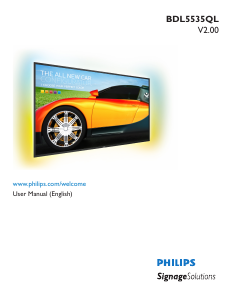
Manual Philips BDL5535QL LED Monitor

Related products

Related categories

×
Download