Manual Philips AX2401 Discman

Need a manual for your Philips AX2401 Discman? Below you can view and download the PDF manual for free in English. This product currently has 1 frequently asked question, 0 comments and has 0 votes. If this is not the manual you want, please contact us.

Is your product defective and the manual offers no solution? Go to a Repair Café for free repair services.

Manual

Loading…
GENERAL INFORMATION / CD PLAY
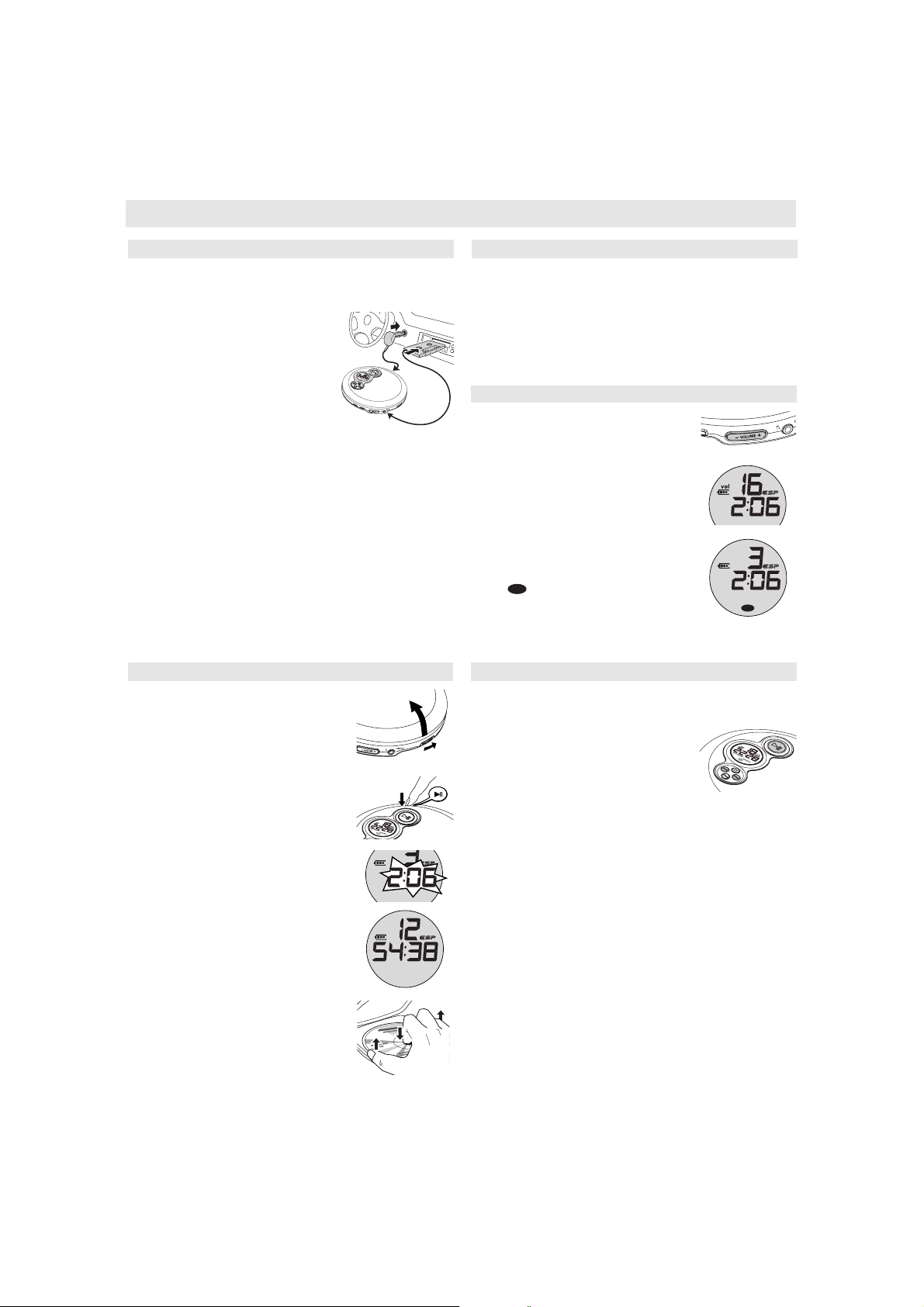
Only use the AY 3545 (4822 219 10033) or AY 3548 (3140 118 71890) car voltage
converter (4.5 V DC, positive pole to the centre pin) and the AY 3501 car adapter
cassette. Any other product may damage the set.
1 Put the set on a horizontal, vibration-free and
stable surface. Make sure it is in a safe place,
where the set is neither a danger nor an
obstacle to the driver and the passengers.
2 Plug the voltage converter into the
cigarette lighter socket (only for 12 V car
battery, negative grounding), then connect
the wired end with 4.5V DC input socket on the
set.
3 If necessary, clean the cigarette lighter socket
to obtain a good electrical contact.
4 Turn down the volume and connect the cassette adapter plug to
p/LINE OUT on the set.
5 Carefully insert the cassette adapter into the car radio’s cassette compartment.
6 Make sure the cord does not hinder your driving.
7 Decease the volume on the set, if necessary. Start playback on the set and
adjust the sound with the car radio controls.
Always remove the voltage converter from the cigarette lighter socket
when the set is not in use.
Note: If your car radio has a LINE IN socket , it is better to use it for the
car radio connection instead of the cassette adapter. Connect the signal
lead to this LINE IN socket and to p/LINE OUT on the set.
4,5 V DC
12 V DC
In-car use (connections supplied or optionally available)
CD PLAY / FEATURES
If a CD-Recordable (CD-R) or a CD-Rewritable (CD-RW) is not recorded
properly, NF dISC is displayed, indicating that the CD has not been
finalized. In that case, use FINALIZE on your CD recorder to complete the
recording.
When playing a CD-Rewritable (CD-RW), please note that it takes 3–15
seconds after pressing 2; for sound reproduction to start.
Playback will stop if you open the CD lid.
While the CD is read, 1 --:-- flashes in the display.
Volume and bass
Volume adjustment
Adjust the volume by using VOLUME
+/-
on the cd player.
Bass adjustment
•Press DBB to switch the bass enhancement on or
off
y appears if the bass enhancement is
activated.
DBB
DBB
Playback information
This CD-player can play all kinds of Audio Discs such
as CD-Recordables and CD-Rewritables. Do not try to
play a CD-ROM, CDi, VCD, DVD or computer CD.
1 Push the OPEN ç slider to open the player.
2 Insert an audio CD, printed side up, by pressing the
CD onto the hub.
3 Close the player by pressing the lid down.
4 Press 2; to switch the player on and start playback.
yThe current track number and elapsed playing
time are displayed.
•You can pause playback by pressing 2;.
yThe time at which playback was paused starts
flashing.
•You can continue playback by pressing 2; again.
5 Press 9 to stop playback.
yThe total number of tracks and the total playing
time of the CD are displayed.
6 Press 9 again to switch the player off.
•To remove the CD, hold it by its edge and press the
hub gently while lifting the CD.
Note: If there is no activity, the set will automatically
switch off after a while to save energy.
0
Playing a CD
Selecting a track during playback
Briefly press or § once or several times to skip to
the current, previous or next track.
yPlayback continues with the selected track, and
the track’s number is displayed.
Selecting a track when playback is stopped
1 Briefly press or § once or several times to select
the desired track. The track number is displayed.
2 Press 2; to start CD play.
yPlayback starts with the selected track.
Searching for a passage during playback
1 Keep or § pressed to find a particular passage in
a backward or forward direction.
ySearching starts while playback continues at low
volume. After 2 seconds the search speeds up.
2 Release the button when you reach the desired passage.
yPlayback continues from this position.
Notes: – If the player is in SCAN mode (see MODE chapter), searching is not
possible.
– In shuffle, shuffle repeat all or repeat mode (see MODE chapter), or
while playing a program, searching is only possible within the
particular track.
Selecting a track and searching
Download manual in English (PDF, 1.33 MB)
(Consider the environment and only print this manual if it is really necessary)

Loading…

Rating

Let us know what you think about the Philips AX2401 Discman by leaving a product rating. Want to share your experiences with this product or ask a question? Please leave a comment at the bottom of the page.
Are you satisfied with the Philips AX2401 Discman?
Yes No
Be the first to rate this product
0 votes

Join the conversation about this product

Here you can share what you think about the Philips AX2401 Discman. If you have a question, first carefully read the manual. Requesting a manual can be done by using our contact form.

More about this manual

We understand that it’s nice to have a paper manual for your Philips AX2401 Discman. You can always download the manual from our website and print it yourself. If you would like to have an original manual, we recommend you contact Philips. They might be able to provide an original manual. Are you looking for the manual of your Philips AX2401 Discman in a different language? Choose your preferred language on our homepage and search for the model number to see if we have it available.

Specifications

Brand Philips
Model AX2401
Category Discmans
File type PDF
File size 1.33 MB

All manuals for Philips Discmans
More manuals of Discmans

Frequently Asked Questions about Philips AX2401 Discman

Our support team searches for useful product information and answers to frequently asked questions. If you find an inaccuracy in our frequently asked questions, please let us know by using our contact form.

Can I repair scratches on a CD myself? Verified

Scratches prevent de laser from reading the disc correctly. When the scratches are only superficial it is possible to repair them yourself by polishing the disc with a slightly abrasive compound. Ideally you use a professional abrasive compound but it’s also possible to use regular toothpaste. After polishing the disc it needs to be washed and let to dry. There are specialised businesses that can do this.

This was helpful (38) Read more
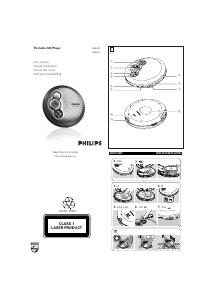
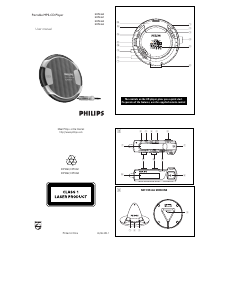
Manual Philips AX2401 Discman

Related products

Related categories

×
Download