Manual Pavo Pixmaster Laminator

Need a manual for your Pavo Pixmaster Laminator? Below you can view and download the PDF manual for free in English. This product currently has 0 frequently asked questions, 0 comments and has 2 votes with an average product rating of 50/100. If this is not the manual you want, please contact us.

Is your product defective and the manual offers no solution? Go to a Repair Café for free repair services.

Manual

Loading…
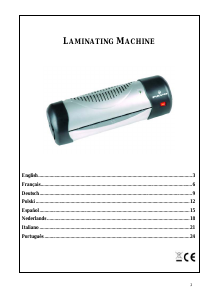
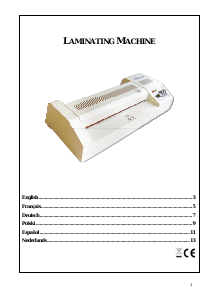
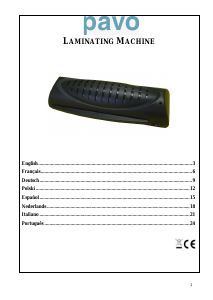
LAMINATING MACHINE
Congratulations on your purchase of the laminator. Now you can protect your favourite documents,
recipe cards, membership cards, letters and legal size documents etc. in a waterproof, airtight seal.
Follow the instructions for proper use and keep this book for future reference.
SAFETY NOTICE
Read all instructions before use Do not touch the heat vents when the machine is
working, Do not leave cable where others may trip
Do not attempt to open casing Do not use if machine, cable, or socket is damaged
Do not use if wet Wait for pouches to cool before handling. They may be
hot. Switch off and unplug when not in use
Do not cover the heat vents when in use Keep protective plastic bag + cable tie away from
children & animals
OPERATING INSTRUCTIONS
This machine is suitable for use with all lamination pouches up to 2x125 microns thick. You do not
need to use a pouch carrier.
All brands of hot melt lamination pouches should be compatible with your machine. However
because we cannot control the standards of other manufacturers pouches we recommend that you
carry out a test lamination to familiarise yourself, to make sure that your pouch is of the correct
standard and your machine is working correctly. This is always advisable before laminating
precious items.
1. Remove all packaging and plug the machine into
an appropriate socket.
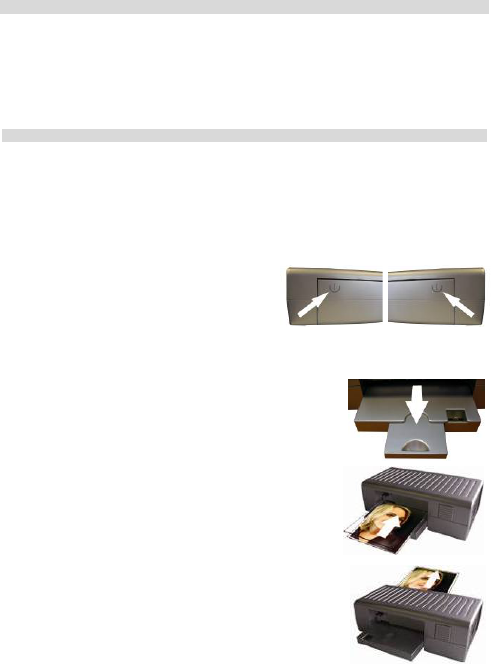
2. Press the front and back flaps of the machine to
open (the machine will automatically turn on Front Flap Back Flap
when both are open) and will reach the correct temperature in approx 3mins.
3. Extend exit flap.
4. When the ready light (arrow) turns blue, insert the laminating
pouch squarely and centrally (with the sealed side first) in
the direction of the arrow.
5. The pouch will automatically pass through the machine.
Remove pouch only when lamination is complete (pouch
completely out/stopped moving).
6. To turn off the machine close the back and front tray, and
unplug the machine.
3
Download manual in English (PDF, 0.11 MB)
(Consider the environment and only print this manual if it is really necessary)

Loading…

Rating

Let us know what you think about the Pavo Pixmaster Laminator by leaving a product rating. Want to share your experiences with this product or ask a question? Please leave a comment at the bottom of the page.
Are you satisfied with the Pavo Pixmaster Laminator?
Yes No
50%
50%
2 votes

Join the conversation about this product

Here you can share what you think about the Pavo Pixmaster Laminator. If you have a question, first carefully read the manual. Requesting a manual can be done by using our contact form.

More about this manual

We understand that it’s nice to have a paper manual for your Pavo Pixmaster Laminator. You can always download the manual from our website and print it yourself. If you would like to have an original manual, we recommend you contact Pavo. They might be able to provide an original manual. Are you looking for the manual of your Pavo Pixmaster Laminator in a different language? Choose your preferred language on our homepage and search for the model number to see if we have it available.

Specifications

Brand Pavo
Model Pixmaster
Category Laminators
File type PDF
File size 0.11 MB

All manuals for Pavo Laminators
More manuals of Laminators
Manual Pavo Pixmaster Laminator

Related products

Related categories

×
Download