
8
TQBJ2117
8
Preparing media
Disc
1 Press [x] on main unit to open the disc tray.
Put in a disc with the label facing up.
Press again to close the disc tray.
2 Press [SELECT <, >] repeatedly to select “CD”.
USB
Preparation
Before you connect a USB device to the system, make
sure you do a backup of the data.
1 Decrease the volume and connect the USB device
to the USB port.
Hold the main unit when connecting or disconnecting
the USB device.
2 Press [SELECT <, >] repeatedly to select “USB A”
or “USB B”.
USB status indicator lights up in red when selected.
Note:
• Do not use a USB extension cable. The system cannot
recognise USB device connected through a cable.
• Some devices cannot be charged as the maximum USB
charging current is 500 mA only.
Bluetooth
®
You can connect and play an audio device wirelessly
through Bluetooth
®
.
Preparation
• Switch on the main unit.
• Switch on the Bluetooth
®
feature of the device and put
the device near the system.
• Read the operating instructions of the device for details.
█
Pairing a device
Preparation
If this system is connected to a Bluetooth
®
device,
disconnect it (~8).
1 Press [ ].
If “PAIRING” is shown, continue with step 3.
2 Press [PLAY MENU] repeatedly to select
“PAIRING” and then press [OK].
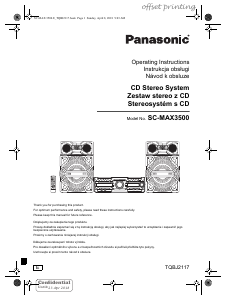
3 Select “SC-MAX3500” from the Bluetooth
®
menu
of the device.
If prompted for a passkey, input “0000” or “1234”.
The device connects with this system automatically
after pairing is complete.
The MAC address (example: 6C:5A:B5:B3:1D:0F)
may be shown before “SC-MAX3500” is shown.
The name of the connected device is shown for a few
seconds.
Using the main unit
1 Press and hold [ ] until “PAIRING” is shown.
2 Select “SC-MAX3500” from the Bluetooth
®
menu
of the device.
Note:
You can pair up to 8 devices with this system. If a 9th device is
paired, the device that has not been used for the longest time
will be replaced.
█
Connecting a device
Preparation
If this system is connected to a Bluetooth
®
device,
disconnect it (~8).
1 Press [ ].
“BLUETOOTH READY” is shown.
2 Select “SC-MAX3500” from the Bluetooth
®
menu
of the device.
The name of the connected device is shown for a few
seconds.
3 Start playback on the device.
Note:
• A device must be paired to connect.
• This system can only connect to one device at a time.
• When “BLUETOOTH” is selected as the source, this system
will automatically try to connect to the last connected
device. (“LINKING” is shown during this process.)
█
Disconnecting a device
While a Bluetooth
®
device is connected
1 Press [PLAY MENU] repeatedly to select
“DISCONNECT?”.
2 Press [Y, U] to select “OK? YES” and then press
[OK].
“BLUETOOTH READY” is shown.
To cancel, select “OK? NO”.
Using the main unit
Press and hold [ ] until “PAIRING” is shown.
Note:
A device is disconnected when you:
• Select a different source.
• Move the device out of the maximum range.
• Disable the Bluetooth
®
transmission of the device.
• Switch off the system or the device.
SC-MAX 3500.E_TQBJ2117.book Page 8 Sunday, April 8, 2018 9:03 AM


Join the conversation about this product
Here you can share what you think about the Panasonic SC-MAX3500 Stereo-set. If you have a question, first carefully read the manual. Requesting a manual can be done by using our contact form.
reply | This was helpful (0) (Translated by Google)
reply | This was helpful (0) (Translated by Google)
reply | This was helpful (0) (Translated by Google)
reply | This was helpful (0) (Translated by Google)
reply | This was helpful (0) (Translated by Google)