Manual Panasonic RF-D5 Radio

Need a manual for your Panasonic RF-D5 Radio? Below you can view and download the PDF manual for free in English. This product currently has 2 frequently asked questions, 0 comments and has 2 votes with an average product rating of 50/100. If this is not the manual you want, please contact us.

Is your product defective and the manual offers no solution? Go to a Repair Café for free repair services.

Manual

Loading…
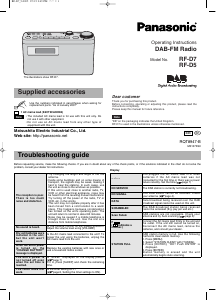
Supplied accessories
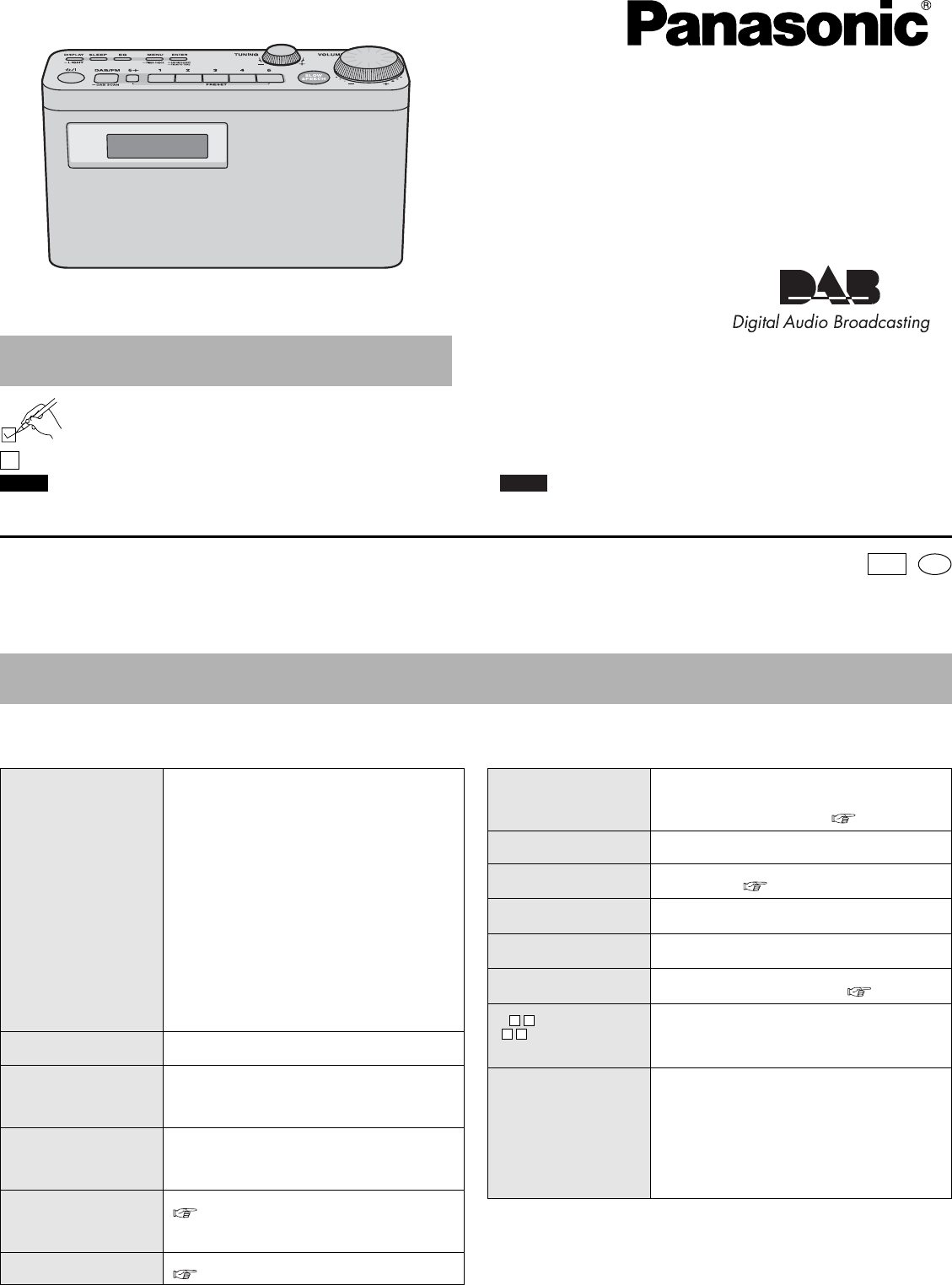
Operating Instructions
DAB-FM Radio
Model No. RF-D7
RF-D5
Dear customer
Thank you for purchasing this product.
Before connecting, operating or adjusting this product, please read the
instructions completely.
Please keep this manual for future reference.
“EB” on the packaging indicates the United Kingdom.
RF-D7 is used in the illustrations unless otherwise mentioned.
Note
The included AC mains lead is for use with this unit only. Do
not use it with other equipment.
Do not use an AC mains lead from any other type of
equipment with this unit.
Note
RQT8947-B
M0107KS0
EB
Troubleshooting guide
Before requesting service, make the following checks. If you are in doubt about any of the check points, or if the solutions indicated in the chart do not solve the
problem, consult your dealer for instructions.
Display
The reception is poor.
There is too much
noise and distortion.
Try changing the length and angle of the rod
antenna.
Inside some buildings and on some means of
transport, the signals may be weak, making it
hard to hear the stations. In such cases, use
the unit as close to the windows as possible.
If this unit is used close to another radio, TV,
VCR or other electrical appliance, noise may
be heard from the resulting mutual interference.
Try turning off the power of the radio, TV or
VCR, etc. in the vicinity.
This unit may not operate properly after it has
been moved from a cold location to a warm
place. This happens because condensation
has formed on the unit’s operating parts: The
unit will return to normal in about 60 minutes.
Noise may be caused if a mobile telephone is
brought close to the unit. Use the unit at a
distance from mobile telephones.
Use the numbers indicated in parentheses when asking for
replacement parts. “As of January 2007”
The illustrations show RF-D7.
1 AC mains lead (K2CT3CA00004)
No sound is heard.
Is the volume control at the lowest position?
Adjust the volume level using [VOLUME]
Dry cell batteries were
installed in the unit,
but the unit won’t
work.
Is the AC mains lead connected to the unit? To
power the unit using the batteries, unplug the
AC mains lead from the unit.
When the unit’s power
is turned on, the
“CHANGE BATTERY”
message is displayed.
Replace the existing batteries with new ones or
use a household mains socket.
The unit’s power is
not turned off even
when the set time is
reached.
Is “SLEEP” displayed on the display panel?
( page 7)
If it is, press [SLEEP] and check the remaining
time.
The timer does not
work.
Is the timer setting OFF?
( page 8, Setting the timer settings to ON).
– –:– –
You plugged the AC mains lead in or used
batteries if the AC mains lead was not
connected for the first time or there was a power
failure recently. Set the time.( page 7)
NO SERVICE The DAB station is currently not broadcasting.
NO SIGNAL
This DAB station cannot be received. Check
your antenna ( page 4).
DATA
Data broadcast being received over the DAB
broadcast signal cannot be used on this unit.
SCRAMBLED
The DAB broadcast station being received
cannot be accessed (E.g. pay per use etc.).
Scan Failed.
DAB stations are not receivable. Check your
antenna and try Auto scanning ( page 5).
F
( indicates a
number.)
Connect the AC mains lead firmly to the unit and
the outlet. If the unit still cannot be turned on,
disconnect the AC mains lead, remove the
batteries, and consult your dealer.
STATION FULL
DAB station memory is full. Use the following
method to clear station memory.
1. Press [MENU].
2. Select “STATION CLEAR” with [TUNING].
3. Press [ENTER]. “OK? Push ENTER” is
displayed.
4. Press [ENTER].
Station memory is erased and the unit
automatically begins Auto scanning.
Matsushita Electric Industrial Co., Ltd.
Web site: http://panasonic.net
En
RF-D7̲5-020507.2.52:49PMページ1
Download manual in English (PDF, 2.87 MB)
(Consider the environment and only print this manual if it is really necessary)

Loading…

Rating

Let us know what you think about the Panasonic RF-D5 Radio by leaving a product rating. Want to share your experiences with this product or ask a question? Please leave a comment at the bottom of the page.
Are you satisfied with the Panasonic RF-D5 Radio?
Yes No
50%
50%
2 votes

Join the conversation about this product

Here you can share what you think about the Panasonic RF-D5 Radio. If you have a question, first carefully read the manual. Requesting a manual can be done by using our contact form.

More about this manual

We understand that it’s nice to have a paper manual for your Panasonic RF-D5 Radio. You can always download the manual from our website and print it yourself. If you would like to have an original manual, we recommend you contact Panasonic. They might be able to provide an original manual. Are you looking for the manual of your Panasonic RF-D5 Radio in a different language? Choose your preferred language on our homepage and search for the model number to see if we have it available.

Specifications

Brand Panasonic
Model RF-D5
Category Radios
File type PDF
File size 2.87 MB

All manuals for Panasonic Radios
More manuals of Radios

Frequently Asked Questions about Panasonic RF-D5 Radio

Our support team searches for useful product information and answers to frequently asked questions. If you find an inaccuracy in our frequently asked questions, please let us know by using our contact form.

What is DAB+? Verified

DAB+ is the successor of the FM signal and stands for Digital Audio Broadcasting. It is a digital signal that allows for more channels within the same bandwidth and allows for easier switching between channels.

This was helpful (301) Read more

What is the difference between FM and AM? Verified

FM and AM are both forms of modulation used to transmit a signal. FM stands for Frequency Modulation and AM stands for Amplitude Modulation. AM is the oldest form of modulation. The biggest difference is that the FM signal is much stronger than the AM signal.

This was helpful (242) Read more
Manual Panasonic RF-D5 Radio

Related products

Related categories

×
Download