Manual Panasonic RC-CD600 CD Player

Need a manual for your Panasonic RC-CD600 CD Player? Below you can view and download the PDF manual for free in English. This product currently has 1 frequently asked question, 0 comments and has 0 votes. If this is not the manual you want, please contact us.

Is your product defective and the manual offers no solution? Go to a Repair Café for free repair services.

Manual

Loading…
1
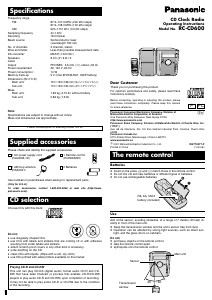
Dear Customer
Thank you for purchasing this product.
For optimum performance and safety, please read these
instructions carefully.
Before connecting, operating or adjusting this product, please
read these instructions completely. Please keep this manual
for future reference.
CD Clock Radio
Operating Instructions
Model No. RC-CD600
P PC
Panasonic Consumer Electronics Company, Division of
p
Matsushita Electric Corporation of America
One Panasonic Way Secaucus, New Jersey 07094
http://www.panasonic.com
Panasonic Sales Company, Division of Matsushita Electric of Puerto Rico, Inc.
(“PSC”)
Ave. 65 de Infantería, Km. 9.5 San Gabriel Industrial Park, Carolina, Puerto Rico
00985
Panasonic Canada Inc.
5770 Ambler Drive, Mississauga, Ontario L4W2T3
www.panasonic.ca
C
2001 Matsushita Electric Industrial Co., Ltd. RQTT0477-P
Printed in China
F1201KB0
CD CLOCK RADIO SUB SPEAKER UNIT
SLEEP
RADIO
VOL
+
-
CD
M
O
D
E
M
E
M
O
1
2
3
4
5
POWER
FM/AM
Í
/
I
SLEEP
SPEAKER MODE
BRIGHTNESS
FM/AM
M1
M4 M5
FM MODE
M2 M3
CD
CD MODE
PRESET EQ
S.VIRTUALIZER
VOLUME
CD CLOCK RADIO
EUR648259
Specifications
Power consumption in standby mode: 3.3 W
Use
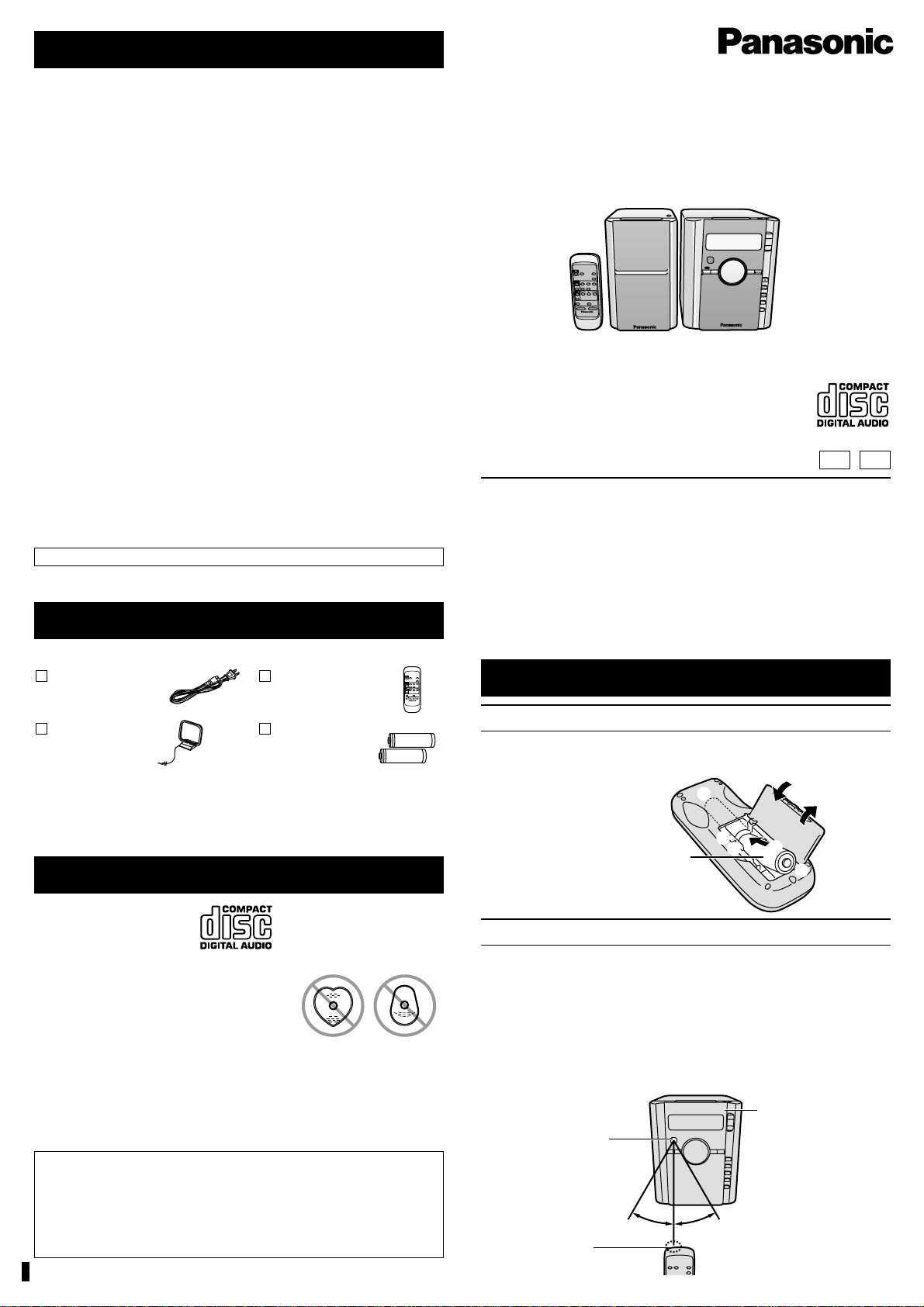
Aim at the sensor, avoiding obstacles, at a range of 7 meters (23 feet) di-
rectly in front of the main unit.
Keep the transmission window and the units sensor free from dust.
Operation can be affected by strong light sources, such as direct sun-
light, and the glass doors on cabinets.
Do not;
put heavy objects on the remote control.
take the remote control apart.
spill liquids onto the remote control.
Sensor
Transmission
window
Main unit
3
1
2
+
-
+
-
R6, AA, UM-3
battery (included)
The remote control
Batteries
Insert so the poles (+ and -) match those in the remote control.
Do not mix old and new batteries or different types of batteries.
Do not use rechargeable batteries.
Supplied accessories
Please check and identify the supplied accessories.
1 AC power supply cord 1 Remote control
(RJA0065-1D) (EUR648259)
1 AM loop antenna 2 Batteries
(RSA0031)
Use numbers in parentheses when asking for replacement parts.
(Only for U.S.A.)
To order accessories, contact 1-800-332-5368 or web site (http://www.
panasonic.com).
CD selection
Choose CDs with this mark:
Do not;
use irregularly shaped CDs.
use CDs with labels and stickers that are coming off or with adhesive
exuding from under labels and stickers.
attach scratch-proof covers or any other kind of accessory.
write anything on the CD.
clean CDs with liquids. (Wipe with a soft, dry cloth.)
use CDs printed with label printers available on the market.
30e30e
Frequency range
FM: 87.9107.9 MHz (200 kHz steps)
87.5108.0 MHz (100 kHz steps)
AM: 5201710 kHz (10 kHz steps)
Sampling frequency 44.1 kHz
Decoding 16 bit linear
Beam source Semiconductor laser
(wavelength 780 nm)
No. of channels 2 channel, stereo
Wow and flutter Less than possible measurement data
DA converter MASH (1 bit DAC)
Speakers 8 cm (3q) 6 ≠k2
Jacks
Output PHONES: 3.5 mm (
1
/8q) stereo (32 )
Power requirement AC 120 V, 60 Hz
Power consumption: 14 W
Memory back-up 9 V (One 6F22/6LR61, 006P battery)
Dimensions (WkHkD)
Main unit;
151k193k186 mm (5
15
/16qk7
5
/8qk7
5
/16q)
Sub unit; 110k193k184 mm (4
3
/8qk7
5
/8qk7
1
/4q)
Mass
Main unit; 1.69 kg (3.73 lb) without battery
Sub unit; 0.86 kg (1.9 lb)
Note:
Specifications are subject to change without notice.
Mass and dimensions are approximate.
Playing CD-R and CD-RW
This unit can play CD-DA (digital audio) format audio CD-R and CD-
RW that have been finalized (a process that enables CD-R/CD-RW
players to play audio CD-R and CD-RW) upon completion of recording.
It may not be able to play some CD-R or CD-RW due to the condition
of the recording.
SLEEP
SPEAKER MODE
BRIGHTNESS
FM/AM
M1
M4 M5
FM MODE
M2 M3
CD MODE
PRESET EQ
S.VIRTUALIZER
VOLUME
CD CLOCK RADIO
EUR648259
CD
Download manual in English (PDF, 0.37 MB)
(Consider the environment and only print this manual if it is really necessary)

Loading…

Rating

Let us know what you think about the Panasonic RC-CD600 CD Player by leaving a product rating. Want to share your experiences with this product or ask a question? Please leave a comment at the bottom of the page.
Are you satisfied with the Panasonic RC-CD600 CD Player?
Yes No
Be the first to rate this product
0 votes

Join the conversation about this product

Here you can share what you think about the Panasonic RC-CD600 CD Player. If you have a question, first carefully read the manual. Requesting a manual can be done by using our contact form.

More about this manual

We understand that it’s nice to have a paper manual for your Panasonic RC-CD600 CD Player. You can always download the manual from our website and print it yourself. If you would like to have an original manual, we recommend you contact Panasonic. They might be able to provide an original manual. Are you looking for the manual of your Panasonic RC-CD600 CD Player in a different language? Choose your preferred language on our homepage and search for the model number to see if we have it available.

Specifications

Brand Panasonic
Model RC-CD600
Category CD Players
File type PDF
File size 0.37 MB

All manuals for Panasonic CD Players
More manuals of CD Players

Frequently Asked Questions about Panasonic RC-CD600 CD Player

Our support team searches for useful product information and answers to frequently asked questions. If you find an inaccuracy in our frequently asked questions, please let us know by using our contact form.

Can I repair scratches on a CD myself? Verified

Scratches prevent de laser from reading the disc correctly. When the scratches are only superficial it is possible to repair them yourself by polishing the disc with a slightly abrasive compound. Ideally you use a professional abrasive compound but it’s also possible to use regular toothpaste. After polishing the disc it needs to be washed and let to dry. There are specialised businesses that can do this.

This was helpful (42) Read more
Manual Panasonic RC-CD600 CD Player

Related products

Related categories

×
Download