
5
Contents
Before Using
Standard Accessories ......................................................... 6
Quick Guide......................................................................... 7
To View the Playback Picture.............................................. 7
Controls and Components................................................... 8
Remote Controller ............................................................. 10
Power Supply .................................................................... 12
Charging Time and Available Recording Time.................. 12
Lens Cap and Grip Belt ..................................................... 13
Attaching the Shoulder Strap ............................................ 14
Inserting a Cassette .......................................................... 14
Turning on/off the Palmcorder and Selecting Modes ........ 15
Using the Viewfinder ......................................................... 15
Using the LCD Monitor ...................................................... 15
Using the Menu Screen..................................................... 16
List of Menus..................................................................... 17
Setting Date and Time....................................................... 20
Internal Lithium Battery Recharge..................................... 20
LP Mode ............................................................................ 20
Audio Recording Mode...................................................... 20
CAMERA Mode
Recording .......................................................................... 21
PhotoShot Recording on the DV Cassette ........................ 22
Zoom In/Out Functions...................................................... 22
Digital Zoom Function ....................................................... 23
Digital Electronic Image Stabilizer Function...................... 23
Fade In/Out Functions....................................................... 23
Cinema Function ............................................................... 24
Backlight Compensation Function..................................... 24
MagicPix Function............................................................. 24
Quick Start......................................................................... 25
Wind Noise Reduction Function ........................................ 25
Recording in Special Situations (Program AE).................. 25
Manual Shutter Speed Adjustment.................................... 26
Manual Iris Adjustment (F Number) .................................. 26
Manual Focus Adjustment................................................. 26
Recording in Natural Colors (White Balance).................... 27
Adjusting White Balance Manually.................................... 27
Using the Free Angle Flash............................................... 28
Digital Effect Functions...................................................... 29
VCR Mode
Playing Back...................................................................... 31
Finding a Scene You Want to Play Back........................... 31
Slow Motion Playback ....................................................... 32
Still Playback/Still Advance Playback................................ 32
Finding the End of a Recording
(Blank Search Function) ................................................ 32
Index Search Functions..................................................... 33
Playback Zoom Function................................................... 34
Playback Digital Effect Functions ...................................... 34
Playing Back on Your TV .................................................. 36
Audio Dubbing................................................................... 36
Special Features
Using a Memory Card........................................................37
Recording on the Memory Card.........................................37
Playing Back Files from the Memory Card ........................40
Copying Pictures from a Memory Card to a Cassette .......41
Slide Show.........................................................................42
Creating a Title ..................................................................43
Inserting a Title ..................................................................43
Protecting the Files on a Memory Card from Accidental
Erasure (File Lock).........................................................44
Deleting the Files recorded on a Memory Card ................. 44
Formatting a Memory Card................................................45
DPOF Setting..................................................................... 45
Copying your DV Cassette to an S-VHS or
VHS Cassette (Dubbing)................................................ 46
Copying an S-VHS or VHS Cassette to
your DV Cassette...........................................................46
Using your Palmcorder with Digital Video Equipment
(Dubbing) .......................................................................47
Using the Software with a Computer .................................48
ArcSoft Software................................................................49
Using the Supplied USB Connection Kit............................50
Installing USB Driver..........................................................50
Connecting Computer and Palmcorder ............................. 50
Using the G726 Decoder ................................................... 51
Installing the G726 Decoder .............................................. 51
Check if Palmcorder is correctly recognized...................... 52
To disconnect USB cable safely ........................................52
Verifying and updating driver .............................................53
If you no longer need software or driver (uninstall)............56
Notes .................................................................................57
Others
Indications..........................................................................58
Warning/Alarm Indications.................................................60
Notes & Precautions ..........................................................61
Cautions for Use ................................................................67
Explanation of Terms.........................................................70
Specifications.....................................................................71
Palmcorder Accessory System..........................................72
Palmcorder Accessory Order Form
(For USA Customers) ....................................................73
Before Requesting Service (Problems and Solutions)....... 74
Request for Service Notice ................................................ 76
Limited Warrant (For USA Customers)..............................77
Customer Services Directory .............................................78
Warranty (For Canadian Customers).................................79
Index ..................................................................................80
Spanish Quick Use Guide/
Guía española para el uso rápido.................................. 81
MJ147-P.book 5 ページ 2002年4月24日 水曜日 午後1時56分


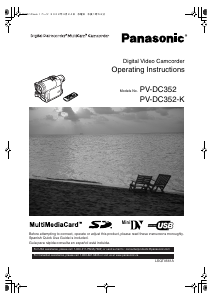
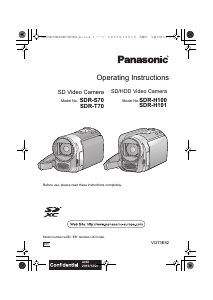
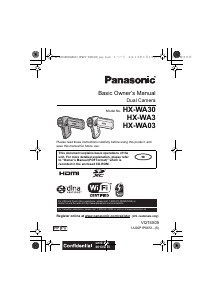
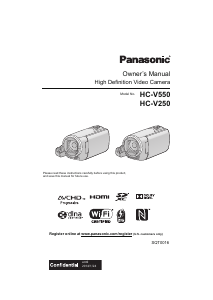
Join the conversation about this product
Here you can share what you think about the Panasonic PV-DC352K Camcorder. If you have a question, first carefully read the manual. Requesting a manual can be done by using our contact form.