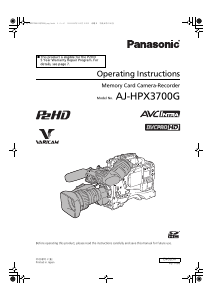
Manual Panasonic AJ-HPX3700G Camcorder

Need a manual for your Panasonic AJ-HPX3700G Camcorder? Below you can view and download the PDF manual for free in English. This product currently has 5 frequently asked questions, 0 comments and has 0 votes. If this is not the manual you want, please contact us.

Is your product defective and the manual offers no solution? Go to a Repair Café for free repair services.

Manual

Loading…
10
General: Features of Recorder/Player unit
Multiple Slots
The unit is equipped with 5 slots for P2 cards. Up to 5 cards
may be inserted in these slots for continuous recording.
They also provide new recording capabilities specific to
memory cards.
Hot-Swap recording
The Hot-Swap capability allows cards not in use to be
replaced without interrupting recording. This facilitates
continuous recording.
LOOP REC function
The unit can retain a certain amount of previously
recorded material by continuously loop-recording data into
a specified recording area.
INTERVAL REC/ONE SHOT REC function
The unit features interval recording at minimum one-frame
intervals. This function is particularly suited to shooting
science and nature programs. Frame-by-frame shooting is
simple with the one-shot recording function.
PRE RECORDING function
In standby status, the unit always stores video and sound
input to the camera for up to 8 seconds. This means that
the PRE RECORDING function, when turned on, records
the video and sound for a preceding duration preset by the
user. This feature recovers critical moments that you might
have missed.
Proxy recording (when AJ-YAX800G attached)
By installing the optional video encoder card (AJ-
YAX800G), MPEG4 format video and real-time metadata
such as time code data can be recorded simultaneously
on the P2 card and the SD memory card, together with the
video and sound recorded by the camera. This function is
useful for confirmation or editing of clips. For more
information about the approximate duration for proxy
recording on SD memory cards, see [Approximate Proxy
Recording Time (optional) on SD memory cards]
(page 12). Please also see <Cautions in using SD
memory cards> (page 23)
Data protection
Data on P2 cards will not be lost due to overwriting unless
the files are deleted or the cards are initialized.
Recordings are written only to free space.
AVC-Intra100/AVC-Intra50/DVCPRO HD
switchable
Recorded video is compressed through a component digital
recording method that uses a state-of-the-art compression
technology, and sound is recorded using the non-
compression PCM recording method, which excels in such
areas as S/N ratio, frequency bands, waveform properties
and reproducibility of fine areas. These methods further
enhance the quality of images and sound.
It is also possible to select DVCPRO HD in addition to AVC-
Intra100/AVC-Intra50. The unit performs the in-frame
compression.
Note
When the clip is played back in the format not selected on
the menu, the picture may be disturbed until the format is
detected. This is not a failure.
4-channel Digital Audio Recording (all formats)
All formats except VFR native recording support 4-channel
digital audio recording.
Clip Thumbnailing
Automatic generation of thumbnails
The unit automatically generates a thumbnail for each
recording cut (clip). It is possible to make use of this on the
unit as well as for non-linear editing purposes, and after
uploading to a server.
Thumbnail display on the LCD monitor
The 3.5-inch color LCD side of the unit can provide a
multi-screen view of 12 clip thumbnails. Alternatively, the
LCD can provide a view of 6 enlarged thumbnails. You can
choose a desired clip to playback instantly.
Seamless playback of selected clips
You can select more than one clip from the thumbnail view
for continuous playback and output of seamless video.
Note
During continuous playback of clips in different
recording formats, seamless playback is not available.
Display of clip information
By selecting clips, information added to clips, such as the
recording time, text memo, shot marks and metadata can
be checked.
Features of Recorder/Player unit
AJ-HPX3700G-VQT1V68_eng.book 10 ページ 2008年10月15日 水曜日 午後6時38分
Download manual in English (PDF, 23.92 MB)
(Consider the environment and only print this manual if it is really necessary)

Loading…

Rating

Let us know what you think about the Panasonic AJ-HPX3700G Camcorder by leaving a product rating. Want to share your experiences with this product or ask a question? Please leave a comment at the bottom of the page.
Are you satisfied with the Panasonic AJ-HPX3700G Camcorder?
Yes No
Be the first to rate this product
0 votes

Join the conversation about this product

Here you can share what you think about the Panasonic AJ-HPX3700G Camcorder. If you have a question, first carefully read the manual. Requesting a manual can be done by using our contact form.

More about this manual

We understand that it’s nice to have a paper manual for your Panasonic AJ-HPX3700G Camcorder. You can always download the manual from our website and print it yourself. If you would like to have an original manual, we recommend you contact Panasonic. They might be able to provide an original manual. Are you looking for the manual of your Panasonic AJ-HPX3700G Camcorder in a different language? Choose your preferred language on our homepage and search for the model number to see if we have it available.

Specifications

Brand Panasonic
Model AJ-HPX3700G
Category Camcorders
File type PDF
File size 23.92 MB

All manuals for Panasonic Camcorders
More manuals of Camcorders

Frequently Asked Questions about Panasonic AJ-HPX3700G Camcorder

Our support team searches for useful product information and answers to frequently asked questions. If you find an inaccuracy in our frequently asked questions, please let us know by using our contact form.

How much footage can I store on my SD card? Verified

This highly depends on the settings, but in general it can be said that 1GB of storage can hold about 5 minutes of HD footage or 1 minute 4K footage.

This was helpful (105) Read more

What does SD stand for? Verified

SD stands for Secure Digital. SD cards are the standard storage medium for many digital cameras.

This was helpful (58) Read more

A battery in my device is oxidized, can I still safely use it? Verified

Ja, the device can still be safely used. Firstly, remove the oxidizd battery. Never use bare hands to do this. Then clean the battery compartment with a cotton swab dipped in vinegar or lemon juice. Let it dry and insert new batteries.

This was helpful (44) Read more

What is a megapixel? Verified

A megapixel (MP) equals one million pixels. Megapixels are, among other things, used to indicate the resolution of digital cameras and camcorders. For example a camera that produces images of 1280x960 pixels has a resolution of about 1,3MP. Though there are many factors that influence the quality of an image it can be said that in general more megapixel results in a better image.

This was helpful (34) Read more

How can I prevent 'red eyes' in my pictures? Verified

The 'red eye' phenomenon is caused by too much light in too little time getting to eyes of the people in the picture. This effect is even stronger in a dark atmosphere. The following can be done to prevent it: don't let people look directly into the camera, create more light, take the picture closer to the subject or decrease the use of the zoom function.

This was helpful (32) Read more
Manual Panasonic AJ-HPX3700G Camcorder

Related products

Related categories

×
Download