Manual Microsoft Xbox 360 Dead to Rights - Retribution

Need a manual for your Microsoft Xbox 360 Dead to Rights - Retribution? Below you can view and download the PDF manual for free in English. This product currently has 2 frequently asked questions, 0 comments and has 0 votes. If this is not the manual you want, please contact us.

Is your product defective and the manual offers no solution? Go to a Repair Café for free repair services.

Manual

Loading…
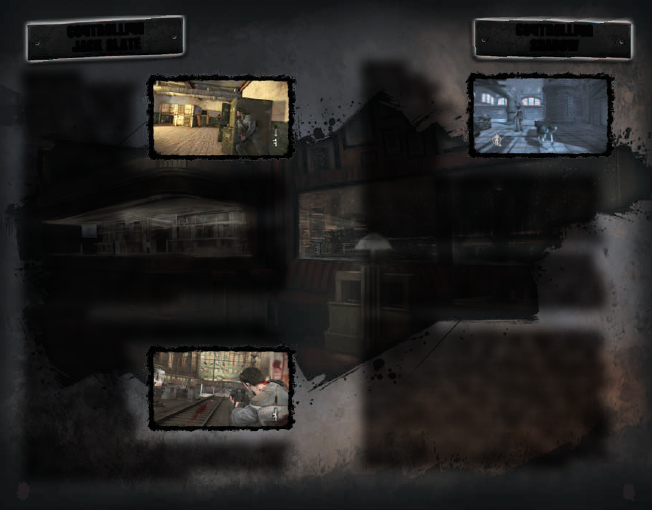
LONE WOLF
Some missions
require Shadow to
leave Jacks side
and move on without
him. During these
missions, you get to
control Shadow as
he takes down the
bad guys in Grant
City. Shadow can
crawl through spaces most humans cant and can leap
over obstacles without breaking his stride. By pressing
w
Shadow is able to enter Sneak Mode. While in Sneak
Mode, Shadow can sense enemies through walls and
gauge how alert they are by the color they give off.
Shadow is also capable of performing gruesome take-
downs by pressing the A button when next to an enemy.
Once Shadow has an enemy in his jaws, mash the A
button to quickly execute the kill. Once the enemy is
down, you can press the X button to drag their bodies
out of view of other hostiles to avoid detection. Lastly, to
get to any location quickly or escape from attacks, hold
down the
x
button to have Shadow sprint at full speed.
LOYAL COMPANION
Shadow is loyal to Jack until the very end and will obey
any commands his master gives him. While playing as
Jack with Shadow by his side, use the D-pad
m
and
D-pad
q
to issue commands to Shadow. Look towards a
destination and press the D-pad
m
to have Shadow run
towards that area. If you are looking at an enemy, press
the D-pad
m
to have Shadow attack that enemy, the
enemy will turn red to confirm your selection. If at any
time the battle is getting too chaotic, press the D-pad
q
to call Shadow back to your side and guard. Shadow
can also be used to retrieve weapons, hover the reticle
over the weapon and press
m
on the D-pad. If the worst
happens and Shadow is heavily injured during a battle, run
up to him and press the A button to revive him.
FINDING COVER
When it’s Jack against any
army of many, he is going
to need cover, and lots of
it in order to keep himself
bullet free. Look for walls,
cement barricades, cars,
or any other solid barriers
to use as cover in the
field. If Jack can use it as
cover then the Cover icon will appear on screen. Press the A
button to have Jack jump behind cover and protect himself the
best he can. From behind cover, Jack can blind fire at enemies
by pressing the x button or pop out and aim his weapon by
pressing the
]
button.
To exit cover, press the A button once more. If there is an
opening beyond the cover, Jack can vault over cover by
pressing the left stick in the direction he wants to go and
pressing the A button. Cover is often destructible and can
leave Jack exposed, so never stay in spot for too long. If Jack
is looking for a more mobile type of cover, clinch an enemy by
pressing the A + X buttons and then press the X button to
turn the enemy into a human shield.
RANGED COMBAT
Jack’s fists can only keep him safe for so long. Eventually,
Jack must pick up a weapon and fight fire with fire. Jack can
use firearms to weaken
enemies so that he may
rush up and perform a final
melee attack or simply
finish them from afar. If
Jack runs out of ammo,
scavenge the battlefield
for dropped weapons and
ammo, or send Shadow out
to retrieve one for him. If
Jack has Focus built up, press
y
to enter Focus Mode. While in
Focus Mode, time slows down and Jack can perform headshots
with ease. Focus Mode is perfect for eliminating a large number
of enemies with only a handful of bullets.
CONTROLLING
SHADOW
CONTROLLING
JACK SLATE
8 9
Download manual in English (PDF, 6.38 MB)
(Consider the environment and only print this manual if it is really necessary)

Loading…

Rating

Let us know what you think about the Microsoft Xbox 360 Dead to Rights - Retribution by leaving a product rating. Want to share your experiences with this product or ask a question? Please leave a comment at the bottom of the page.
Are you satisfied with the Microsoft Xbox 360 Dead to Rights - Retribution?
Yes No
Be the first to rate this product
0 votes

Join the conversation about this product

Here you can share what you think about the Microsoft Xbox 360 Dead to Rights - Retribution. If you have a question, first carefully read the manual. Requesting a manual can be done by using our contact form.

More about this manual

We understand that it’s nice to have a paper manual for your Microsoft Xbox 360 Dead to Rights - Retribution. You can always download the manual from our website and print it yourself. If you would like to have an original manual, we recommend you contact Microsoft Xbox 360. They might be able to provide an original manual. Are you looking for the manual of your Microsoft Xbox 360 Dead to Rights - Retribution in a different language? Choose your preferred language on our homepage and search for the model number to see if we have it available.

Specifications

Brand Microsoft Xbox 360
Model Dead to Rights - Retribution
Category Games
File type PDF
File size 6.38 MB

All manuals for Microsoft Xbox 360 Games
More manuals of Games

Frequently Asked Questions about Microsoft Xbox 360 Dead to Rights - Retribution

Our support team searches for useful product information and answers to frequently asked questions. If you find an inaccuracy in our frequently asked questions, please let us know by using our contact form.

Can I play my Xbox 360 game on the Xbox One? Verified

Yes, almost all Xbox 360 games can be played on the Xbox One, either by using the disc or by downloading them. The Xbox 360 games can not be played on the original Xbox.

This was helpful (21) Read more

Can I repair scratches on a game disc myself? Verified

Scratches prevent de laser from reading the disc correctly. When the scratches are only superficial it is possible to repair them yourself by polishing the disc with a slightly abrasive compound. Ideally you use a professional abrasive compound but it’s also possible to use regular toothpaste. After polishing the disc it needs to be washed and let to dry. There are specialised businesses that can do this.

This was helpful (12) Read more
Manual Microsoft Xbox 360 Dead to Rights - Retribution

Related products

Related categories

×
Download