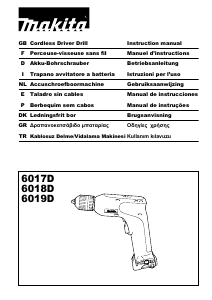
Manual Makita 6018D Drill-Driver

Need a manual for your Makita 6018D Drill-Driver? Below you can view and download the PDF manual for free in English. This product currently has 3 frequently asked questions, 0 comments and has 0 votes. If this is not the manual you want, please contact us.

Is your product defective and the manual offers no solution? Go to a Repair Café for free repair services.

Manual

Loading…

5
NOTE:
The adjusting ring does not lock when the pointer is
positioned only halfway between the graduations.
Do not operate the tool with the adjusting ring set
between the number 5 and the marking. The tool
may be damaged.
ASSEMBLY
CAUTION:
Always be sure that the tool is switched off and the
battery cartridge is removed before carrying out any
work on the tool.
Installing or removing driver bit or drill bit
(Fig. 6)
Hold the ring and turn the sleeve counterclockwise to
open the chuck jaws.
Place the bit in the chuck as far as it will go. Hold the ring
firmly and turn the sleeve clockwise to tighten the chuck.
To remove the bit, hold the ring and turn the sleeve
counterclockwise.
When not using the driver bit, keep it in the bit holders.
Bits 45 mm long can be kept there.
OPERATION
Screwdriving operation
For model 6017D/6018D
Place the point of the driver bit in the screw head and
apply pressure to the tool. Start the tool. Release the
trigger just as the screw bottoms out. If the trigger is not
released, the screw may strip out the hole or the screw
and/or bit may be damaged.
For model 6019D
Place the point of the driver bit in the screw head and
apply pressure to the tool. Start the tool slowly and then
increase the speed gradually. Release the switch trigger
as soon as the clutch cuts in.
CAUTION:
Make sure that the driver bit is inserted straight in the
screw head, or the screw and/or bit may be damaged.
NOTE:
When driving wood screws, predrill pilot holes to make
driving easier and to prevent splitting of the workpiece.
See the chart.
Drilling operation (Fig. 7)
First, turn the adjusting ring so that the pointer points to
the marking (6019D). Then proceed as follows.
Drilling in wood
When drilling in wood, the best results are obtained with
wood drills equipped with a guide screw. The guide screw
makes drilling easier by pulling the bit into the workpiece.
Drilling in metal
To prevent the bit from slipping when starting a hole,
make an indentation with a center-punch and hammer at
the point to be drilled. Place the point of the bit in the
indentation and start drilling.
Use a cutting lubricant when drilling metals. The
exceptions are iron and brass which should be drilled dry.
CAUTION:
Pressing excessively on the tool will not speed up the
drilling. In fact, this excessive pressure will only serve
to damage the tip of your bit, decrease the tool
performance and shorten the service life of the tool.
There is a tremendous force exerted on the tool/bit at
the time of hole break through. Hold the tool firmly and
exert care when the bit begins to break through the
workpiece.
A stuck bit can be removed simply by setting the
reversing switch to reverse rotation in order to back
out. However, the tool may back out abruptly if you do
not hold it firmly.
Always secure small workpieces in a vise or similar
hold-down device.
If the tool is operated continuously until the battery
cartridge has discharged, allow the tool to rest for 15
minutes before proceeding with a fresh battery.
MAINTENANCE
CAUTION:
Always be sure that the tool is switched off and the
battery cartridge is removed before attempting to
perform inspection or maintenance.
To maintain product SAFETY and RELIABILITY, repairs,
any other maintenance or adjustment should be
performed by Makita Authorized Service Centers, always
using Makita replacement parts.
ACCESSORIES
CAUTION:
These accessories or attachments are recommended
for use with your Makita tool specified in this manual.
The use of any other accessories or attachments might
present a risk of injury to persons. Only use accessory
or attachment for its stated purpose.
If you need any assistance for more details regarding
these accessories, ask your local Makita service center.
Drill bits
Screw bits
Various type of Makita genuine batteries and chargers
Set plate
Nominal diameter of
wood screw
(mm)
Recommended size of
pilot hole
(mm)
3.1 2.0 - 2.2
3.5 2.2 - 2.5
3.8 2.5 - 2.8
4.5 2.9 - 3.2
4.8 3.1 - 3.4
5.1 3.3 - 3.6
Download manual in English (PDF, 0.99 MB)
(Consider the environment and only print this manual if it is really necessary)

Loading…

Rating

Let us know what you think about the Makita 6018D Drill-Driver by leaving a product rating. Want to share your experiences with this product or ask a question? Please leave a comment at the bottom of the page.
Are you satisfied with the Makita 6018D Drill-Driver?
Yes No
Be the first to rate this product
0 votes

Join the conversation about this product

Here you can share what you think about the Makita 6018D Drill-Driver. If you have a question, first carefully read the manual. Requesting a manual can be done by using our contact form.

More about this manual

We understand that it’s nice to have a paper manual for your Makita 6018D Drill-Driver. You can always download the manual from our website and print it yourself. If you would like to have an original manual, we recommend you contact Makita. They might be able to provide an original manual. Are you looking for the manual of your Makita 6018D Drill-Driver in a different language? Choose your preferred language on our homepage and search for the model number to see if we have it available.

Specifications

Brand Makita
Model 6018D
Category Drill-Drivers
File type PDF
File size 0.99 MB

All manuals for Makita Drill-Drivers
More manuals of Drill-Drivers

Frequently Asked Questions about Makita 6018D Drill-Driver

Our support team searches for useful product information and answers to frequently asked questions. If you find an inaccuracy in our frequently asked questions, please let us know by using our contact form.

I keep stripping the screw head when using the drill-driver. Why is that? Verified

Most drill-drivers can be set to screw harder or softer. If the head keeps being stripped, the drill-driver should probably be put into a different setting. When it is a wireless device, always be sure the battery is charged for an optimal result.

This was helpful (97) Read more

Do I need to wear hearing protection when using a drill? Verified

Yes you should. Although the amount of noise produced by a drill can vary between brands and models, long term exposure to loud noise can cause permanent hearing damage. That is why it is a good idea to wear hearing protection.

This was helpful (37) Read more

Can I store power tools in a shed or garage? Verified

In general, you can store power tools in a shed or garage, even if it sometimes freezes there. However, it is better for the lifespan of the power tool to store it in a dry place without major temperature fluctuations. In a shed or garage, differences in temperature can cause condensation to form, which can cause rust. In addition, tools that run on batteries last shorter and do not charge as well at very low temperatures. To be sure how your power tool needs to be stored, always thoroughly read the user manual.

This was helpful (29) Read more
Manual Makita 6018D Drill-Driver

Related products

Related categories

×
Download