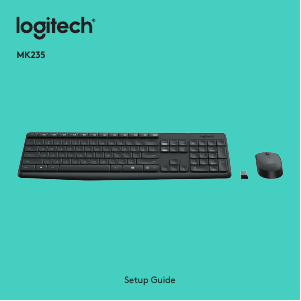
Manual Logitech MK235 Keyboard

Need a manual for your Logitech MK235 Keyboard? Below you can view and download the PDF manual for free in English. This product currently has 2 frequently asked questions, 48 comments and has 76 votes with an average product rating of 32/100. If this is not the manual you want, please contact us.

Is your product defective and the manual offers no solution? Go to a Repair Café for free repair services.

Manual

Loading…

Setup Guide
MK235
Download manual in English (PDF, 21.46 MB)
(Consider the environment and only print this manual if it is really necessary)

Loading…

Rating

Let us know what you think about the Logitech MK235 Keyboard by leaving a product rating. Want to share your experiences with this product or ask a question? Please leave a comment at the bottom of the page.
Are you satisfied with the Logitech MK235 Keyboard?
Yes No
32%
68%
76 votes

Join the conversation about this product

Here you can share what you think about the Logitech MK235 Keyboard. If you have a question, first carefully read the manual. Requesting a manual can be done by using our contact form.

Ximena Bravo 26-08-2021
I installed the keyboard and mouse without problems, but the screen print key does not perform this action (F12). Please point out how I can do it since I checked ALT F12 and it doesn't work either. Thank you.

reply | This was helpful (116) Read more (Translated by Google)
Jean Hogommat 10-03-2023
same observation

This was helpful (12) (Translated by Google)
Juan 28-03-2024
Windows + Fn + F12

This was helpful (3) (Translated by Google)
Noelia 07-05-2023
could you find out? I have the same problem

This was helpful (0) (Translated by Google)
María Cristina 05-07-2021
How do I take a screenshot?

reply | This was helpful (90) (Translated by Google)
J.C 21-04-2020
I would like the following information: HOW TO KNOW WHEN I AM IN THE CAPITAL OR SMALL POSITION OF THE LOGITECH K 235 KEYPAD

reply | This was helpful (84) (Translated by Google)
Raamon G A 02-09-2021
How do you enter the at sign (for example in emails) with the K235 keyboard? It does not work for me with alt gr or with ALT

reply | This was helpful (40) Read more (Translated by Google)
Mattia 28-11-2023
shift 2

This was helpful (4) (Translated by Google)
Piera 20-12-2023
how to insert snail

This was helpful (1) (Translated by Google)
Juan 28-03-2024
Alt gr +

This was helpful (0) (Translated by Google)
Marko 03-02-2022
Hi I'm using the Logitech keyboard K235. I am not able to make a printscreen..what could be a problem?

reply | This was helpful (27) Read more (Translated by Google)
Pierre-François 04-02-2023
To take a screenshot Use the keys: Windows + Fn + F12 and hold them Simultaneously Good luck

This was helpful (15) (Translated by Google)

Loading…

raul 17-09-2021
the F12 key does not capture the screen what to do since I will have to change the keyboard if I do not see a solution soon that says the manufacturer of loginech 235 with wireless mouse M170

reply | This was helpful (24) (Translated by Google)
Ricardo 05-04-2022
how to make the screen print, please pass the detail since with f12 it does not work

reply | This was helpful (14) (Translated by Google)
JORGE 23-10-2022
How do I activate the third function of the keys that they have?

reply | This was helpful (12) (Translated by Google)
betty 01-11-2022
how do I know if I'm in the UPPER position or not?

reply | This was helpful (10) (Translated by Google)
maria 18-02-2022
hello k235 does not have the fn key how to do to activate stam on the f12_ key

reply | This was helpful (9) (Translated by Google)
Jhon 10-08-2021
Min keyboard does not work with letters

reply | This was helpful (8) (Translated by Google)
olivia 11-01-2022
I don't know how to put the symbol that is on the number 3 key, the cat symbol

reply | This was helpful (6) Read more (Translated by Google)
olivia 11-01-2022
I regret buying this keyboard, I'm struggling a lot with the symbols that the number keys bring

This was helpful (12) (Translated by Google)
Juan 28-03-2024
Alt gr + e

This was helpful (0) (Translated by Google)
Naila 07-08-2022
How can I turn on the computer screen?

reply | This was helpful (4) (Translated by Google)
Светлана 07-01-2021
Everything is fine, but. The folding leg of the keyboard has broken, but there is no spare. I think it would be nice to add extra legs to the kit. After all, they break, and without them it is inconvenient.

reply | This was helpful (3) (Translated by Google)
Sylwia 10-09-2023
How to turn on this keyboard, there is no on key???

reply | This was helpful (2) (Translated by Google)
Marcelo Manoel 17-09-2023
Hello! What is the DPI resolution of the keyboard that makes up the Logitec MK235 kit?

reply | This was helpful (1) (Translated by Google)
daniel 12-10-2022
I can't take screenshots with mk235 keyboard

reply | This was helpful (0) Read more (Translated by Google)
Pierre-François 04-02-2023
To take a screenshot Use the keys: Windows + Fn + F12 and hold them Simultaneously Good luck

This was helpful (0) (Translated by Google)
Denis RASSE 16-10-2022
I can't take a screenshot with the FN and F12 keys, at least I can't find them in my files. Can you help me ???

reply | This was helpful (0) Read more (Translated by Google)
Pierre 04-02-2023
To take a screenshot Use the keys: Windows + Fn + F12 and hold them Simultaneously Good luck

This was helpful (0) (Translated by Google)
Fran 25-10-2022
How can I take a screenshot? With F12 print screen it does not work at all.

reply | This was helpful (0) Read more (Translated by Google)
Pierre-François 04-02-2023
To take a screenshot Use the keys: Windows + Fn + F12 and hold them Simultaneously Good luck

This was helpful (0) (Translated by Google)
Pierre-François 04-02-2023
I am unable to take a screenshot. The F12 key gives me computer gibberish on the left side of the screen. What is the Fn key looking forward to reading you soon

reply | This was helpful (0) (Translated by Google)
Carlos 01-03-2023
The keyboard works when it wants to. The batteries are rechargeable and are fine. I don't know what problem it may have.

reply | This was helpful (0) Read more (Translated by Google)
Sylwia 10-09-2023
Did anyone answer how to turn on the keyboard? I have a similar problem

This was helpful (12) (Translated by Google)
Noelia 07-05-2023
how do i screenshot?

reply | This was helpful (0) (Translated by Google)
Jorge 23-07-2023
How can I put the "at" and the power in a formula, it is the hat that is on the ´ ´¨ key

reply | This was helpful (0) (Translated by Google)
Adela 03-08-2023
How do I take a screenshot?

reply | This was helpful (0) (Translated by Google)
EMANUELE 10-10-2023
Why don't the number keys work?

reply | This was helpful (0) (Translated by Google)
lanzani.giuseppe 07-08-2024
HOW TO DISTINGUISH UPPERCASE FROM LOWERCASE?

reply | This was helpful (0) (Translated by Google)
Osvaldo 11-09-2024
Does this MK235 set work on an Android tablet? Does the mouse light turn on when it is ON? Thanks and greetings.

reply | This was helpful (0) (Translated by Google)
Patrick 24-10-2024
I cannot connect the MK 235 to my HP Laptop

reply | This was helpful (0)
Patrick 24-10-2024
I cannot connect the MK 235 to my HP Laptop

reply | This was helpful (0)
mercedes villanueva 18-11-2024
Good morning I just bought the MK235 keyboard, and I can't figure out how to do the grave accent as well as the circumflex accent! Do you have a link so I can see the keyboard functionalities please THANKS

reply | This was helpful (0) (Translated by Google)
Fredvans 24-12-2024
My K235 keyboard and mouseM170 suddenly stopped working on the desktop PC. Turned off the PC last night and this morning nothing. Tested the set on my laptop and works fine. What could have happened, I tested the USB port with voltage with a rechargeable light

reply | This was helpful (0) (Translated by Google)
rene mendoza 28-04-2025
I want to know about the keyboard since it is different from those I have had, you do not access symbols such as numeral, both percent and all the symbols that appear on the right side of the keys

reply | This was helpful (0) (Translated by Google)
D Carrasco 10-01-2026
A shame. a good keyboard and mouse. It doesn't have a Caps light!! necessary to enter passwords and write... how could they make something like that. At least what it says on the box. IT DOES NOT HAVE CAPITAL LETTERS LIGHT. And not buy and when you install you find the novelty...!!
A shame. a good keyboard and mouse. It doesn't have a Caps light!! necessary to enter passwords ...

reply | This was helpful (0) Read more (Translated by Google)
×
A shame. a good keyboard and mouse. It doesn't have a Caps light!! necessary to enter passwords ...
milton 24-02-2026
and it is also important that one does not know if the keyboard is on or off because it does not have a light to indicate

This was helpful (0) (Translated by Google)
milton 24-02-2026
my keyboard does not activate on my pc but the mouse does

reply | This was helpful (0) (Translated by Google)

More about this manual

We understand that it’s nice to have a paper manual for your Logitech MK235 Keyboard. You can always download the manual from our website and print it yourself. If you would like to have an original manual, we recommend you contact Logitech. They might be able to provide an original manual. Are you looking for the manual of your Logitech MK235 Keyboard in a different language? Choose your preferred language on our homepage and search for the model number to see if we have it available.

Specifications

Brand Logitech
Model MK235
Category Keyboards
File type PDF
File size 21.46 MB

All manuals for Logitech Keyboards
More manuals of Keyboards

Frequently Asked Questions about Logitech MK235 Keyboard

Our support team searches for useful product information and answers to frequently asked questions. If you find an inaccuracy in our frequently asked questions, please let us know by using our contact form.

The letters on the keyboard are not in the places that I am used to, why is that? Verified

Most keyboards use a QWERTY layout, standing for the first six letters on the keyboard. However, there are different keyboard layouts, matching the specific needs of a certain language. It is also possible that the keyboard keys have been swapped. Especially with older keyboards this is easy to do.

This was helpful (1365) Read more

What is the best way to clean my keyboard Verified

Never insert objects between the edges of the keys, as this will mainly push dirt in and damage the keyboard. It is best to clean the keyboard with compressed air while keeping the keyboard upside down. The top of the keys can be cleaned with a slightly damp cloth.

This was helpful (204) Read more
Manual Logitech MK235 Keyboard

Related products

Related categories

×
Download