Manual Gigaset AS405A Trio Wireless Phone

Need a manual for your Gigaset AS405A Trio Wireless Phone? Below you can view and download the PDF manual for free in English. This product currently has 2 frequently asked questions, 0 comments and has 2 votes with an average product rating of 50/100. If this is not the manual you want, please contact us.

Is your product defective and the manual offers no solution? Go to a Repair Café for free repair services.

Manual

Loading…
2
Gigaset A415A-AS405-A455A / Großbritannien / A31008-M2501-L101-3-7619 / Penguini.fm / 05.10.2016
Template Bali, Version 1, 16.02.2012
Safety precautions
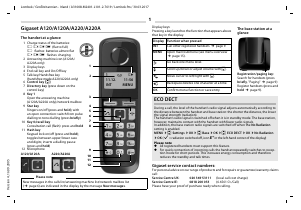
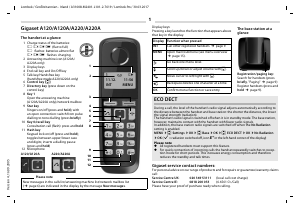
ECO DECT
During a call, the transmission power is automatically adjusted to the distance between handset and base station,
the smaller the distance, the lower the transmission power (radiation). In idle status the transmission power of the
handset is switched off. Only the base station ensures contact with the handset using low radio signals.
Your phone offers you the opportunity to further reduce the transmission power:
1) Reducing transmission power (eco mode)
If the setting Max. Range is switched to off (menu tree
¢ page 23), the transmission power in standby mode and
during a call is reduced up to 80% at half range.
2) Deactivating transmission power (eco mode+)
With the setting No Rad
iation (menu tree ¢ page 23), you turn off the transmission power of the base station in
standby mode completely. Please note:
All registered handsets must support this feature.
For quick connection of incoming calls the handset repeatedly switches to reception mode for short periods.
This increases energy consumption and therefore reduces the standby and talk times.
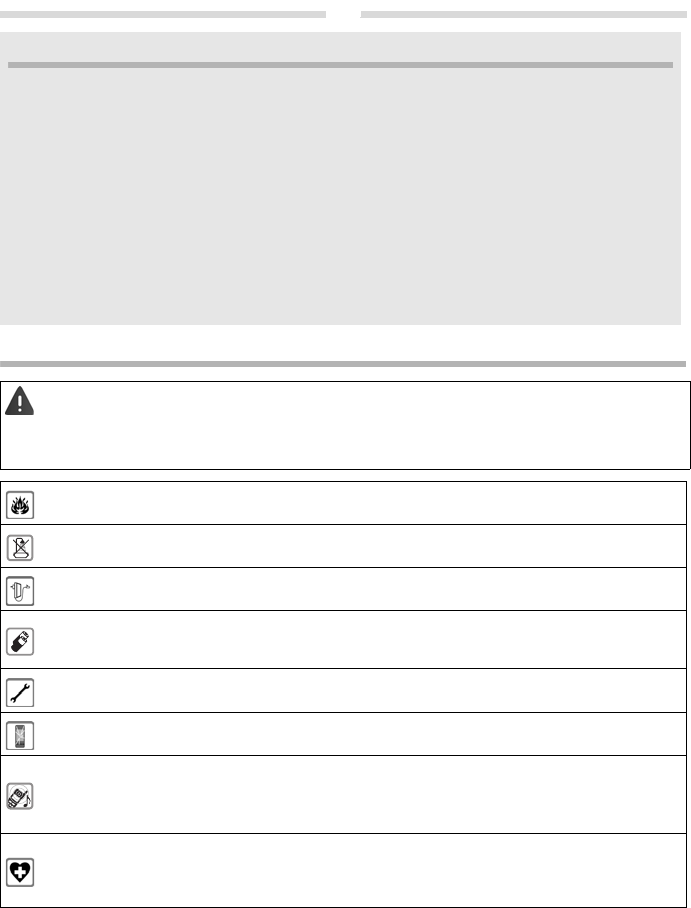
Read the safety precautions and the user guide before use.
Th
e device cannot be used in the event of a power failure. In case of a power failure it is also not possible to
make emergency calls.
Emergency numbers cannot be dialled if the keypad/display lock is activated!
Do not use the devices in environments with a potential explosion hazard (e.g. paint shops).
The devices are not splashproof. For this reason do not i
nstall them in a damp environment such as bathrooms
or shower rooms.
Use only the power adapter indicated on the device.
Use only rechar
geable batteries that correspond to the specification (see "Specifications"). Never use a
conventional (non-rechargeable) battery or other battery types as this could result in significant health risks
and personal injury. Rechargeable batteries, which are noticeably damaged, must be replaced.
Remove faulty devices from use or have them repaired by our Service team, as these could interfere with other
wi
reless services.
Do not use the device if the display is cracked or broken. Broken glass or plastic can cause injury to hands and
face
. Send the device to our Service department to be repaired.
Do not hold the rear of the handset to your ear when it is ri
nging or when speaker mode is activated. Otherwise
you risk serious and permanent damage to your hearing.
The phone may cause interference in analogue hearing aids (humming or whistling) or cause them to overload.
If you require assistance, please contact the hearing aid supplier.
Using your telephone may affect nearby medical equipment. Be aware of the technical conditions in your
par
ticular environment, e.g. doctor's surgery. If you use a medical device (e.g. a pacemaker), please contact the
device manufacturer. They will be able to advise you regarding the susceptibility of the device to external
sources of high frequency energy (for the specifications of your Gigaset product see "Specifications").
Download manual in English (PDF, 0.6 MB)
(Consider the environment and only print this manual if it is really necessary)

Loading…

Rating

Let us know what you think about the Gigaset AS405A Trio Wireless Phone by leaving a product rating. Want to share your experiences with this product or ask a question? Please leave a comment at the bottom of the page.
Are you satisfied with the Gigaset AS405A Trio Wireless Phone?
Yes No
50%
50%
2 votes

Join the conversation about this product

Here you can share what you think about the Gigaset AS405A Trio Wireless Phone. If you have a question, first carefully read the manual. Requesting a manual can be done by using our contact form.

More about this manual

We understand that it’s nice to have a paper manual for your Gigaset AS405A Trio Wireless Phone. You can always download the manual from our website and print it yourself. If you would like to have an original manual, we recommend you contact Gigaset. They might be able to provide an original manual. Are you looking for the manual of your Gigaset AS405A Trio Wireless Phone in a different language? Choose your preferred language on our homepage and search for the model number to see if we have it available.

Specifications

Brand Gigaset
Model AS405A Trio
Category Wireless Phones
File type PDF
File size 0.6 MB

All manuals for Gigaset Wireless Phones
More manuals of Wireless Phones

Frequently Asked Questions about Gigaset AS405A Trio Wireless Phone

Our support team searches for useful product information and answers to frequently asked questions. If you find an inaccuracy in our frequently asked questions, please let us know by using our contact form.

What is the difference between a base station and a loading station? Verified

The base station is the unit that creates a connection and also charges the handset. A loading station does nothing but charge the handset.

This was helpful (1416) Read more

What does DECT stand for? Verified

DECT stands for Digital Enhanced Cordless Communications and is a technology that is primilary used in wireless phones.

This was helpful (733) Read more
Manual Gigaset AS405A Trio Wireless Phone

Related products

Related categories

×
Download