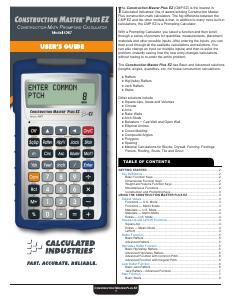
Manual Calculated Industries 4067 Construction Master Plus EZ Calculator

Need a manual for your Calculated Industries 4067 Construction Master Plus EZ Calculator? Below you can view and download the PDF manual for free in English. This product currently has 1 frequently asked question, 0 comments and has 0 votes. If this is not the manual you want, please contact us.

Is your product defective and the manual offers no solution? Go to a Repair Café for free repair services.

Manual

Loading…

4
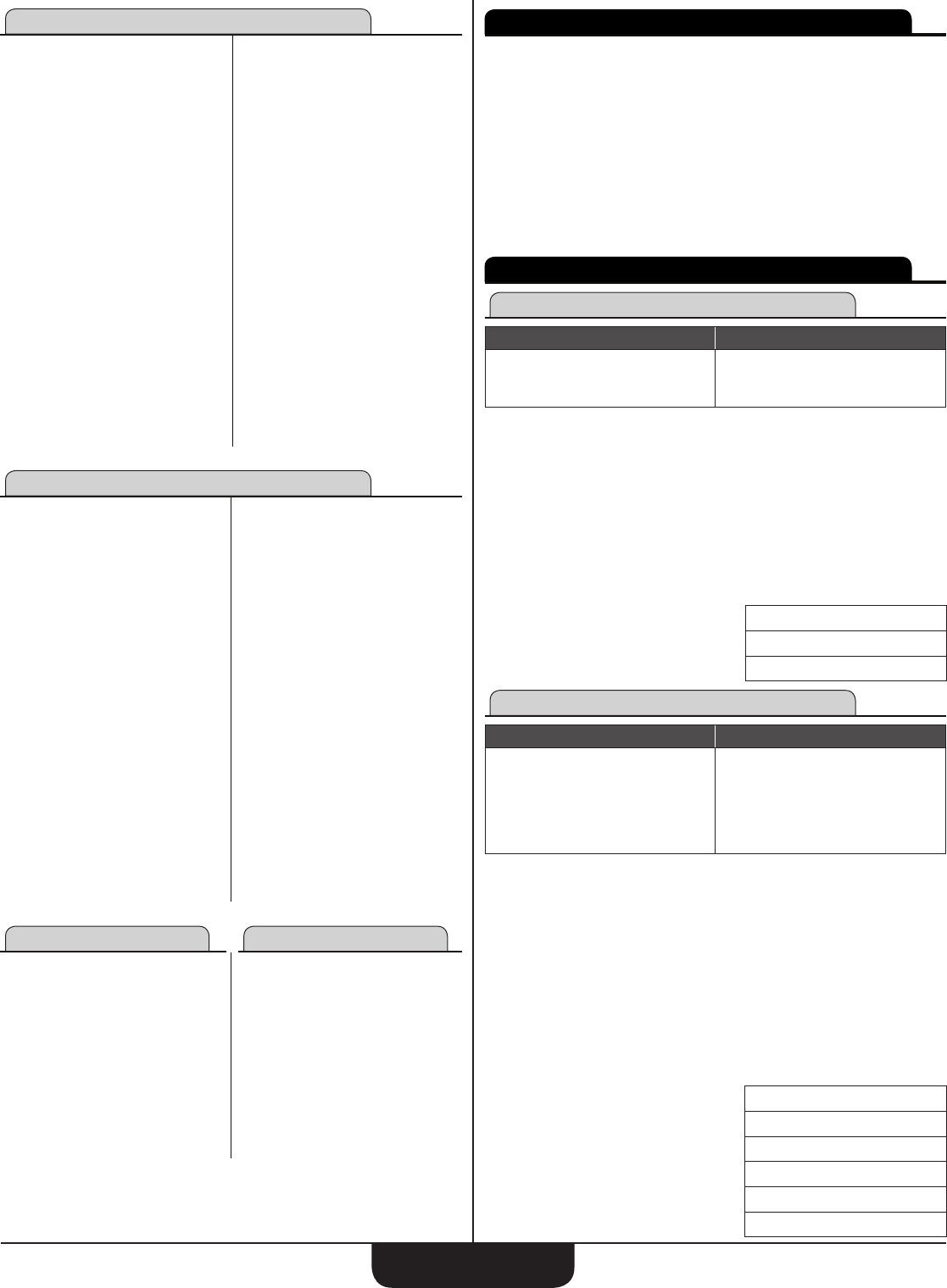
Materials — U.S. Mode
Blocks
• Block Height 8″
• Block Length 16
• Waste Factor 5%
Drywall Sheets
• Include Ceiling: 1 = Yes
• Sheet Length 8′
• Sheet Width 4′
• Waste Factor 5%
Fencing
• Number of Rails 2
• Maximum Post Spacing 96″
• Post Width 3-1/2
Footings
• Footing Area 264 Sq Inches
• Waste Factor 5%
Pavers
• Paver Length 8"
• Paver Width 4"
• Waste Factor 5%
Roong
• Waste Factor 5%
• Number of Nails
per Shingle
4
• Length of Nail 1-1/4″
• Number of Pieces
per Bundle
21
• Number of Bundles
per Square
3
Drywall Sheets
• Include Ceiling: 1 = Yes
• Sheet Length 8′
• Sheet Width 4′
• Waste Factor 5%
Studs
• O.C. Spacing 16″
• Waste Factor 5%
Tile
• Grout Width 1/8
• Tile Thickness 1/4″
• Waste Factor 5%
• Backer Board Size 3′ x 4′
Materials — Metric Mode
Blocks
• Block Height 215 mm
• Block Length 440 mm
• Waste Factor 5%
Drywall Sheets
• Include Ceiling: 1 = Yes
• Sheet Length 2400 mm
• Sheet Width 1200 mm
• Waste Factor 5%
Fencing
• Number of Rails 2
Maximum
Post
Spacing
2.4 m
• Post Width 69 mm
Footings
• Footing Area 0.2 sq m
• Waste Factor 5%
Pavers
• Paver Length 215 mm
• Paver Width 102.5 mm
• Waste Factor 5%
Roong
• Sheathing Size
1200 mm x
2400 mm
• Number of Nails per
Shingle
4
• Length of Nail 30 mm
• Number of Pieces
per Bundle
21
• Number of Bundles
per Square
3
• Waste Factor 5%
Studs
• O.C. Spacing 400 mm
• Waste Factor 5%
Tile
• Grout Width 2 mm
• Tile Thickness 7 mm
• Waste Factor 5%
• Backer Board Size 1200 mm
Extras — U.S. Mode Extras — Metric Mode
Elliptical Arch
• O.C. Spacing 16
• Position 1 = Outside
Crown Molding
• Corner Angle 90°
• Spring Angle 45°
Spacing
• Object Width 1 - 1 / 2 ″
• End Position 1 = Beginning
• Mark Position 2 = On-Center
Elliptical Arch
• O.C. Spacing 400 mm
• Position 1 = Outside
Crown Molding
• Corner Angle 9
• Spring Angle 45°
Spacing
• Object Width 38 mm
• End Position 1 = Beginning
• Mark Position 2 = On-Center
CONSTRUCTION EXAMPLES
For each of the functions shown in the User’s Guide there is a box showing
all of the required entries, optional entries and possible solutions for
that function. You can also quickly see the prompts for entries and possible
solutions for each function on the calculator by accessing the function and
then scrolling through the prompts and solutions, with repeated presses of
the
e
key, the
^
key or the
v
key.
 After scrolling through all your entries and solutions, the calculator
will display REPEAT briey before returning to the rst input prompt. You
can then scroll through and view (or change) entries and solutions. It’s
recommended that you allow the REPEAT message to disappear before
continuing to scroll through the function. Not doing so will skip the rst
input prompt.
SQUARE
-
UP AND LxWxH FUNCTIONS
Square-Up
Required Entries Solutions
Length
Width
Square-Up
Area
Perimeter
Enter a 15′ 8" Length and a 12′ 6" Width:
1. Clear Calculator:
OOO
2. Start Square-Up function:
S
3. Enter 15′ 8" Length:
15f8ie
4. Enter 12′ 6" Width and solve for Square-Up:
12f6ie
SQUARE-UP
20 FEET 0-1/2 INCH
e
AREA
195.83333 SQ FEET
e
PERIMETER
56 FEET 4 INCH
LxWxH
Entries Solutions
Length
Width
Height
Volume
Vertical Surface Area
Vertical + LxW Surface Area
Square-Up
LxW Area
Perimeter
Enter a 15′ 8" Length, 12′ 6" Width and 4" Height:
1. Clear Calculator:
OOO
2. Start Length x Width x Height function:
CS
3. Enter 15′ 8" Length:
15f8ie
4. Enter 12′ 6" Width:
12f6ie
5. Enter 4" Height and solve for L x W x H:
4ie
VOLUME
65.277778 CU FEET
e
VERTICAL SURFACE AREA
18.777778 SQ FEET
e
VERTICAL + LxW AREA
214.61111 SQ FEET
e
SQUARE-UP
20 FEET 0-1/2 INCH
e
LxW AREA
195.83333 SQ FEET
e
PERIMETER
56 FEET 4 INCH
Download manual in English (PDF, 4.5 MB)
(Consider the environment and only print this manual if it is really necessary)

Loading…

Rating

Let us know what you think about the Calculated Industries 4067 Construction Master Plus EZ Calculator by leaving a product rating. Want to share your experiences with this product or ask a question? Please leave a comment at the bottom of the page.
Are you satisfied with the Calculated Industries 4067 Construction Master Plus EZ Calculator?
Yes No
Be the first to rate this product
0 votes

Join the conversation about this product

Here you can share what you think about the Calculated Industries 4067 Construction Master Plus EZ Calculator. If you have a question, first carefully read the manual. Requesting a manual can be done by using our contact form.

More about this manual

We understand that it’s nice to have a paper manual for your Calculated Industries 4067 Construction Master Plus EZ Calculator. You can always download the manual from our website and print it yourself. If you would like to have an original manual, we recommend you contact Calculated Industries. They might be able to provide an original manual. Are you looking for the manual of your Calculated Industries 4067 Construction Master Plus EZ Calculator in a different language? Choose your preferred language on our homepage and search for the model number to see if we have it available.

Specifications

Brand Calculated Industries
Model 4067 Construction Master Plus EZ
Category Calculators
File type PDF
File size 4.5 MB

All manuals for Calculated Industries Calculators
More manuals of Calculators

Frequently Asked Questions about Calculated Industries 4067 Construction Master Plus EZ Calculator

Our support team searches for useful product information and answers to frequently asked questions. If you find an inaccuracy in our frequently asked questions, please let us know by using our contact form.

A battery in my device is oxidized, can I still safely use it? Verified

Ja, the device can still be safely used. Firstly, remove the oxidizd battery. Never use bare hands to do this. Then clean the battery compartment with a cotton swab dipped in vinegar or lemon juice. Let it dry and insert new batteries.

This was helpful (484) Read more
Manual Calculated Industries 4067 Construction Master Plus EZ Calculator

Related products

Related categories

×
Download