3
Construction and Prompting Keys
Complete listings of required and optional entries and the resulting solutions are
in the Construction Examples section.
S
Calculates the Square-Up (diagonal) length,
Area and Perimeter when Length and Width are entered.
CS
Calculates Volume, Wall Surface Area, Wall +
Ceiling Area, Square-Up, Area and Perimeter when Length,
Width and Height are entered.
r
Calculates basic lengths and angles
for Rafters.
Cr
Calculates basic lengths and angles for
Rafters.
h
Calculates basic lengths and angles for
Regular and Irregular Hip/Valley rafters.
Ch
Calculates advanced lengths and
angles for Regular and Irregular Hip/Valley rafters.
j
Calculates basic lengths and angles for
Regular and Irregular Jack rafters.
Cj
Calculates advanced lengths and
angles for Regular and Irregular Jack rafters.
s
Calculates values for Stairs when Floor-to-
Floor Rise and/or Stair Run is entered.
Cs
Calculates values for Stairs, allowing
for Upper and Lower Flooring Thickness, Nosing Length and
Riser Thickness for additional calculations.
c
Calculates for Diameter, Radius, Perimeter or Area
when one of these values is entered. Enter Height and one of
the other four values to calculate Cones and Columns.
Cc
Calculates various stud lengths for Rake Walls
with or without bases.
a
Calculates values for Chord Length, Arc Height, Radius,
Arc Length/Angle, and Arc Segment Area.
Ca
Calculates Arch Stud lengths for Arched Walls.
b
–Calculates for Cap Wall Balusters, where all
baluster lengths are the same.
Cb
Calculates for Open Wall Balusters, which
have dierent-length balusters on a tread.
N
Accesses functions for Blocks, Drywall, Fencing,
Footings, Pavers, Roong, Studs and Tile.
CN
Accesses functions for Elliptical Arches, Crown
Molding, Compound Angles, Polygons and Spacing. Also
used to access Preferences for customizable settings (see
on page 17).
^
Used to scroll up (or back) through prompts and
entries.
v
Used to scroll down (or forward) through
prompts and entries.
e
Used to enter or accept values.
Ce
Used to skip the remaining entry prompts and proceed
to the rst available solution for the chosen function.
USinG the
ConStrUCtion MaSter PlUS eZ
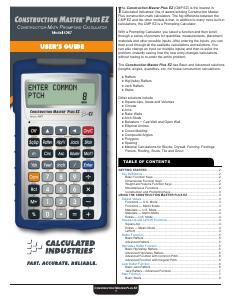
The is a Prompting Calculator. To use it
you simply select a function and then scroll through a series of prompts for
quantities, measurements, placement, materials and other possible inputs.
After entering the inputs, you can then scroll through all the available
calculations and solutions. You can also change an input (or multiple
inputs) and then re-solve the problem, instantly seeing how the new entry
changes calculations without having to re-enter the entire problem.
You can also use the
Ce
(Solve) function to skip any remaining
input prompts and go directly to the solution.
AUTO SHUT
-
OFF AND AUTO SHUTDOWN
The LCD display on your calculator is designed to shut o after 4 minutes
of non-use. If the display powers o, just press the
O
key to power it
back on. All values are maintained. Your most recent entry will be displayed
and you can scroll through or continue to enter values for the same
calculation you were working on before the display shut o. After 4 hours
of non-use, the calculator will shut down and all temporary settings and
values are cleared.
U.S. AND METRIC MODES
The can be used in either U.S. Mode (the
calculator’s default setting), which uses inches, or Metric Mode, which uses
millimeters, as a basis for entries and calculations. To change the Mode,
go to Preferences, using the Extras function (
CN
).
DEFAULT VALUES
The table below shows the calculator’s U.S. and Metric Default Values.
Default Values can be changed by entering a new value. The new Default
Value will remain until you change it or reset it to zero. An All Clear
(
Cx
) will reset values to the calculator’s Default Values.
Roong calculations are based on 4' x 8' Sheathing Size.
Functions — U.S. Mode
Common Rafter
• Ridge Thickness 1-1/2"
• Rafter Width 7-1/4"
• Plate Width 3-1/2"
Jack Rafter
• O.C. Spacing 16"
• Rafter Thickness 1-1/2"
• Hip/V Thickness 1-1/2"
• Ridge Thickness 1-1/2"
Rake Wall
• O.C. Spacing 16"
• Top Plate Thickness 1-1/2"
Baluster/Open Baluster
• Maximum Spacing 4"
Hip/ Valley
• Ridge Thickness 1-1/2"
Stairs
• Target Riser Height 7-1/2"
• Target Tread Width 10"
• Top Floor Thickness 10"
• Headroom Height 80"
Arch Studs
• O.C. Spacing 16"
• Location: 1 = Outside
Functions — Metric Mode
Common Rafter
• Ridge Thickness 38 mm
• Rafter Width 200 mm
• Plate Width 1 0 0 m m
Jack Rafter
• O.C. Spacing 400 mm
• Rafter Thickness 38 mm
• Hip/V Thickness 38 mm
• Ridge Thickness 38 mm
Rake Wall
• O.C. Spacing 400 mm
• Top Plate Thickness 38 mm
Baluster/Open Baluster
• Maximum Spacing 100 mm
Hip/ Valley
• Ridge Thickness 38 mm
Stairs
• Target Riser Height 190 mm
• Target Tread Width 250 mm
• Top Floor Thickness 250 mm
• Headroom Height 2 1 0 0 m m
Arch Studs
• O.C. Spacing 400 mm
• Location: 1 = Outside


Join the conversation about this product
Here you can share what you think about the Calculated Industries 4067 Construction Master Plus EZ Calculator. If you have a question, first carefully read the manual. Requesting a manual can be done by using our contact form.