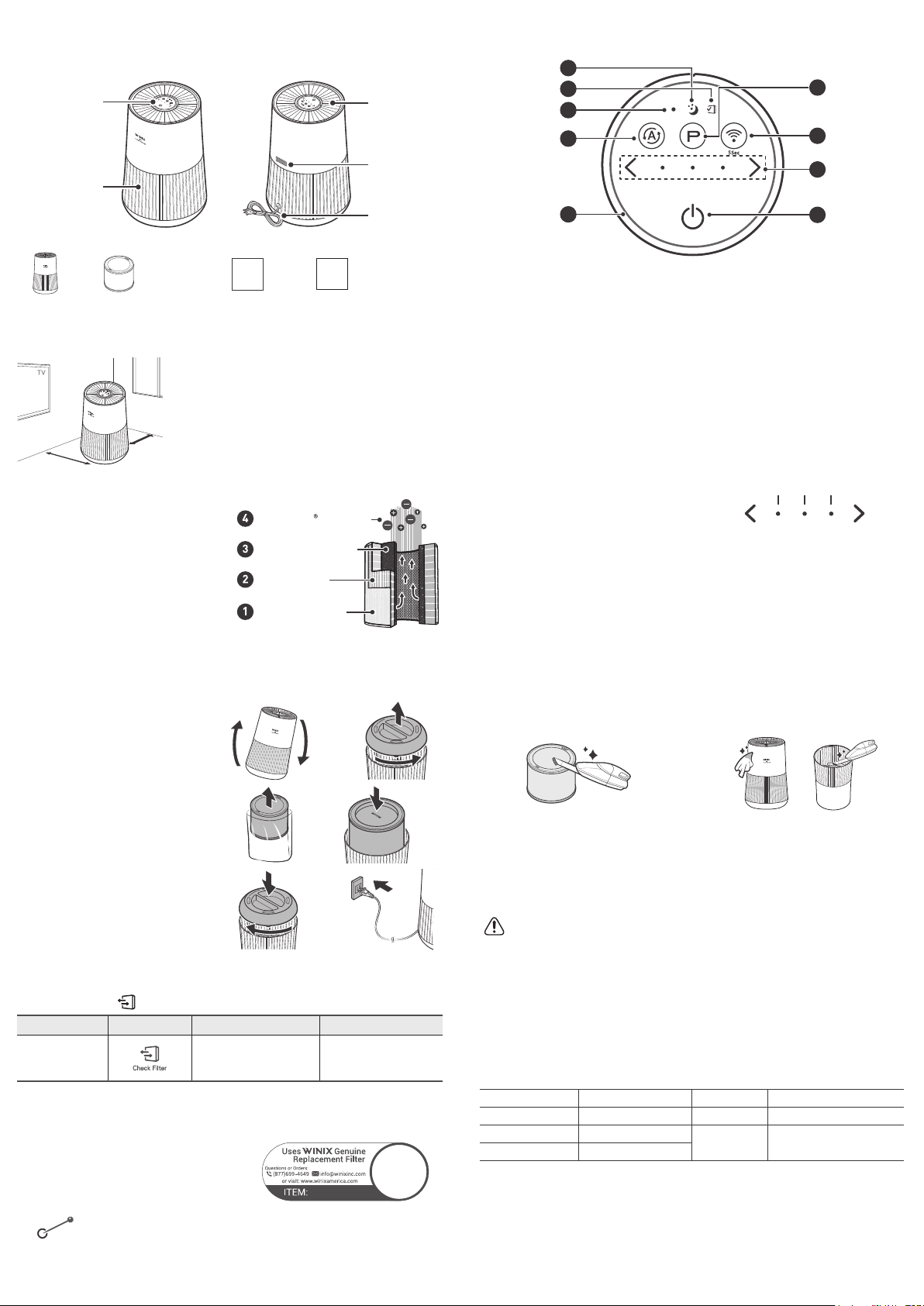
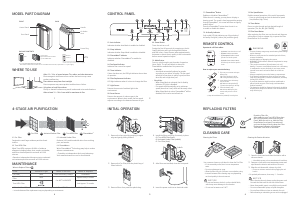
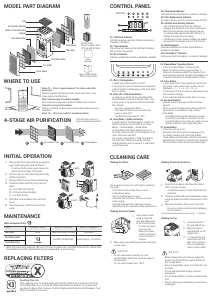
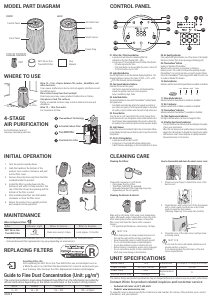
WHERE TO USE
12~18 in
Allow 12 ~ 18 in. of space between TVs, radios, and other electronics
Electromagnetic interference from certain electronics may cause
product malfunction.
Place indoors away from direct sunlight
Direct exposure may cause product malfunction or failure.
Only place on hard, flat surfaces
Flimsy or slanted surfaces may result in abnormal noise and
vibrations.
Allow 12 ~ 18 in. from walls
For maximum air flow.
FRONT BACK
PACKAGE CONTENTS
Smart Sensor
Air Outlet Vent
Power Plug
Control Panel
Front Panel
Unit
360º All-in-One
True HEPA Filter
User
Manual
Wi-Fi Setup Guide
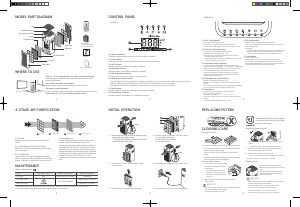
MODEL PART DIAGRAM
01
02
03
04
05
07
08
09
06
01. Sleep Mode Indicator
When Sleep Mode is activated, the Air Quality
Indicator LED light is disabled.
• The fan speed will automatically be set to the
lowest speed (below “Low”) and will be virtually
silent.
• When Sleep Mode is activated, the PlasmaWave
®
will be deactivated, but can be turned back on.
02. Filter Replacement Indicator
LED light indicates when it is time to change the
filter.
03. Filter Reset Button
After replacing the 360º All-in-One True HEPA
Filter, use a small object such as a paper clip, to
press and hold the Filter Reset Button for at least
5 seconds until the Filter Replacement Indicator
turns off.
04. Auto Mode Indicator / Button
The Auto indicator lights up when Auto mode is
enabled.
• Auto Mode automatically adjusts fan speeds
according to your indoor air quality. The fan
speed will adjust to low when air quality is good,
medium when fair, and to high when poor.
05. Air Quality Indicator
Color coded LED light indicates one of three levels
of Air Quality
: Red (poor), Amber (fair), and Blue (good).
CONTROL PANEL
INITIAL OPERATION
1. Turn the product upside down.
2. Grab the handle at the bottom of the
product, turn counter-clockwise, and pull
out the filter cover.
3. Remove the protective vinyl from the filter
installed inside the product.
4. Install the filter top side down into the
bottom of unit until it is fully inserted. The
top of the filter shows the opening and the
bottom of the filter is solid.
5. After installing the filter, turn the handle
clockwise to close the filter cover.
6. Return the product to an upright position
and resume normal operation.
When to Replace Filters
Filter Indicator Light When to Service When to Replace
360º All-in-One
True HEPA Filter
Clean once every 14 days
Lasts Approx. 12 months
• When the Check Filter indicator LED is on, it is time to replace the All-in-One True HEPA Filter.
• Intervals between filter replacement may vary depending on environment.
MAINTENANCE
1712-0110-00
FILTER
REPLACING FILTERS
Resetting Filter Life:
After replacing the 360º All-in-One True HEPA Filter, use a small object such as a
paper clip, to press and hold the Filter Reset Button for at least 5 seconds until the
Filter Replacement Indicator turns off.
CLEANING CARE
Cleaning the Filters:
Clean with a vacuum or a soft brush.
• Only clean the Pre-Filter.
• This filter CAN NOT be washed.
• Intervals between filter cleaning may vary
depending on the air quality.
Cleaning the Exterior & Interior:
Wipe with a soft damp cloth using room
temperature water. Afterwards, wipe it down with
a clean dry cloth.
After turning the product upside down, remove the
filter cover and clean the interior with a vacuum
cleaner.
• For optimal performance, clean every 14 days.
NOTICE
• When cleaning the unit, always unplug the power cord first and then wait until the unit has cooled
down.
• Never disassemble, repair, or modify this unit yourself.
• Do not use flammable sprays or liquid detergents.
• Do not allow children to clean or maintain the unit.
• Before cleaning or maintaining, ensure unit is unplugged.
• Do not use benzene, alcohol, or other volatile fluids, which may cause damage or discoloration.
06. PlasmaWave
®
Technology Indicator / Button
Enables or disables PlasmaWave
®
technology.
• When the unit is running, you may hear a
chirping or buzzing sound. The sound is from
particles passing through PlasmaWave
®
, it is
normal and does not signify product failure.
• Press the PlasmaWave
®
Technology button when
the unit is on to enable or disable this feature.
07. Wi-Fi Indicator / Button
Wi-Fi indicator will display on the front while Wi-Fi is active.
• Short press to turn Wi-Fi on or off.
• Press and hold for 5 seconds to activate pairing mode.
08. Fan Speed Indicator / Button
Indicates the current fan speed.
• Use the Fan Speed arrow buttons to set the
desired fan speed.
• Fan speeds cycle over in this sequence: Sleep,
Auto, Low, Medium, High, Sleep.
09. Power Button
Turns the unit on or off.
• During the first 30 seconds of power, the Air Quality
Indicator will cycle through Blue, Amber and Red
colors. Smart Sensor takes approximately 30 seconds
to detect the air quality in the environment before
normal operation begins.
• When the unit is first turned on, it will default to
Auto with PlasmaWave
®
enabled.
UNIT SPECIFICATIONS
Model Name T500 Dimensions
9.5 in(W) x 9.5 in(D) x 14.6 in(H)
Power Voltage
AC 120 V / 60 Hz
Weight 6.7lbs
Power Rate 55W
Replacement
Filter
FILTER O/SKU: 1712-0110-00
Verified Room Size 246sq.ft.
The exterior, design, and product specifications may be changed without prior notice to improve product performance.
Contact Winix for product related inquiries and customer service
• Dedicated Call Center:
☎
(877) 699-4649
• Website: www.winixamerica.com
To expedite service, please specify the model name and number, the nature of the problem,
your contact information, and your address.
4-STAGE
AIR PURIFICATION
Activated Carbon Filter
Fine Mesh Pre-Filter
True HEPA Filter
PlasmaWave Technology
Air Purification means it
removes inanimate particles


Join the conversation about this product
Here you can share what you think about the Winix T500 Air Purifier. If you have a question, first carefully read the manual. Requesting a manual can be done by using our contact form.