Manual Whirlpool WML75011HW Microwave

Need a manual for your Whirlpool WML75011HW Microwave? Below you can view and download the PDF manual for free in English. This product currently has 8 frequently asked questions, 0 comments and has 0 votes. If this is not the manual you want, please contact us.

Is your product defective and the manual offers no solution? Go to a Repair Café for free repair services.

Manual

Loading…
3
Electrical Requirements
Observe all governing codes and ordinances.
Required:
A 120 V, 60 Hz, AC-only, 15 or 20 amp electrical supply with a
fuse or circuit breaker.
Recommended:
A time-delay fuse or time-delay circuit breaker.
A separate circuit serving only this microwave oven.
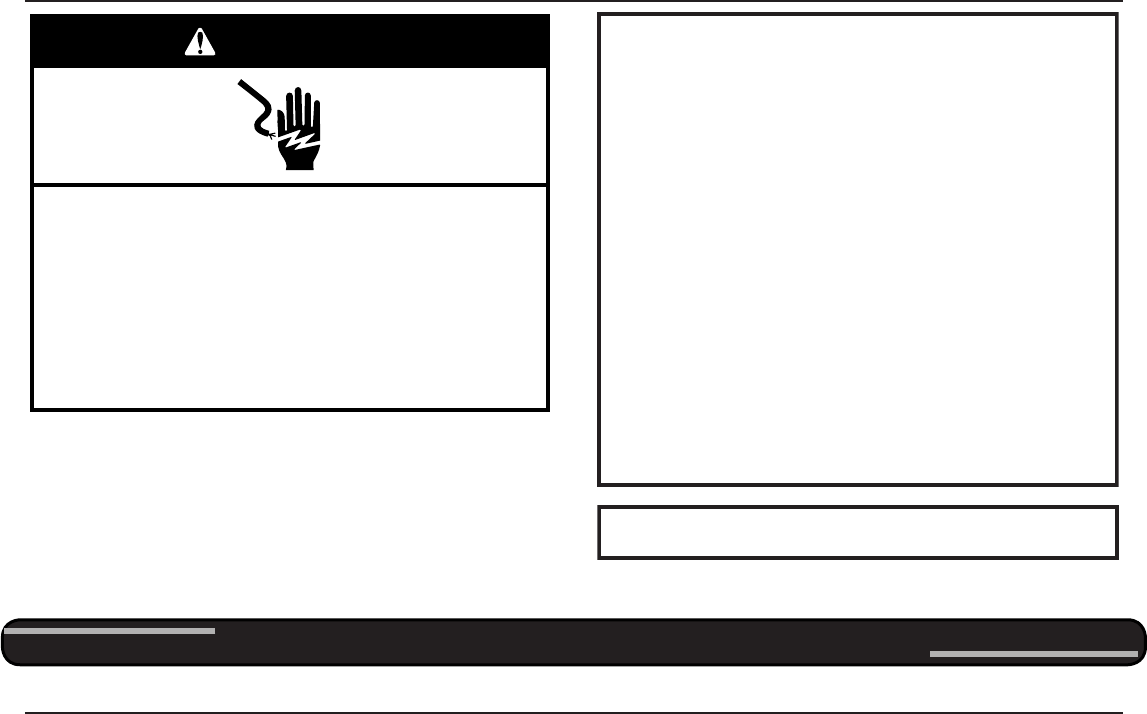
Electrical Shock Hazard
Plug into a grounded 3 prong outlet.
Do not remove ground prong.
Do not use an adapter.
Do not use an extension cord.
Failure to follow these instructions can result in death,
fire, or electrical shock.
WARNING
GROUNDING INSTRUCTIONS
SAVE THESE INSTRUCTIONS
For all cord connected appliances:
The microwave oven must be grounded. In the event of
an electrical short circuit, grounding reduces the risk of
electric shock by providing an escape wire for the electric
current. The microwave oven is equipped with a cord
having a grounding wire with a grounding plug. The plug
must be plugged into an outlet that is properly installed
and grounded.
WARNING: Improper use of the grounding plug can
result in a risk of electric shock. Consult a qualified
electrician or serviceman if the grounding instructions are
not completely understood, or if doubt exists as to whether
the microwave oven is properly grounded.
Do not use an extension cord. If the power supply cord is
too short, have a qualified electrician or serviceman install
an outlet near the microwave oven.
This device complies with Part 18 of the FCC Rules.
OPERATING YOUR MICROWAVE OVEN
Settings
Clock
The clock is a 12-hour (12:00-11:59) clock. Touch CLOCK, enter
time, then touch CLOCK or the Start control.
Timer
With the microwave oven in Standby mode, touch the Timer
control, enter time, then touch the Timer control or the Start
control. Cook functions may be entered while the Timer is
counting down. To cancel timer, touch Timer control while the
Timer countdown is active in the display.
Control Lock
Activate to avoid unintended start. Touch and hold the Cancel
keypad for about 3 seconds until 2 tones sound and the
CONTROL LOCKED appears in the display. When locked,
touching any button on the keyboard (except for the hood control
buttons and Cancel) will not work. Repeat to unlock control.
Vent Fan
Press the Vent Fan keypad once for High setting. You may press
this keypad repeatedly and choose a different speed. There are
three available speeds HIGH--->MEDIUM--->MEDIUM LOW--
LOW--->OFF. Choose the speed you want.
To keep the microwave oven from overheating, the auto hood fan
will automatically turn on at high speed if the temperature from the
range or cooktop below the microwave oven gets too hot. When
this occurs, the hood fan cannot be turned off.
Vent Light
Pressing Vent Light keypad adjusts the vent light setting among
HIGH -> LOW -> OFF.
Options/Clock
Press Clock repeatedly, there are various options/setting may be
adjusted:
1-Clock; 2-Sound; 3-Scrolling Speed; 4-Language (on Canada
model only); 5-Filter Reset; 6-Fan Timer; 7-Demo Mode; 8-Factory
Reset.
Sound (Tones)
Keypad tones and volume can be adjusted. Press CLOCK to reach
the Sound submenu.
1. Button Tones On and Off: Press 1-On 2-Off
2. Volume: Press 1-Low, 2-Med, 3-High
Pressing the Start keypad, pressing the CLOCK keypad will save.
Scroll Speed
Scrolling speed options will be between Low, Medium and High
speeds. Press CLOCK to reach the scrolling speed submenu.
Once you select speed, press start or CLOCK keypad will save.
Language
There are two languages supported: English and French. Press
CLOCK to reach the Language submenu. Once options for
language is selected you’ll have two options. Press start or
CLOCK keypad will save.
Filter Reset
Reset the lter status after replacing and/or cleaning the lters.
Touch CLOCK to reach the Filter Reset submenu, and activate
reset.
Download manual in English (PDF, 0.39 MB)
(Consider the environment and only print this manual if it is really necessary)

Loading…

Rating

Let us know what you think about the Whirlpool WML75011HW Microwave by leaving a product rating. Want to share your experiences with this product or ask a question? Please leave a comment at the bottom of the page.
Are you satisfied with the Whirlpool WML75011HW Microwave?
Yes No
Be the first to rate this product
0 votes

Join the conversation about this product

Here you can share what you think about the Whirlpool WML75011HW Microwave. If you have a question, first carefully read the manual. Requesting a manual can be done by using our contact form.

More about this manual

We understand that it’s nice to have a paper manual for your Whirlpool WML75011HW Microwave. You can always download the manual from our website and print it yourself. If you would like to have an original manual, we recommend you contact Whirlpool. They might be able to provide an original manual. Are you looking for the manual of your Whirlpool WML75011HW Microwave in a different language? Choose your preferred language on our homepage and search for the model number to see if we have it available.

Specifications

Brand Whirlpool
Model WML75011HW
Category Microwaves
File type PDF
File size 0.39 MB

All manuals for Whirlpool Microwaves
More manuals of Microwaves

Frequently Asked Questions about Whirlpool WML75011HW Microwave

Our support team searches for useful product information and answers to frequently asked questions. If you find an inaccuracy in our frequently asked questions, please let us know by using our contact form.

My microwave won't start when I press the start-button, what can I do? Verified

In many cases the door of the microwave hasn't closed properly. Open and close the door and try again.

This was helpful (3598) Read more

Can I use my microwave when the turntable doesn't work? Verified

The turntable makes sure the heat is distributed evenly. When it's not working, the microwave cannnot be properly used. Have it repaired.

This was helpful (2139) Read more

The microwave is on but is not working. Why is that? Verified

It's possible that the door does not close properly. To ensure safety a microwave will not workj until the door is completely closed. Sometimes this can be fixed by adjusting the door hinge.

This was helpful (1595) Read more

The mica/cardboard plate inside the microwave came off. Can I still use the microwave? Verified

No, absolutely not. The mica/cardboard plate is the waveguide that distributes the microwaves. Put it back or get a replacement.

This was helpful (1405) Read more

My microwave keeps making noise, even after it has finished. Is this normal? Verified

Yes, this is a normal sound. The fan cools the microwave after use. The duration depends on how long the microwave has operated.

This was helpful (1178) Read more

What does '6th Sense' mean? Verified

Whirlpool appliances that are equipped with 6th Sense technology have sensors that ensure optimal operation of the machine. For example in dryers, these sensors measure the moisture left in the wash and stops the machine when everything is completely dry.

This was helpful (909) Read more

Can I boil water in the microwave? Verified

No, absolutely not. Water can get superheated. This means that the water can reach a temperature of above 100℃ without boiling. When this water then touchs any object it can instantly boil and splash up, causing burns.

This was helpful (905) Read more

Why can't I put metal in my microwave? Verified

Metal doesn't let the microwaves through but bounces them back. When these microwaves are bounced back at the same spot, this can cause sparks.

This was helpful (900) Read more
Manual Whirlpool WML75011HW Microwave

Related products

Related categories

×
Download