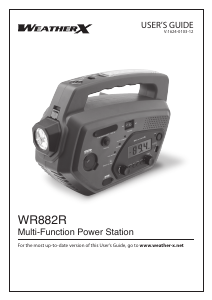
Manual WeatherX WF382R Radio

Need a manual for your WeatherX WF382R Radio? Below you can view and download the PDF manual for free in English. This product currently has 2 frequently asked questions, 0 comments and has 0 votes. If this is not the manual you want, please contact us.

Is your product defective and the manual offers no solution? Go to a Repair Café for free repair services.

Manual

Loading…

For Warranty Information and the most up-to-date version of this User’s Guide, go to www.weather-x.com
Customer Service: 1-888-999-4215,Email Support:[email protected],Email Parts:[email protected]
Copyright © 2012 Digital Products International (DPI, Inc.) All other trademarks appearing herein are
the property of their respective owners. Specications are subject to change without notice.
To download this Users Guide in
English, Spanish, or French, or to get
answers to frequently asked questions,
visit the support section at:
www.weather-x.com
Para descargar este Manual del
Usuario en inglés, español y francés, o
para obtener respuestas a preguntas
frecuentes, visite la sección de apoyo en
www.weather-x.com
Pour télécharger ce guide de l’utilisateur
en anglais, espagnol ou français,
ou pour obtenir des réponses à des
questions fréquemment posées,
consultez la rubrique d’assistance sur
www.weather-x.com
International Support
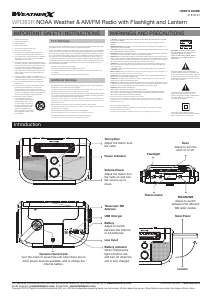
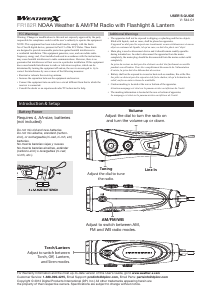
1. Adjust FM/AM/WBswitch to the AM or
FM position.
2. Turn the Volume dial to turn on the radio
and adjust to the desired volume.
3. Adjust the Tuningdial to tune the radio.
An AM antenna is built into the unit. To
improve AM radio reception, adjust the
position of the unit.
Radio
Playing the AM/FM Radio
1. Adjust FM/AM/WB switch to the WB
position.
2. Turn the Volume dial to turn on the radio
and adjust to the desired volume.
3. Adjust the Tuning dial to tune one of the
indicated weatherband frequencies.
For a list of which areas receive which
frequency, visit http://www.weather.gov/
nwr/nwrbro.htm.
Weatherband
Playing Weatherband
1. Make sure both the radio and the
ashlight are turned to the Off position.
2. Pull out the DynamoHand-Crank.
3. Turn the cranking handle at a speed of
approximately 2 turns per second.
4. The internal battery will now charge.
5. Turning the handle slower than the
recommended speed will result in the
battery not receiving a charge.
NOTE: When using the unit for long
periods of time, it is recommended to
shut off both the ashlight and radio and
recharge the battery to full capacity before
continuing use.
NOTE: To preserve the battery, charge the
unit using the Dynamo Hand-Crank at
least once a month.
Dynamo Hand Crank
Charging
Requires a 3.5mm audio cable (not included).
1. Connect a 3.5mm audio cable to the
3.5mmAudioInput and the audio output
on an MP3 player or other audio device.
2. Turn the Volume dial to power the unit on
and adjust to the desired volume.
3. Use the native controls on the connected
MP3 player or other audio source to play
your audio through the unit.
When not in use, make sure to disconnect
the 3.5mm audio cable (not included).
3.5 mm Audio input
Using the Audio Input
Download manual in English (PDF, 1.32 MB)
(Consider the environment and only print this manual if it is really necessary)

Loading…

Rating

Let us know what you think about the WeatherX WF382R Radio by leaving a product rating. Want to share your experiences with this product or ask a question? Please leave a comment at the bottom of the page.
Are you satisfied with the WeatherX WF382R Radio?
Yes No
Be the first to rate this product
0 votes

Join the conversation about this product

Here you can share what you think about the WeatherX WF382R Radio. If you have a question, first carefully read the manual. Requesting a manual can be done by using our contact form.

More about this manual

We understand that it’s nice to have a paper manual for your WeatherX WF382R Radio. You can always download the manual from our website and print it yourself. If you would like to have an original manual, we recommend you contact WeatherX. They might be able to provide an original manual. Are you looking for the manual of your WeatherX WF382R Radio in a different language? Choose your preferred language on our homepage and search for the model number to see if we have it available.

Specifications

Brand WeatherX
Model WF382R
Category Radios
File type PDF
File size 1.32 MB

All manuals for WeatherX Radios
More manuals of Radios

Frequently Asked Questions about WeatherX WF382R Radio

Our support team searches for useful product information and answers to frequently asked questions. If you find an inaccuracy in our frequently asked questions, please let us know by using our contact form.

What is DAB+? Verified

DAB+ is the successor of the FM signal and stands for Digital Audio Broadcasting. It is a digital signal that allows for more channels within the same bandwidth and allows for easier switching between channels.

This was helpful (301) Read more

What is the difference between FM and AM? Verified

FM and AM are both forms of modulation used to transmit a signal. FM stands for Frequency Modulation and AM stands for Amplitude Modulation. AM is the oldest form of modulation. The biggest difference is that the FM signal is much stronger than the AM signal.

This was helpful (242) Read more
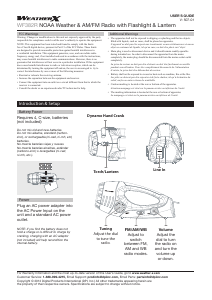
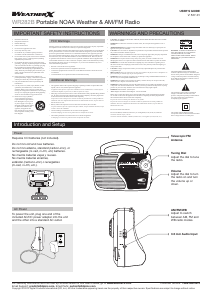
Manual WeatherX WF382R Radio

Related products

Related categories

×
Download