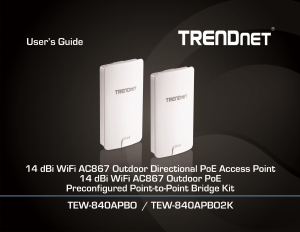
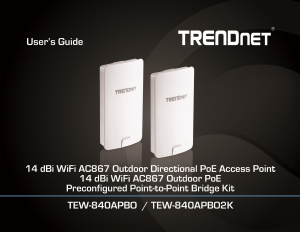
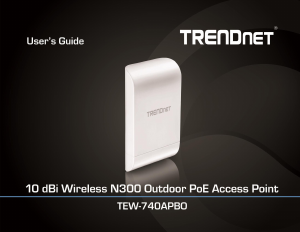
Manual TRENDnet TEW-840APBO Access Point

Need a manual for your TRENDnet TEW-840APBO Access Point? Below you can view and download the PDF manual for free in English. This product currently has 1 frequently asked question, 0 comments and has 0 votes. If this is not the manual you want, please contact us.

Is your product defective and the manual offers no solution? Go to a Repair Café for free repair services.

Manual

Loading…

© Copyright 2019 TRENDnet. All Rights Reserved.
TRENDnet User’s Guide
TEW-840APBO / TEW-840APBO2K
4
LAN1 LED When the LED is ON, this indicates an active network connection to
the LAN port on the proprietary PoE injector. When the LED is BLINKING, this
indicates data is being transmitted or received on the LAN1 port. The LED is
OFF when there is no active network connection to the LAN port on the
proprietary PoE injector.
LAN2 LED - When the LED is ON, this indicates an active network connection to
the LAN2 port. When the LED is BLINKING, this indicates data is being
transmitted or received on the LAN2 port. If the LED is OFF, there is no active
network connection to the LAN2 port.
WLAN LED When the LED is ON, the wireless radio on the device is on. When
the LED is OFF, the wireless radio on the device has been disabled.
Connection Quality Indicators (WDS station only) These LEDs will indicate
the wireless connection quality to the WDS Access Point when in WDS station
mode.
Reset Button The reset button resets the access point to factory default
settings. Using a paper clip, push and hold the reset button for 15 sec. and
release. The LEDs will flash when the device reset has been initiated.
PoE Power Adapter Reset Button The included PoE injector also has a reset
button to reset the access point to factory default. Using a paper clip, push and
hold the reset button for 15 sec. and release. The LEDs will flash when the
device reset has been initiated.
Important Note:
It is recommended to use RJ-45 cables without any additional caps, molded caps, or
boots specifically on the connector side that will be connected to the access point LAN1
(PoE) port to avoid any cable fitment issues inside the access point enclosure.
Proprietary PoE Power Adapters
Important Note:
The access point does not support standard IEEE 802.3at/af PoE/PoE+. Only the
included proprietary PoE injector may be used to supply power to the access point. For
safety, use only the included PoE injector to supply power to the access point.
o POWER IN Connect the included power cord to this input and the other end
into an AC power source to supply power to the injector.
o PoE Connect an Ethernet RJ-45 cable to this output and the other side to the
device LAN1 (PoE) port to supply power to the device. Please note that the RJ-
45 Ethernet cable between the proprietary PoE injector and the LAN1 (PoE)
port of the access points supports a maximum length of up to 60 m (197 ft.). RJ-
45 Ethernet cables longer than the maximum length specified may result in
insufficient power to the device, intermittent connectivity/power loss, and
unstable physical link.
o LAN Connect an Ethernet RJ-45 cable to this input and connect the other to
your network or directly to a computer for initial device setup.
Download manual in English (PDF, 3.22 MB)
(Consider the environment and only print this manual if it is really necessary)

Loading…

Rating

Let us know what you think about the TRENDnet TEW-840APBO Access Point by leaving a product rating. Want to share your experiences with this product or ask a question? Please leave a comment at the bottom of the page.
Are you satisfied with the TRENDnet TEW-840APBO Access Point?
Yes No
Be the first to rate this product
0 votes

Join the conversation about this product

Here you can share what you think about the TRENDnet TEW-840APBO Access Point. If you have a question, first carefully read the manual. Requesting a manual can be done by using our contact form.

More about this manual

We understand that it’s nice to have a paper manual for your TRENDnet TEW-840APBO Access Point. You can always download the manual from our website and print it yourself. If you would like to have an original manual, we recommend you contact TRENDnet. They might be able to provide an original manual. Are you looking for the manual of your TRENDnet TEW-840APBO Access Point in a different language? Choose your preferred language on our homepage and search for the model number to see if we have it available.

Specifications

Brand TRENDnet
Model TEW-840APBO
Category Access Points
File type PDF
File size 3.22 MB

All manuals for TRENDnet Access Points
More manuals of Access Points

Frequently Asked Questions about TRENDnet TEW-840APBO Access Point

Our support team searches for useful product information and answers to frequently asked questions. If you find an inaccuracy in our frequently asked questions, please let us know by using our contact form.

What is the difference between a range extender and an access point? Verified

The biggest difference is that an acces point generally is connected to a modem or router with a cable. A range extender amplifies an existing wireless signal.

This was helpful (11) Read more
Manual TRENDnet TEW-840APBO Access Point

Related products

Related categories

×
Download