ENGLISH
2
away on the upper and both side (F1), and 15 cm away on the
front side (F3) from any objects or wall. (Fig. F)
• Remove drain water before moving unit.
• To minimize corrosion, DO NOT use in damp, salty air area.
• DO NOT operate in direct sunlight.
• DO NOT use for such particular purpose as preservation of
foodstuff, animals, plants, precision appliances, arts and
medicine.
• DO NOT place an animal, plants or combustion equipment in
a place which is subjected to the direct air flow of the unit.
• DO NOT ride or place the objects on the unit.
• DO NOT turn the product on its side or upside down.
• DO NOT remove the rubber cap cover of water drainage outlet
except in continuous drainage mode to avoid water leakage.
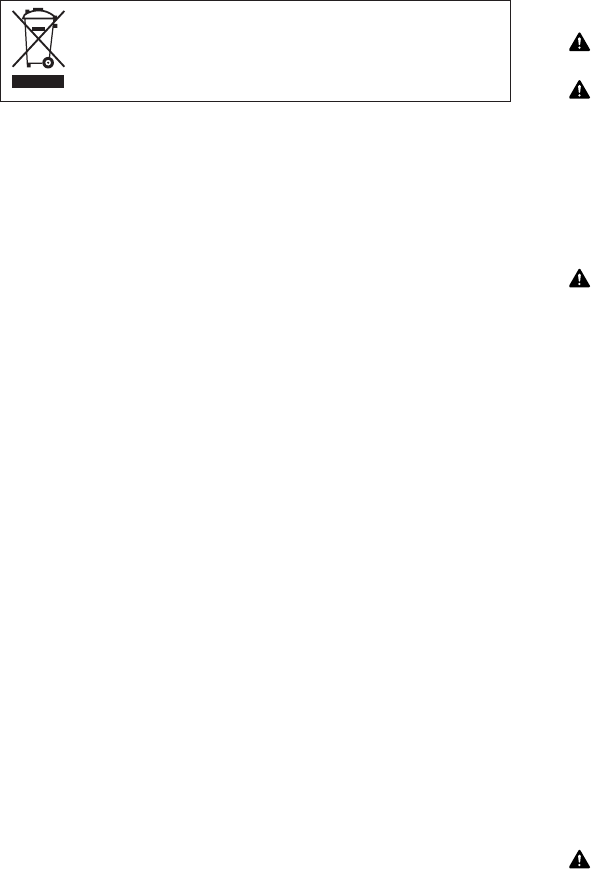
• Waste electrical products should not be disposed
with household waste.
• Please recycle where facilities exist. Check with
your local authority or retailer for recycling advice.
3. OPERATION
OPERATING STEPS:
1. CONNECT POWER PLUG (B5) TO POWER SOCKET.
Make sure the water tank (A5) is placed in proper position, and
then connect to the power socket.
If the tank is not in proper position, the FULL lamp (C3) will
light after plug on. If FULL lamp lights at the first time, please
pull out the tank once and push it back to the proper position.
2. PRESS POWER BUTTON (C1) TO ON.
3. PRESS HUMIDITY SETTING BUTTON (C4)
Press the humidity setting button (C4) to select your desired
humidity mode.
By pressing the humidity setting button, indication lamp will
shift to; “CONTINUE” (C5) ➞ “60%” (C8) ➞ “50%” (C7) ➞
“40%” (C6) ➞ CONTINUE” (C5) and your desired humidity
mode can be selected.
4. EMPTY THE WATER TANK (Fig.D)
1. Stop the operation.
NOTE: When the water tank is full, the Full lamp (C3) will blink
and unit stops automatically in a few minutes.
2. Remove the water tank. (Fig. D1)
NOTE: Do not move the unit or remove the water tank, if the
machine is still operating, as water may leak, damage
the unit or cause an electric shock.
Do not remove or damage the float in the water tank,
or the unit cannot work correctly.
3. Pour water away. (Fig. D2)
4. Restore the water tank to the correct position.
NOTE: If the water tank is not well in the position, the Full
lamp (C3) will blink.
5. CONTINUOUS DRAINAGE WATER (Fig. E)
1. Prepare a hose that is inner diameter of 13mm or 15mm, and
take out the outlet cap (E1).
2. Remove the rubber stopper (E2) inside the outlet cap (E1).
Then you can see the hole. (Fig. E5)
3. Put the hose (E4) into the drain water outlet (E3). (Fig. E6)
NOTE:
• In case of using the hose of inner diameter of 15mm, insert the
hose to the drain water outlet all the end. (E7)
• In case of using the hose of inner diameter of 13mm, put the
hose into the tip of drain water outlet (E8)
• During the continuous drainage mode, the drain hose must be
horizontally or below the drainage hole (E9), and try not to
raise the hose above the drainage hole (E10) or fold the hose
(E11).
6. CLEANING
CLEANING AIR INTAKE FILTER (Fig. G)
1. Clean the air intake once every two weeks.
2. To remove the outside air intake filter (Fig. G1) pull the filter off
by pushing the two hooked part which are upper the filter.
3. Remove the dust with a vacuum cleaner. (Fig. G2), or wash the
dust away with water. If you wash it with water, dry it in the
shade after washing it.
WARNING
• DO NOT touch the evaporator. It may cause injury or damage.
CAUTION
• DO NOT use over 40˚C hot water. The plastic part may be de-
formed.
• Disconnect the power supply before cleaning and mainte-
nance.
CLEANING SURFACE
Clean the outside of the product with a soft damp cloth.
CAUTION
• NEVER use gasoline, solvents, chemical, products or polish as
they could damage the surface.
7. LONG-TERM STORAGE
At the end of each season, or when you do not plan to use this
product for an extended period of time, the following procedures
are recommended.
1. Empty the water tank.
After stopping operation, leave it for one day and empty the
water tank.
2. Take off the outlet cap (E1) and rubber stopper (E2) which is
for continuous drainage.
When you take the rubber stopper (E2) off, the drain water will
come out. Therefore receive the water with a bucket or a tank.
3. Clean the unit, tank and filter.
Wipe off any dirt or dust on the unit with a soft damp cloth or
a vacuum cleaner, and then wipe again using a soft dry cloth.
4. Store the unit.
The original shipping carton is the best place to store your
unit. If you do not have the original packing materials, cover
the unit with a large plastic bag and store in a cool dry place.
CAUTION
• ALWAYS store the unit at less humidity and airy place with
standing vertically.
• DO NOT put heavy objects on top of the unit.
8. TRANSPORTATION
Preferably keep the unit in the vertical position during transporta-
tion. If it is necessary to place the unit in a horizontal position more
than 1/2 hour, ALLOW IT TO REMAIN UPRIGHT FOR 24 HOURS
BEFORE OPERATION. Failure to do so may result in damage to
the compressor. Before transporting / moving the unit make sure
the drain tank is empty.
TD-C120_160_6 language.qxd 15.6.25 16:35 ページ 2


Join the conversation about this product
Here you can share what you think about the Toyotomi TD-C160 Dehumidifier. If you have a question, first carefully read the manual. Requesting a manual can be done by using our contact form.