
1312
Before Using
Before Using
SAFETY PRECAUTIONS .................................................................................. 2
IMPORTANT SAFETY INSTRUCTIONS ........................................................... 3
LABEL LOCATIONS .......................................................................................... 8
POWER SUPPLY CORD SELECTION .............................................................. 9
IMPORTANT PRECAUTIONS ........................................................................... 9
EXEMPTION CLAUSES .................................................................................... 11
OTHER CAUTIONS AND INFORMATIONS ...................................................... 11
CONTENTS ....................................................................................................... 12
Preparations
Checking the package contents ......................................................................... 14
Names of each part on the main unit ................................................................. 15
Names of each part on the control panel and remote control ............................ 16
Names of each part on the camera control panel .............................................. 17
Names of each part on the PC card slot ............................................................ 17
Names of the connection terminals ................................................................... 18
Preparing and using the remote control ............................................................. 19
Placement .......................................................................................................... 21
Connection ......................................................................................................... 22
How to use the PC card slot .............................................................................. 23
Installing the application .................................................................................... 24
Operations
Tur ning the power on and off ............................................................................. 25
Basic operations ................................................................................................ 27
Using handy features ......................................................................................... 29
Using auto setting (Auto setting) .................................................................... 29
Correcting the keystone distortion (Keystone) ................................................ 30
Cutting off the picture and sound temporarily (Mute) ..................................... 30
Freezing the image (Freeze) .......................................................................... 31
Enlarging the picture size (Resize) ................................................................. 31
Displaying Information .................................................................................... 32
Using the wireless LAN PC card ........................................................................ 33
Functions ........................................................................................................ 33
Communication mode .................................................................................... 33
Preparation ..................................................................................................... 34
Displaying a computer’s screen via the projector ........................................... 35
Displaying a JPEG image saved on a computer via the projector .................. 37
Operating the projector ................................................................................... 38
Projecting images stored in a memory PC card ................................................ 40
Memory PC cards........................................................................................... 40
JPEG files ....................................................................................................... 41
Projecting images stored in a memory PC card ............................................. 41
CONTENTS
Using the document camera .............................................................................. 44
Preparation of the document camera ............................................................. 44
Image projection with the document camera .................................................. 44
Using the overlay function .............................................................................. 46
Locking the white balance .............................................................................. 46
Correcting illuminated defects ........................................................................ 47
Sending the camera’s images to a computer ................................................. 48
Storing the camera images into the memory card .......................................... 50
Operating a computer using the remote control ................................................ 51
Using the menus ................................................................................................ 52
How to use the menus .................................................................................... 52
The image adjustment menu .......................................................................... 53
The default setting menu ................................................................................ 53
The display setting menu ................................................................................ 54
The PC card setting menu .............................................................................. 54
Reset menu .................................................................................................... 55
Maintenance
Air filter cleaning ................................................................................................ 56
Lens and main unit cleaning .............................................................................. 57
Lamp replacement ............................................................................................. 57
Others
How to use the supplied software ...................................................................... 59
How to use the Projector Configuration Tool .................................................. 59
How to use the JPEG Conversion Tool ........................................................... 61
Trouble indications ............................................................................................. 64
Before calling service personal .......................................................................... 65
Specifications ..................................................................................................... 67
List of general specifications .......................................................................... 67
Document camera specifications ................................................................... 67
List of supported signals (RGB signals) ......................................................... 68
List of supported signals (Y/P
B/PR signals) .................................................... 69
List of supported signals (Video, S-Video signals) ......................................... 69
Pin assignment of COMPUTER-1/2 & MONITOR terminals .......................... 69
CONTROL terminal ........................................................................................ 70
Separately sold products ................................................................................ 70


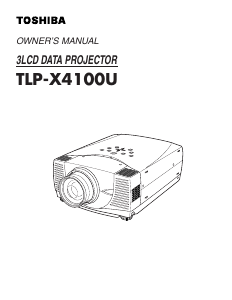
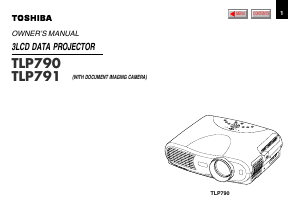
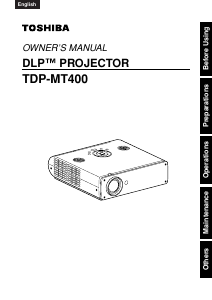
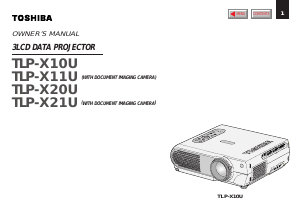
Join the conversation about this product
Here you can share what you think about the Toshiba TLP-T501 Projector. If you have a question, first carefully read the manual. Requesting a manual can be done by using our contact form.