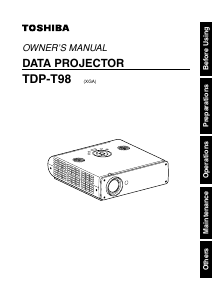
Manual Toshiba TDP-T98 Projector

Need a manual for your Toshiba TDP-T98 Projector? Below you can view and download the PDF manual for free in English. This product currently has 3 frequently asked questions, 0 comments and has 0 votes. If this is not the manual you want, please contact us.

Is your product defective and the manual offers no solution? Go to a Repair Café for free repair services.

Manual

Loading…
1514
Preparations
(10)
(11)
(9)
(12)
(8)
(13)
(9)
(6)
(1)(4)
(3)
(7) (5)
(2)
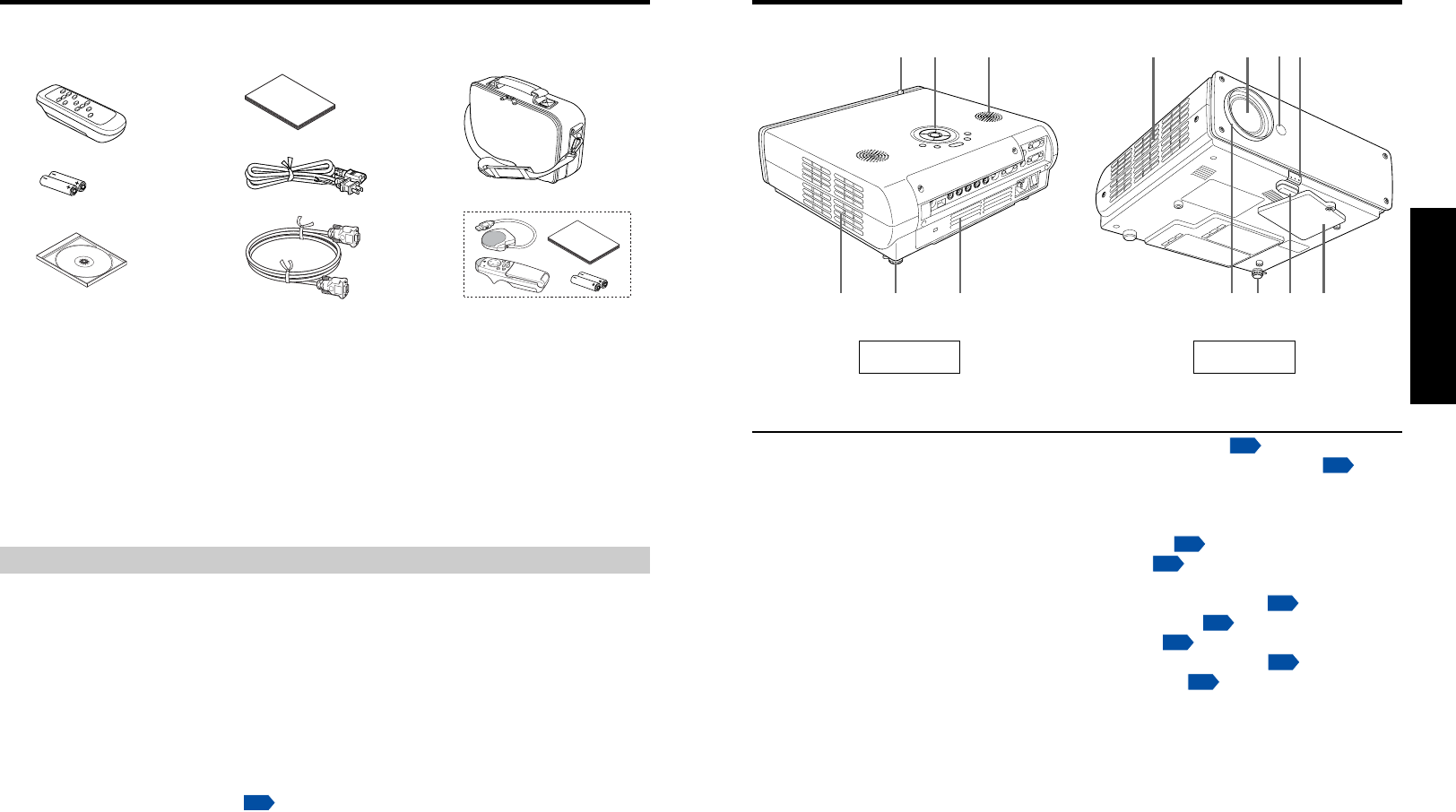
Names of each part on the main unit
Name : Function
(1) Foot adjuster release button : Press to stow the foot adjuster.
p.24
(2) Infrared remote sensor : Senses commands from the remote control.
p.18
(3) Lens : Projects expanded image.
(4) Air intake : Draws in air from outside the projector.
(5) Speaker : Outputs audio sound.
(6) Control panel : Operates the projector.
p.16
(7) Zooming lever : Adjusts screen size.
p.24
(8) Air exhaust : Expels air that has grown hot inside the projector.
(9) Tilt adjuster : Adjusts the projector’s horizontal tilt.
p.24
(
10
) Rear panel : Connects external devices.
p.17
(
11
)Focusing lever : Adjusts screen focus.
p.24
(
12
)Foot adjuster : Adjusts the vertical projection angle.
p.24
(
13
) Lamp cover : Remove to replace lamp.
p.34
The Supplied CD-ROM
The supplied CD-ROM contains an owner’s manual, including information not available for
the printed Owner’s manual (Getting started) and Acrobat
®
Reader™ to view the manual.
Installing Acrobat
®
Reader™
Windows
®
: Run the CD-ROM, select the Reader/English folder, and run ar500enu.exe.
Follow the on-screen instructions.
Macintosh: Run the CD-ROM, select the Reader/English folder, and run Reader
Installer. Follow the on-screen instructions to install the software.
Viewing the manual
Run the CD-ROM and double-click on Start.pdf. Acrobat
®
Reader™ launches, and the
menu screen of the Owner’s manual appears. Click on your language. The Owner’s
Manual cover and list of bookmarks appear. Click on a bookmark title to view that
section of the manual. Click on
p.
to view a reference page with related information.
See the Help menu for more information about Acrobat
®
Reader™.
(1) Remote control
(2) R6 (SIZE AA) batteries for remote
control (2)
(3) CD-ROM
(4) Owner’s Manual
(5) Power cord
(See note)
(6) RGB cable (3m)
Please make sure that the following items are included in the box, along with the main unit. If
any item is missing, please contact the store immediately where you purchased the product.
(1) (4) (7)
(2)
(5)
(3)
(6) (8)
I
N
P
U
T
R
-
C
L
I
C
K
P
L
A
Y
S
T
OP
P
J
M
OD
E
L
A
S
E
R
V
OL
.
-
M
E
N
U
/
E
NT
E
R
Checking the package contents
Preparations
Back
Front
Note
The shape and number of supplied power cords vary depending on the product destination.
(7) Carrying bag
(8) Mouse remote control set
Mouse remote control
LR03 (SIZE AAA) batteries for
mouse remote control (2)
Mouse remote control receiver
Mouse remote control manual
Download manual in English (PDF, 2.08 MB)
(Consider the environment and only print this manual if it is really necessary)

Loading…

Rating

Let us know what you think about the Toshiba TDP-T98 Projector by leaving a product rating. Want to share your experiences with this product or ask a question? Please leave a comment at the bottom of the page.
Are you satisfied with the Toshiba TDP-T98 Projector?
Yes No
Be the first to rate this product
0 votes

Join the conversation about this product

Here you can share what you think about the Toshiba TDP-T98 Projector. If you have a question, first carefully read the manual. Requesting a manual can be done by using our contact form.

More about this manual

We understand that it’s nice to have a paper manual for your Toshiba TDP-T98 Projector. You can always download the manual from our website and print it yourself. If you would like to have an original manual, we recommend you contact Toshiba. They might be able to provide an original manual. Are you looking for the manual of your Toshiba TDP-T98 Projector in a different language? Choose your preferred language on our homepage and search for the model number to see if we have it available.

Specifications

Brand Toshiba
Model TDP-T98
Category Projectors
File type PDF
File size 2.08 MB

All manuals for Toshiba Projectors
More manuals of Projectors

Frequently Asked Questions about Toshiba TDP-T98 Projector

Our support team searches for useful product information and answers to frequently asked questions. If you find an inaccuracy in our frequently asked questions, please let us know by using our contact form.

Can I power off my projector immediately after use? Verified

After using the projector the lamp is still very hot. It is best to leave the projector on after use, giving the internal fan time to do it's work and cool the lamp. This will extend the lifetime of the lamp.

This was helpful (214) Read more

What is keystone correction? Verified

A projector can often not be placed straight in front of a screen or wall. The projected image can become distorted because of this. This is the keystone effect. Keystone correction is a feature that addresses this distortion. Not all projectors offer keystone correction.

This was helpful (158) Read more

What is the contrast ratio? Verified

The contrast ratio tells how far the whitest white is from the blackest black. A contrast ratio of for example 400:1 means that the blackest black on screen is 400 times darker than the whitest white. A high contrast ratio contributes to the sharpness of the image.

This was helpful (104) Read more
Manual Toshiba TDP-T98 Projector

Related products

Related categories

×
Download