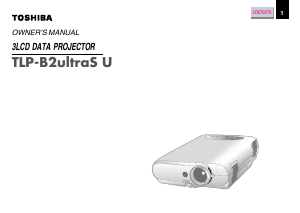
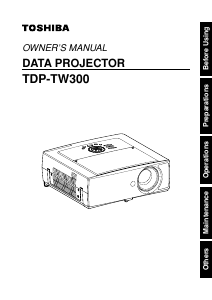
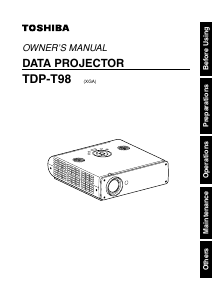
Manual Toshiba TDP-T98 Projector

Need a manual for your Toshiba TDP-T98 Projector? Below you can view and download the PDF manual for free in English. This product currently has 3 frequently asked questions, 0 comments and has 0 votes. If this is not the manual you want, please contact us.

Is your product defective and the manual offers no solution? Go to a Repair Café for free repair services.

Manual

Loading…
Before Using
10 11
EXEMPTION CLAUSES
Toshiba Corporation bears no responsibility in the case of damages arising from natural
disaster such as earthquakes, lightning, etc., fire not liable to Toshiba Corporation,
operation, theft or mischief by third parties, other accidents, or use under abnormal
conditions including erroneous or improper operation and other problems.
Toshiba Corporation bears no responsibility for incidental damages (lost profit, work
interruption, corruption or loss of the memory contents, etc.) arising from the use of or the
inability to use this unit.
Toshiba Corporation accepts no liability whatsoever for any damages arising from not
having followed the descriptions in this Instruction Manual.
Toshiba Corporation accepts no liability whatsoever for any damages arising from
malfunctions arising from combination with equipment or software that is not related to
Toshiba Corporation.
Copyrights
Showing or transmitting commercial imaging software or broadcast or cable-broad
casting programs with the purpose of other than the personal and private viewing,
including modifying images using the freeze or resize functions, or displaying with the
varying aspect ratio of the images, could violate the direct or indirect copyrights of the
imaging software or broadcast program, etc., if done without first consulting with the
copyright holder. For this reason, please take appropriate measures before performing
one of the actions listed above, including obtaining a license from the copyright holder.
Disposal
This product contains substances which are harmful to humans and the environment.
Solder used in the internal parts contains the lead.
The lamp contains inorganic mercury.
Please dispose of this product or used lamps in accordance with local regulations.
Trademarks
VGA, SVGA, XGA, SXGA, UXGA are trademarks or registered trademarks of
International Business Machines Corporation.
Digital Light Processing, Digital Micromirror Device and DMD are trademakes of Texas
Instruments.
Macintosh is a registered trademark of Apple Computer, Inc.
Windows is a registered trademark of Microsoft Corporation in the U.S. and other
countries.
Adobe is a registered trademark and Acrobat Reader is a trademark of Adobe Systems
Incorporated.
Notational Conventions Used in This Manual
References to pages with related information are annotated as follows.
For example, if making a reference to page 36:
p.36
The illustrations in this document are for reference purposes only and may not reflect
your package exactly.
REMOTE CONTROL BATTERIES
Be sure to use AA size batteries.
Do not reverse the polarity when inserting the battery.
Do not recharge, heat, disassemble, short-circuit, or burn the battery.
Do not use the battery beyond the expiration date indicated on the battery or leave a
dead battery in the remote control.
Do not mix batteries of different types, such as alkaline and manganese. Do not mix new
and used batteries.
Using the batteries improperly may cause them to explode or leak and lead to burn or injury. If
battery-leaking fluid contacts skin, wash the fluid off immediately with clean water and consult a
doctor. If the fluid is spilt on an instrument, avoid contact and wipe it off using tissue paper.
(Dispose of the used tissue paper as flammable garbage after moistening with water.)
IMPORTANT PRECAUTIONS (Continued)
Avoid Volatile Liquid
Do not use volatile liquids, such as an insect spray, near the unit. Do not leave rubber or
plastic products touching the unit for a long time. They will leave marks on the finish.
If cleaning with a chemically saturated cloth, be sure to follow the product's precautions.
In the spaces provided below, record the Model and Serial No. located at the bottom of your
projector.
Model No. Serial No.
Retain this information for future reference.
OTHER CAUTIONS AND INFORMATIONS
Download manual in English (PDF, 2.08 MB)
(Consider the environment and only print this manual if it is really necessary)

Loading…

Rating

Let us know what you think about the Toshiba TDP-T98 Projector by leaving a product rating. Want to share your experiences with this product or ask a question? Please leave a comment at the bottom of the page.
Are you satisfied with the Toshiba TDP-T98 Projector?
Yes No
Be the first to rate this product
0 votes

Join the conversation about this product

Here you can share what you think about the Toshiba TDP-T98 Projector. If you have a question, first carefully read the manual. Requesting a manual can be done by using our contact form.

More about this manual

We understand that it’s nice to have a paper manual for your Toshiba TDP-T98 Projector. You can always download the manual from our website and print it yourself. If you would like to have an original manual, we recommend you contact Toshiba. They might be able to provide an original manual. Are you looking for the manual of your Toshiba TDP-T98 Projector in a different language? Choose your preferred language on our homepage and search for the model number to see if we have it available.

Specifications

Brand Toshiba
Model TDP-T98
Category Projectors
File type PDF
File size 2.08 MB

All manuals for Toshiba Projectors
More manuals of Projectors

Frequently Asked Questions about Toshiba TDP-T98 Projector

Our support team searches for useful product information and answers to frequently asked questions. If you find an inaccuracy in our frequently asked questions, please let us know by using our contact form.

Can I power off my projector immediately after use? Verified

After using the projector the lamp is still very hot. It is best to leave the projector on after use, giving the internal fan time to do it's work and cool the lamp. This will extend the lifetime of the lamp.

This was helpful (214) Read more

What is keystone correction? Verified

A projector can often not be placed straight in front of a screen or wall. The projected image can become distorted because of this. This is the keystone effect. Keystone correction is a feature that addresses this distortion. Not all projectors offer keystone correction.

This was helpful (158) Read more

What is the contrast ratio? Verified

The contrast ratio tells how far the whitest white is from the blackest black. A contrast ratio of for example 400:1 means that the blackest black on screen is 400 times darker than the whitest white. A high contrast ratio contributes to the sharpness of the image.

This was helpful (104) Read more
Manual Toshiba TDP-T98 Projector

Related products

Related categories

×
Download