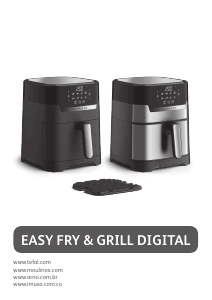
Manual Tefal EY901840 Dual Easy Fry Deep Fryer

Need a manual for your Tefal EY901840 Dual Easy Fry Deep Fryer? Below you can view and download the PDF manual for free in English. This product currently has 3 frequently asked questions, 0 comments and has 0 votes. If this is not the manual you want, please contact us.

Is your product defective and the manual offers no solution? Go to a Repair Café for free repair services.

Manual

Loading…

EN
5
Note :
When the screen displays ‘‘Add’’ and if there is no action for 10 minutes, the
program stops and the screen returns to display ‘‘START/STOP’’. You will need to re-select
to restart cooking.
4. To activate drawer 2, press ‘2’.
5. Press the second desired cooking mode and adjust timing and temperature if different to
the pre-set settings (by pressing + and -).
6. Place your second food in the drawer 2 (right drawer). Slide the drawer back into the appliance.
7. Press
in order to get the two foods ready at the same time. If the two cooking modes
selected have different cooking times, ‘HOLD’ appears on the screen for the shortest
cooking mode (for the food which needs less time to cook). It means the appliance delays
the cooking launch in order to have the two types of food ready at the same time.
8. Press
to begin cooking.
9. The appliance beeps when the food is ready, at the same time.
10. When the food is cooked, take out the drawer. To remove food, use a pair of tongs to lift the
food out of the drawer.
Caution : After hot frying, the grids and the food are very hot.
Note : During cooking, if you remove one of the drawers and you do not slide it back within
5 minutes, this drawer panel will display ‘OFF’. The other drawer keeps running, but it ends
‘SYNC’ program.
USING ONLY ONE DRAWER OF THE APPLIANCE
1. Press to switch on the appliance.
2. Fries mode is displayed as default for drawer 1 while OFF is displayed on the screen for drawer 2.
3. Any drawer can be activated by pressing ‘1’ or ‘2’ button. The other drawer remains OFF (To
cancel the selection, press again ‘1’ or ‘2’ button).
4. To begin cooking, you can select between the preset cooking mode or the manual settings.
a. If choosing preset cooking mode:
Select the desired cooking mode by pressing the icon corresponding on the touchscreen
panel (these modes are described in detail in the “Cooking guide” section).
Confirm the cooking mode by pressing the
button. This will launch the cooking process.
Cooking starts. The remaining cooking time is displayed on the screen.
b. If choosing manual settings:
Press MANUAL mode.
Adjust the temperature
with the and buttons on the digital screen. The
thermostat varies from 40-200°C.
Then set the desired cooking time by pressing the
and buttons. The timer can be
set for between 0 and 60 minutes.
Press the
button to begin cooking with the selected temperature and time settings.
Cooking starts. The remaining cooking time is displayed on the screen.
5. Excess oil from the food is collected in the bottom of the drawer.
6.
Some food will require shaking halfway through the cooking time for optimal cooking results. (see
section ‘Cooking Guide’). To shake the food, pull the drawer out of the appliance by the handle
and shake it. Then slide the drawer back into the appliance and the cooking restarts automatically.
During Fries cooking mode, this pictogram flashes half way through cooking. It
indicates the need to shake the fries for even cooking and browning.
*depending on model
Download manual in English (PDF, 3.06 MB)
(Consider the environment and only print this manual if it is really necessary)

Loading…

Rating

Let us know what you think about the Tefal EY901840 Dual Easy Fry Deep Fryer by leaving a product rating. Want to share your experiences with this product or ask a question? Please leave a comment at the bottom of the page.
Are you satisfied with the Tefal EY901840 Dual Easy Fry Deep Fryer?
Yes No
Be the first to rate this product
0 votes

Join the conversation about this product

Here you can share what you think about the Tefal EY901840 Dual Easy Fry Deep Fryer. If you have a question, first carefully read the manual. Requesting a manual can be done by using our contact form.

More about this manual

We understand that it’s nice to have a paper manual for your Tefal EY901840 Dual Easy Fry Deep Fryer. You can always download the manual from our website and print it yourself. If you would like to have an original manual, we recommend you contact Tefal. They might be able to provide an original manual. Are you looking for the manual of your Tefal EY901840 Dual Easy Fry Deep Fryer in a different language? Choose your preferred language on our homepage and search for the model number to see if we have it available.

Specifications

Brand Tefal
Model EY901840 Dual Easy Fry
Category Deep Fryers
File type PDF
File size 3.06 MB

All manuals for Tefal Deep Fryers
More manuals of Deep Fryers

Frequently Asked Questions about Tefal EY901840 Dual Easy Fry Deep Fryer

Our support team searches for useful product information and answers to frequently asked questions. If you find an inaccuracy in our frequently asked questions, please let us know by using our contact form.

How often should I replace the fat or oil in my deep fryer? Verified

To achieve an optimal result, it is advisable to replace the fat or oil every 8 frying sessions if you are making snacks. If you are making fries, the fat or oil can be replaced every 12 frying sessions.

This was helpful (1067) Read more

Can I clean the inside of my deep fryer with a scourer? Verified

No. Most deep fryers have a special layer that can be damaged by using a scourer or abrasive cleaner. Only use the soft side of a scourer or a wet wipe.

This was helpful (500) Read more

What is the 'cold zone' in my deep fryer? Verified

In deep fryers with a cold zone, a part of the oil sits below the heating element. This part of the oil remains colder than the upper part. Crumbs will float to the bottom and end up in this cold zone, making sure the oil stays clean longer.

This was helpful (497) Read more
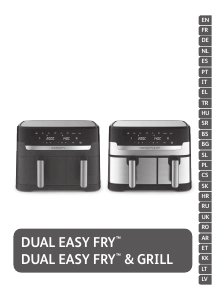
Manual Tefal EY901840 Dual Easy Fry Deep Fryer

Related products

Related categories

×
Download