
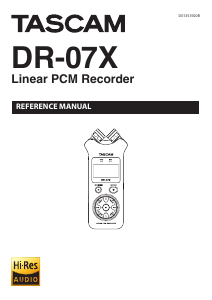
TASCAM DR-07X
3
Table of Contents
Dividing the selected file (DIVIDE) .............................................43
Overwrite recording ........................................................................44
Selecting a file to overwrite record ....................................... 44
Activating overwrite recording mode..................................44
Conducting overwrite recording ...........................................44
Checking the result of recording ...........................................44
Undoing and redoing ................................................................44
Ending overwrite recording mode ........................................ 44
Transcribing recorded files (DICTATION PLAY).......................45
Enabling DICTATION PLAY mode ........................................... 45
Adjusting the playback equalization .................................... 45
Changing the playback position ............................................ 45
Changing the playback volume and speed .......................45
Exiting DICTATION PLAY mode ............................................... 45
8 – Mark functions ............................................................. 46
Adding marks manually .................................................................46
Adding marks automatically to a recording ...........................46
Moving to mark positions .............................................................46
Clearing marks ...................................................................................46
9 – Using the effects .......................................................... 47
Setting the effect .............................................................................. 47
Effects Preset List ..............................................................................47
10 – Tuning an instrument ................................................ 48
Using the tuner .................................................................................48
Setting the tuner..........................................................................48
Tuning a musical instrument ...................................................48
Adjusting the input level for tuning .....................................48
11 – USB Connections ........................................................ 49
Powering the unit with USB bus power ...................................49
Using as an SD card reader ...........................................................49
Disconnecting the unit from a computer ................................ 50
Transferring files from a computer .............................................50
Using as a USB audio interface .................................................... 50
Setting the connected device type .......................................51
Connecting ....................................................................................51
12 – Settings and Information .......................................... 52
Viewing information (INFORMATION) .........................................52
File information page (FILE) ...................................................52
Card information page ..............................................................52
System information page .........................................................52
System Settings ................................................................................. 53
Setting the automatic power saving function ..................53
Setting the backlight ..................................................................53
Adjusting the display contrast ................................................53
Setting the battery type ............................................................53
Set the language ..........................................................................53
Restoring the factory settings .................................................54
Formatting microSD cards .......................................................54
Completely formatting SD cards ............................................54
Setting the file name format ........................................................55
File name format .......................................................................... 55
Setting the WORD item .............................................................55
13 – Messages .................................................................... 56
14 – Troubleshooting ........................................................ 58
15 – Specifications ............................................................. 59
General ................................................................................................. 59
Input/output ratings .......................................................................59
Analog audio input/output ratings ......................................59
Control input/output ratings ..................................................59
Audio performance .........................................................................59
Other specifications .........................................................................59
Dimensional drawings .................................................................... 61


Join the conversation about this product
Here you can share what you think about the Tascam DR-07X Audio Recorder. If you have a question, first carefully read the manual. Requesting a manual can be done by using our contact form.
reply | This was helpful (0) (Translated by Google)
reply | This was helpful (0) (Translated by Google)
reply | This was helpful (0) (Translated by Google)