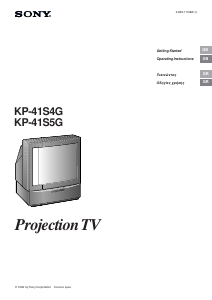
Manual Sony KP-41S5G Television

Need a manual for your Sony KP-41S5G Television? Below you can view and download the PDF manual for free in English. This product currently has 5 frequently asked questions, 0 comments and has 0 votes. If this is not the manual you want, please contact us.

Is your product defective and the manual offers no solution? Go to a Repair Café for free repair services.

Manual

Loading…

2
WARNING
To prevent fire or shock hazard, do not expose the unit to
rain or moisture.
Dangerously high voltages are present inside the set. Do
not open the cabinet. Refer servicing to qualified
personnel only.
Safety Information
All TVs operate on extremely high voltages. To prevent
fire or electric shock, please follow the safety procedures
below. For your protection, refer all servicing to qualified
personnel only.
For general safety:
Do not expose the TV to rain or moisture.
Do not open the rear cover.
For safe operations:
Do not operate the TV on any other voltages, but 220–
240V AC.
Do not operate the TV if any liquid or solid object falls in it
- have it checked immediately.
Do not keep the set plugged in if you are not going to use
it for several days.
Do not pull on the power cord to disconnect the TV. Pull it
out by the plug.
Do not place anything on the surface of the front panel
cover when you open it.
Cleaning the Screen
To remove dust from the front of the screen, unplug the TV
and wipe gently with a soft cloth lightly dampened with
water or a mild detergent solution, using vertical strokes
only. Then wipe it with a dry, soft cloth. Never use solvents
or thinners for cleaning purposes.
To clean the screen with a cloth, please use a soft cloth
lightly moistened with a mild detergent solution or water.
Do not use any type of abrasive pad, alkaline cleaner,
scouring powder or solvent, such as alcohol or benzine, or
antistatic spray.
As a safety precaution, unplug the TV before cleaning it.
Do not rub, touch, or tap the surface of the screen with
sharp or abrasive items, like a ball point pen or a screw
driver. Otherwise, this type of contact may result in a
scratched screen.
Important Information
Please read the following information on using and
maintaining the TV, for optimum viewing quality.
Picture Quality
Poor colour registration (the red, green and blue signals
do not overlap properly) may be caused by the influence
of the earth’s magnetism. Correct this with the
convergence adjustment.
Avoid touching the screen, and take care not to scratch
the surface with hard objects.
Displaying a still picture for long periods of time, for
instance, when operating a video game or personal
computer and viewing a programme in 16:9 mode, may
damage the picture tube. To avoid this, keep the picture
contrast level low.
Illumination
To obtain a clear picture, do not expose the screen to
direct illumination or direct sunlight. If possible, use spot
lighting directed down from the ceiling.
Installation
To prevent over heating of the set, do not block the
ventilation openings.
Do not install the TV in a hot or humid place, or in a place
subject to direct sunlight, excessive dust or mechanical
vibration.
After transporting the TV directly from a cold to a warm
location, or if the room temperature has changed
suddenly, pictures may be blurred or show poor colour
over portions of the picture. This is because moisture has
condensed on the mirrors or lenses inside the TV. Let the
moisture evaporate before using the TV.
Maintenance
Save the original shipping carton and packing material to
use if you ever have to ship your TV. For maximum
protection, repack your TV as it was originally packed at
the factory.
To keep the cabinet looking brand-new, periodically clean
it with a soft cloth. Stubborn stains may be removed with a
cloth slightly dampened with a mild detergent solution.
Never use strong solvents such as thinner or benzene, or
abrasive cleaners since these will damage the cabinet. As
a safety precaution, unplug the TV before cleaning it.
If the picture turns dark after the TV has been in use for a
long period of time, it may be necessary to clean the
inside of the TV. Consult qualified service personnel for
this.
Download manual in English (PDF, 8.64 MB)
(Consider the environment and only print this manual if it is really necessary)

Loading…

Rating

Let us know what you think about the Sony KP-41S5G Television by leaving a product rating. Want to share your experiences with this product or ask a question? Please leave a comment at the bottom of the page.
Are you satisfied with the Sony KP-41S5G Television?
Yes No
Be the first to rate this product
0 votes

Join the conversation about this product

Here you can share what you think about the Sony KP-41S5G Television. If you have a question, first carefully read the manual. Requesting a manual can be done by using our contact form.

More about this manual

We understand that it’s nice to have a paper manual for your Sony KP-41S5G Television. You can always download the manual from our website and print it yourself. If you would like to have an original manual, we recommend you contact Sony. They might be able to provide an original manual. Are you looking for the manual of your Sony KP-41S5G Television in a different language? Choose your preferred language on our homepage and search for the model number to see if we have it available.

Specifications

Brand Sony
Model KP-41S5G
Category Televisions
File type PDF
File size 8.64 MB

All manuals for Sony Televisions
More manuals of Televisions

Frequently Asked Questions about Sony KP-41S5G Television

Our support team searches for useful product information and answers to frequently asked questions. If you find an inaccuracy in our frequently asked questions, please let us know by using our contact form.

How do I measure the inches of my television? Verified

Measuring the inches on your television is done by measuring the diagonal distance between for example the upper left corner and the lower right corner of the screen (not the edge). One inch equals 2,54 centimeter, so when you measure 99 centimeter, this means your television is 39 inches.

This was helpful (74) Read more

Why are there letters next to the numbers on the remote control? Verified

Certain television settings may require you to enter letters. There are usually three letters or other characters on a button. When letter input is required, you can press that button once for the first letter, press twice for the second letter and press 3 times for the third letter. This way, text can be written with a minimum number of buttons.

This was helpful (46) Read more

What is the optimal viewing distance for my television? Verified

This partially depends on personal preference, but as a rule of thumb the optimal viewing distance is about 3x the diagonal screen size of the television. For a television of 60 inch (152cm) the optimal viewing distance would be 180 inch or about 4.5 meter.

This was helpful (39) Read more

What is the contrast ratio? Verified

The contrast ratio tells how far the whitest white is from the blackest black. A contrast ratio of for example 400:1 means that the blackest black on screen is 400 times darker than the whitest white. A high contrast ratio contributes to the sharpness of the image.

This was helpful (30) Read more

How can I properly clean my television? Verified

Turn off the television and wipe dust and dirt off the screen with a microfiber cloth. Do not use paper, this can cause scratches. Do not apply too much pressure or you might cause damage to pixels. Use a specialized detergent or make one by mixing 1 part vinegar with 1 part water. Moisten the cloth with the detergent and clean the screen. Make sure the cloth is not too wet. Remove stains by making rotating movements. Dry the screen with a second microfiber cloth to prevent stripes.

This was helpful (29) Read more
Manual Sony KP-41S5G Television

Related products

Related categories

×
Download