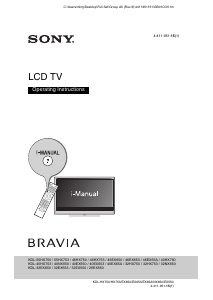
Manual Sony Bravia KDL-40NX803 LCD Television

Need a manual for your Sony Bravia KDL-40NX803 LCD Television? Below you can view and download the PDF manual for free in English. This product currently has 13 frequently asked questions, 0 comments and has 0 votes. If this is not the manual you want, please contact us.

Is your product defective and the manual offers no solution? Go to a Repair Café for free repair services.

Manual

Loading…
2
GB
NOTICE FOR
CUSTOMERS IN
THE UNITED
KINGDOM
A moulded plug complying with BS1363 is
fitted to this equipment for your safety and
convenience.
Should the fuse in the plug supplied need to
be replaced with the same rating of fuse
approved by ASTA or BSI to BS 1362 (i.e.,
marked with or ) must be used.
When an alternative type of plug is used it
should be fitted with the same rating of
fuse, otherwise the circuit should be
protected by a 10 AMP FUSE at the
distribution board.
If the plug supplied with this equipment has
a detachable fuse cover, be sure to attach
the fuse cover after you change the fuse.
Never use the plug without the fuse cover.
If you should lose the fuse cover, please
contact your nearest Sony service station.
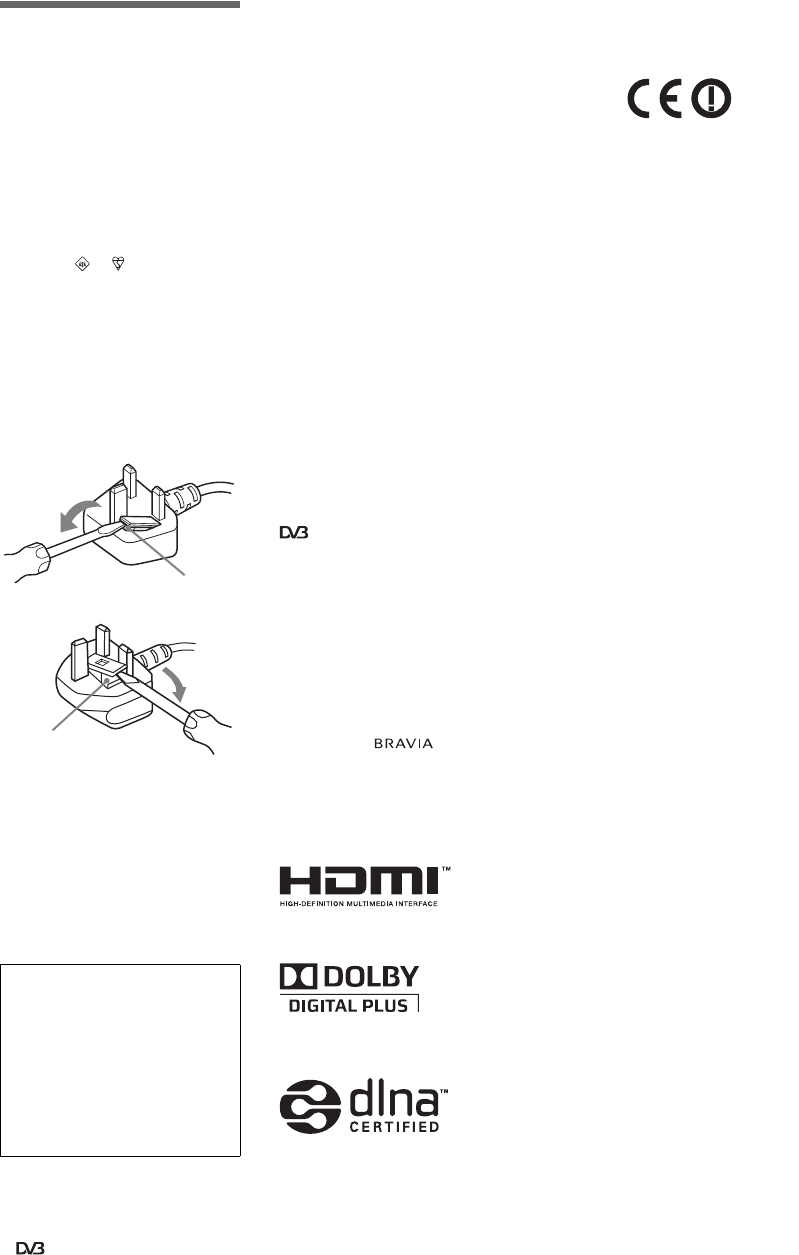
How to replace the fuse
Open the fuse compartment with a blade
screwdriver, and replace the fuse.
Please refer to the illustration that actually
equipped with the product.
Introduction
Thank you for choosing this Sony product.
Before operating the TV, please read this
manual thoroughly and retain it for future
reference.
Notes on Digital TV
function
Any functions related to Digital TV
( ) will only work in countries or
areas where DVB-T (MPEG-2 and
H.264/MPEG-4 AVC) digital terrestrial
signals are broadcast or where you have
access to a compatible DVB-C (MPEG-
2 and H.264/MPEG-4 AVC) cable
service. Please confirm with your local
dealer if you can receive a DVB-T signal
where you live or ask your cable
provider if their DVB-C cable service is
suitable for integrated operation with
this TV.
Your cable provider may charge a fee for
their services, or require you to agree to
its terms and conditions of business.
This TV set complies with DVB-T and
DVB-C specifications, but compatibility
with future DVB-T digital terrestrial and
DVB-C digital cable broadcasts are not
guaranteed.
Some Digital TV functions may not be
available in some countries/areas and
DVB-C cable may not operate correctly
with some providers.
For a list of compatible cable providers,
refer to the support web site:
http://support.sony-europe.com/TV/
DVBC/
~
Instructions about “Installing Wall
Mount Bracket” are included within this
TV’s instructions manual.
The illustrations used in this manual are
of the KDL-40NX803 series unless
otherwise state.
Trademark information
is a registered trademark of the DVB
Project.
HDMI, the HDMI logo and High-
Definition Multimedia Interface are
trademarks or registered trademarks of
HDMI Licensing LLC.
DLNA and DLNA CERTIFIED are
trademarks and/or service marks of Digital
Living Network Alliance.
Manufactured under license from Dolby
Laboratories. Dolby and the double-D
symbol are trademarks of Dolby
Laboratories.
“BRAVIA” and are
trademarks of Sony Corporation.
“XMB
” and “XrossMediaBar” are
trademarks of Sony Corporation and Sony
Computer Entertainment Inc.
Notice for Wireless Signal
1. Hereby, Sony, declares that this unit is
in compliance with the essential
requirements and other relevant provisions
of Directive 1999/5/EC.
To obtain the declaration of conformity
(DoC) for R&TTE Directive, please access
the following URL address.
http://www.compliance.sony.de/
2. TV wireless system can only be used in
the following countries:
Austria, Belgium, Bulgaria, Cyprus, Czech
Republic, Denmark, Estonia, Finland,
France, Germany, Greece, Hungary,
Iceland, Ireland, Italy, Latvia,
Liechtenstein, Lithuania, Luxembourg,
Malta, The Netherlands, Norway, Poland,
Portugal, Slovak Republic, Romania,
Slovenia, Spain, Sweden, Switzerland,
Turkey, and The United Kingdom.
TV Wireless System -
Regulation Information
For Customers in Italy
s with respect to private use, by the
Legislative Decree of 1.8.2003,
no. 259 (“Code of Electronic
Communications”). In particular
Article 104 indicates when the prior
obtainment of a general authorization is
required and Art. 105 indicates when
free use is permitted;
s
with respect to the supply to the public of
the RLAN access to telecom networks
and services (e.g. TV wireless system), by
the Ministerial Decree 28.5.2003, as
amended, and Art. 25 (general
authorization for electronic
communications networks and services)
of the Code of electronic communications
s with respect to private use, by the
Ministerial Decree 12.07.2007
For Customers in Norway
Use of this radio equipment is not allowed in
the geographical area within a radius of 20
km from the centre of Ny-Ålesund, Svalbard.
For Customers in Cyprus
The end user must register the RLAN (or
WAS or WiFi) devices in the Department
of Electronic Communications (P.I. 6/
2006 and P.I. 6A/2006).
P.I. 6/2006 is the Radiocommunications
(Categories of Stations Subject to General
Authorization and Registration) Order of
2006.
P.I. 6A/2006 is the General Authorization
for the use of Radiofrequencies by Radio
Local area Networks and by Wireless
Access Systems, including Radio Local
Area Networks (WAS/RLAN)
For Customers in France
The WLAN (WiFi) feature of this LCD
Digital Colour TV shall exclusively be
used inside buildings. Any use of the
WLAN (WiFi) feature of this LCD Digital
Colour TV outside of the buildings is
prohibited on the French territory. Please
make sure that the WLAN (WiFi) feature
of this LCD Digital Colour TV is disabled
before any use outside of the buildings.
(ART Decision 2002-1009 as amended by
ART Decision 03-908, relating to radio-
frequencies use restrictions).
Location of the
identification label
Labels for Model No. and Power Supply
rating (in accordance with applicable safety
regulation) are located on the rear of the TV.
For KDL–NX800 series models, they can be
found by removing the bottom cover.
The manufacturer of this product is
Sony Corporation, 1-7-1 Konan
Minato-ku Tokyo, 108-0075 Japan.
The Authorized Representative for
EMC and product safety is Sony
Deutschland GmbH, Hedelfinger
Strasse 61, 70327 Stuttgart,
Germany. For any service or
guarantee matters please refer to the
addresses given in separate service
or guarantee documents.
FUSE
FUSE
Download manual in English (PDF, 2.26 MB)
(Consider the environment and only print this manual if it is really necessary)

Loading…

Rating

Let us know what you think about the Sony Bravia KDL-40NX803 LCD Television by leaving a product rating. Want to share your experiences with this product or ask a question? Please leave a comment at the bottom of the page.
Are you satisfied with the Sony Bravia KDL-40NX803 LCD Television?
Yes No
Be the first to rate this product
0 votes

Join the conversation about this product

Here you can share what you think about the Sony Bravia KDL-40NX803 LCD Television. If you have a question, first carefully read the manual. Requesting a manual can be done by using our contact form.

More about this manual

We understand that it’s nice to have a paper manual for your Sony Bravia KDL-40NX803 LCD Television. You can always download the manual from our website and print it yourself. If you would like to have an original manual, we recommend you contact Sony. They might be able to provide an original manual. Are you looking for the manual of your Sony Bravia KDL-40NX803 LCD Television in a different language? Choose your preferred language on our homepage and search for the model number to see if we have it available.

Specifications

Brand Sony
Model Bravia KDL-40NX803
Category LCD Televisions
File type PDF
File size 2.26 MB

All manuals for Sony LCD Televisions
More manuals of LCD Televisions

Frequently Asked Questions about Sony Bravia KDL-40NX803 LCD Television

Our support team searches for useful product information and answers to frequently asked questions. If you find an inaccuracy in our frequently asked questions, please let us know by using our contact form.

How do I connect a universal remote control to my television? Verified

To connect your universal remote control, you need the model number and brand name of both the remote control and the television. There is a list of codes for brands and model numbers in the manual of the remote control .

This was helpful (2260) Read more

I want to connect a speaker to my LCD television with HDMI, which port should I use? Verified

You need to use the HDMI-ARC port, which is specifically made for connecting audio equipment.

This was helpful (1583) Read more

Does it matter to which HDMI port I connect my device? Verified

In general you can connect a device like a blu-ray player or game console to any HDMI port. The device can then be used by selecting the corresponding HDMI channel on your television.

This was helpful (798) Read more

How do I measure the inches of my LCD television? Verified

Measuring the inches on your LCD television is done by measuring the diagonal distance between for example the upper left corner and the lower right corner of the screen (not the edge). One inch equals 2,54 centimeter, so when you measure 99 centimeter, this means your LCD television is 39 inches.

This was helpful (543) Read more

Will my remote control also work on other television models of the same brand? Verified

Often a remote control of a television will also work on similar models of the same brand. However, it is unusual that it will work on all models of that brand. Universal remote controls are more suited to do this.

This was helpful (340) Read more

What is the difference between LCD and LED? Verified

Both techniques use an LCD screen that emits no light by itself. The difference is in the lighting behind the screen. With LCD screens this is done by CCFL (cold-cathode fluorescent lamp) and LED makes use of LED lights.

This was helpful (304) Read more

Can I repair a dead pixel myself? Verified

There is a difference between a dead pixel and a stuck pixel. A stuck pixel is still coloured and might be fixed by applying light pressure exactly onto the pixel until it restores itself. A dead pixel is always black or white and can't be repaired by yourself.

This was helpful (300) Read more

What does HDMI stand for? Verified

HDMI stands for High-Definition Multimedia Interface. HDMI is a connection to send high quality video and audio from one device to another.

This was helpful (276) Read more

Why are there letters next to the numbers on the remote control? Verified

Certain television settings may require you to enter letters. There are usually three letters or other characters on a button. When letter input is required, you can press that button once for the first letter, press twice for the second letter and press 3 times for the third letter. This way, text can be written with a minimum number of buttons.

This was helpful (247) Read more

What is the contrast ratio? Verified

The contrast ratio tells how far the whitest white is from the blackest black. A contrast ratio of for example 400:1 means that the blackest black on screen is 400 times darker than the whitest white. A high contrast ratio contributes to the sharpness of the image.

This was helpful (212) Read more

How can I properly clean my LCD television? Verified

Turn off the television and wipe dust and dirt off the screen with a microfiber cloth. Do not use paper, this can cause scratches. Do not apply too much pressure or you might cause damage to pixels. Use a specialized detergent or make one by mixing 1 part vinegar with 1 part water. Moisten the cloth with the detergent and clean the screen. Make sure the cloth is not too wet. Remove stains by making rotating movements. Dry the screen with a second microfiber cloth to prevent stripes.

This was helpful (209) Read more

What is the optimal viewing distance for my television? Verified

This partially depends on personal preference, but as a rule of thumb the optimal viewing distance is about 3x the diagonal screen size of the television. For a television of 60 inch (152cm) the optimal viewing distance would be 180 inch or about 4.5 meter.

This was helpful (206) Read more

What does LCD stand for? Verified

LCD stands for Liquid Crystal Display and is a technology that allows liquid crystals to polarise light to generate colours.

This was helpful (205) Read more
Manual Sony Bravia KDL-40NX803 LCD Television

Related products

Related categories

×
Download