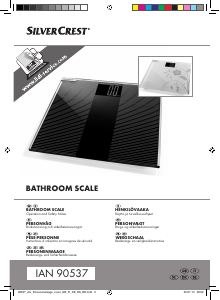
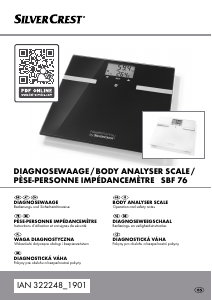
Manual SilverCrest SBF 76 HealthForYou Scale

Need a manual for your SilverCrest SBF 76 HealthForYou Scale? Below you can view and download the PDF manual for free in English. This product currently has 5 frequently asked questions, 38 comments and has 74 votes with an average product rating of 15/100. If this is not the manual you want, please contact us.

Is your product defective and the manual offers no solution? Go to a Repair Café for free repair services.

Manual

Loading…

DIAGNOSEWAAGE / BODY ANALYSER SCALE /
PÈSE-PERSONNE IMPÉDANCEMÈTRE SBF 76
DIAGNOSEWAAGE
Bedienungs- und Sicherheitshinweise
BODY ANALYSER SCALE
Operation and safety notes
DIAGNOSEWEEGSCHAAL
Bedienings- en veiligheidsinstructies
PÈSE-PERSONNE IMPÉDANCEMÈTRE
Instructions d‘utilisation et consignes de sécurité
IAN 322248_1901
DIAGNOSTICKÁ V ÁHA
Pokyny pre obsluhu a bezpečnostné pokyny
DIAGNOSTICKÁ V ÁHA
Pokyny pro obsluhu a bezpečnostní pokyny
W AGA DIAGNOSTYCZNA
Wskazówki dotyczące obsługi i bezpieczeństwa
Download manual in English (PDF, 1.8 MB)
(Consider the environment and only print this manual if it is really necessary)

Loading…

Rating

Let us know what you think about the SilverCrest SBF 76 HealthForYou Scale by leaving a product rating. Want to share your experiences with this product or ask a question? Please leave a comment at the bottom of the page.
Are you satisfied with the SilverCrest SBF 76 HealthForYou Scale?
Yes No
15%
85%
74 votes

Join the conversation about this product

Here you can share what you think about the SilverCrest SBF 76 HealthForYou Scale. If you have a question, first carefully read the manual. Requesting a manual can be done by using our contact form.

Fabienne 10-04-2021
since the battery change, the weight is incorrect by several tens of kilos, what to do?

reply | This was helpful (85) (Translated by Google)
Marieke 21-05-2020
How do I reset the scale completely? The manual doesn't work for me

reply | This was helpful (66) Read more (Translated by Google)
Silvercrest helpdesk nl 06-10-2024
To completely reset the SilverCrest SBF 77 scale, follow the following steps: 1. Press the SET button 3 while “USE APP” is flashing to set the year/month/day and hour/minute. If “USE APP” does not flash, charge the scale briefly. To do this, press buttons 2 and 4. Confirm your settings by pressing the SET button 3. “0.0” appears on the LC display 1. 2. Now press the SET button again. 3. The number of the last used device appears on the LC display 1.

This was helpful (9) (Translated by Google)
Nawal B 16-11-2025
I don't understand why my SBF 77 personal scale shows me an incorrect weight. I know I weigh 84 kg (checked my old scale and a pharmacy scale). The scale shows me 112 kg. I checked everything: the surface is flat, the scale shows 0.0 kg before I step on it, I am still, barefoot, etc. There seems to be no indication in the manual on how to calibrate it (I'm talking about calibrating and not taring).

This was helpful (3) (Translated by Google)
Briandet Nelly 09-06-2021
Hello since the battery change my scale no longer weighs properly there is an error of several tens of kilos. What should be done to remedy it please?

reply | This was helpful (46) (Translated by Google)
Jovica SIMIC 06-04-2020
Hello, my SBF 76 bathroom scales ask me for a key to connect to my smartphone that I don't know, who can help me?

reply | This was helpful (35) (Translated by Google)
Barbara Harrje 28-08-2021
Hello, I adjusted something, now it shows 30 kilos less. I am desperate. I pressed the mode button, but it doesn't work. Can you help me please? Kind regards Barbara

reply | This was helpful (24) (Translated by Google)

Loading…

Danièle 19-06-2021
Hello, my device is showing use app and I have no more display. I used the reset key. I have nothing more activated on the screen. I have never used the app before but when I download it there is no recognition for the connection. Can you help me thank you.

reply | This was helpful (20) (Translated by Google)
Marina 04-03-2021
Hello my scale does not want to turn on despite the change of batteries .. Several tests of new batteries and different brands nothing is displayed how to do?

reply | This was helpful (9) (Translated by Google)
HARRY 23-06-2021
My scale is too low when I stand on it, the scale is on A FLAT FLOOR

reply | This was helpful (9) (Translated by Google)
jpat 15-02-2022
the bluetooth of my iphone 7 does not recognize the SBF77 personal scale!!!

reply | This was helpful (9) (Translated by Google)
Manuela Lenk 04-01-2022
Since changing the battery, the weight has been off by several dozen kilos, what to do?

reply | This was helpful (8) (Translated by Google)
Nyra 30-08-2020
I haven't even used the scale much and it won't even turn on! So wasted money and can now buy again for the 2nd x new pokke scales no chance cunt product!

reply | This was helpful (7) (Translated by Google)
Markus 16-01-2022
After changing the battery, the display shows 35 kg too little

reply | This was helpful (3) (Translated by Google)
Moune 30-01-2021
Hello, SBF 76 impedancemeter scale bought on 13 12 2019, at lidl It's January 30, 2021, and nothing more Who am I claiming from?

reply | This was helpful (2) Read more (Translated by Google)
Nathy 19-02-2021
You must contact the after-sales service indicated on the instructions or ask your Lidl directly who will give you the procedure to follow.

This was helpful (3) (Translated by Google)
Fructi 23-03-2023
After the Used App message, the scale no longer turns on. What to do ? Thanks for your help

reply | This was helpful (2) (Translated by Google)
Dominique 01-08-2023
My HealthForYou app is locked... Do you know what to do to unlock it please?

reply | This was helpful (2) (Translated by Google)
Claudie vigeant 30-06-2020
Hello, I would like to know what the displayed percentages correspond to. BF must be fat, but I can't translate the following 3 signs. Thank you for your help

reply | This was helpful (0) (Translated by Google)
R lix 13-12-2020
the "HealthForYou" application is perhaps well done but it asks us, to work on our smartphone to allow it to have access to our sms, our contacts, our call log and all our files !!! We wonder why, if not to use all our data for an obvious commercial purpose. So it's NO. So setting the device with the keys, which is not easy.

reply | This was helpful (0) (Translated by Google)
Vasiliolandos 20-01-2021
The software with this product does not work, even though I enter the correct login name and code, I always get the message that these are incorrect. Probably typical German software.

reply | This was helpful (0) (Translated by Google)
Sener 29-03-2021
Hi Unfortunately, my scale does not work or cannot be switched on !! Despite the new battery it still does not work

reply | This was helpful (0) Read more (Translated by Google)
Rosi 30-10-2021
I have the same problem ... changed batteries, scale no longer works :(

This was helpful (0) (Translated by Google)
Vincent 14-07-2021
My scale doesn't weigh as much as it should I know I am 95 kilos but it weighs 65 kilos when I step on it

reply | This was helpful (0) (Translated by Google)
vincent van doorn 14-07-2021
hello my scale is not working properly it does not give the right weight i know i weigh 95 kilos but it shows 65 kilos

reply | This was helpful (0) (Translated by Google)
Karen Gestel 01-11-2021
Libra has always worked perfectly until she needed new batteries. Wrong weighing result and can't get it adjusted. Sin

reply | This was helpful (0) (Translated by Google)
David 22-01-2022
Always 30 kg too low but no way to fix.

reply | This was helpful (0)
svetlana volavkova 23-02-2022
why doesn't my weight record data on my mobile?

reply | This was helpful (0) (Translated by Google)
Filiz Yeserdi 13-07-2022
Since changing the battery, my scale has lost 30kg

reply | This was helpful (0) (Translated by Google)
Merlet 27-09-2022
Hello, small problem with my personal scale, I weigh 70 kg and it shows me 47, I changed the batteries, reset, nothing worked.

reply | This was helpful (0) Read more (Translated by Google)
Tadeas 03-04-2023
Same problem here, dogshit scale

This was helpful (2)
William Jackson 21-07-2023
My scale continues to show my weight about 9st 2lbs when I'm actually 14st 10lbs tried on flat surface but no difference obviously a bad product as I see lots of people are having this issue..

reply | This was helpful (0) Read more
Bilbo 21-07-2023
Silvercrest? More like silvercrap!!

This was helpful (0)
Kees 12-01-2024
Libra was doing fine until yesterday when it was suddenly 'dead'. New batteries. Now I only get the message "use APP". I don't really feel like doing that, but I downloaded the app anyway... but then a connection can't be made.... grrrr... I just want to be able to weigh myself.... how do I get that bitch to wear normally? This concerns the SBF76

reply | This was helpful (0) (Translated by Google)
Rey valerie 24-02-2025
I bought a Silver Crest connected balance I can't connect it how we do a bond for a balance

reply | This was helpful (0) (Translated by Google)
jiri hurych 23-04-2025
Ceased to operate the display, after inserting new batteries is still inoperative, it does not respond to anything

reply | This was helpful (0) (Translated by Google)
lili 16-07-2025
My weigh person Silvercrest SBF 76, displays 20 kg less compared to my weight. I reset with the fashion key, no change. What should we do? I still note that it is a problem encountered by many people and no solution is offered. Pending an answer, receive my sincere greetings.

reply | This was helpful (0) (Translated by Google)
Florence Marchandise 30-11-2025
I changed the batteries and I can't get the electronic scale to work again.

reply | This was helpful (0) (Translated by Google)

More about this manual

We understand that it’s nice to have a paper manual for your SilverCrest SBF 76 HealthForYou Scale. You can always download the manual from our website and print it yourself. If you would like to have an original manual, we recommend you contact SilverCrest. They might be able to provide an original manual. Are you looking for the manual of your SilverCrest SBF 76 HealthForYou Scale in a different language? Choose your preferred language on our homepage and search for the model number to see if we have it available.

Specifications

Brand SilverCrest
Model SBF 76 HealthForYou
Category Scales
File type PDF
File size 1.8 MB

All manuals for SilverCrest Scales
More manuals of Scales

Frequently Asked Questions about SilverCrest SBF 76 HealthForYou Scale

Our support team searches for useful product information and answers to frequently asked questions. If you find an inaccuracy in our frequently asked questions, please let us know by using our contact form.

What is the model number of my SilverCrest product? Verified

Although some SilverCrest products have an alternative model number, all of them have an IAN number with which the product can be identified.

This was helpful (3760) Read more

My scale shows an unrealistically low weight when I stand on it, why is that? Verified

For the best result, the scale should be standing on a hard level surface. When the scale is standing on for example a rug this can influence the measurement.

This was helpful (2729) Read more

What is BMI? Verified

BMI stands for Body Mass Index and can be calculated by dividing your weight in kilogram by your length in meters squared. For example someone with a weight of 70 kilogram and a lenght of 1,75 meter has a BMI of 22,86. A BMI between 18,5 and 25 is considered healthy.

This was helpful (1880) Read more

A battery in my device is oxidized, can I still safely use it? Verified

Ja, the device can still be safely used. Firstly, remove the oxidizd battery. Never use bare hands to do this. Then clean the battery compartment with a cotton swab dipped in vinegar or lemon juice. Let it dry and insert new batteries.

This was helpful (865) Read more

Can I use a scale with wet feet? Verified

This depends on the scale. When using a diagnostic scale it is necessary that your feet are dry in order to properly perform the measurements.

This was helpful (568) Read more
Manual SilverCrest SBF 76 HealthForYou Scale

Related products

Related categories

×
Download