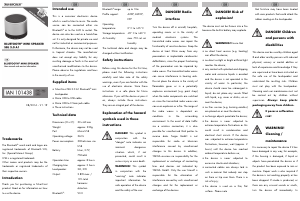
Manual SilverCrest IAN 101438 Speaker

Need a manual for your SilverCrest IAN 101438 Speaker? Below you can view and download the PDF manual for free in English. This product currently has 6 frequently asked questions, 0 comments and has 1 vote with an average product rating of 0/100. If this is not the manual you want, please contact us.

Is your product defective and the manual offers no solution? Go to a Repair Café for free repair services.

Manual

Loading…

08/2014 – V 1.19
Trademarks
The Bluetooth
®
word mark and logos are
registered trademarks of Bluetooth SIG,
Inc. (Special Interest Group).
USB is a registered trademark.
Other names and products may be the
trademarks or registered trademarks of
their respective owners.
Introduction
Thank you for purchasing a SilverCrest
product. Read on for information on how
to use the device.
Intended use
This is a consumer electronics device
which is used to listen to music. The audio
source can be connected either via
Bluetooth
®
or to the AUX In socket. The
device can also be used as a hands-free
set. It is only designed for private use and
not for industrial or commercial purposes.
Furthermore, the device may not be used
in tropical climates. The manufacturer
does not accept any liability for any
resulting damage or faults in the event of
unauthorised modifications to the device.
Please observe the regulations and laws
in the country of use.
Supplied items
SilverCrest SBL 3.0 A1 Bluetooth
®
mini
loudspeaker
Micro USB to USB cable
Micro USB to 3.5mm jack cable
These instructions
Technical data
Dimensions (H x ): 50 x 60 mm
Weight: approx. 230g
Port: Micro USB
Operating voltage: 5V
Power consumption: 500mA max. via
USB
Battery: Li-Ion, 3.7V,
750mAh
Operation time: approx. 8 hours
Charging time: approx. 3 hours
Loudspeaker: 2Ω, 3W
Output: 2.8W max. /
10% total
harmonic
distortion
Bluetooth
®
: V3.0
Bluetooth
®
range: up to 10m
Profile support: A2DP, AVRCP,
HFP
Operating
temperature: 0°C to +45°C
Storage temperature: -20°C to +60°C
Air humidity: max. 75% rel. air
humidity
The technical data and design may be
changed without notification.
Safety instructions
Before using this device for the first time,
please read the following instructions
carefully and take note of the safety
warnings, even if you are familiar with the
use of electronic devices. Store these
instructions in a safe place for future
reference. If you sell the device or pass it
on, always include these instructions.
They are an integral part of the device.
Explanation of the hazard
symbols used in these
instructions
DANGER! This symbol in
conjunction with the
"danger" note indicates an
imminent dangerous
situation which, if not
prevented, could result in
serious injury or even death.
WARNING! This symbol
in conjunction with the
"warning" note indicates
important information for
safe operation of the device
and the safety of the user.
DANGER! Radio
interface
Turn the device off in aircraft, hospitals,
operating rooms or in the vicinity of
medical electronic systems. The
transmitted radio waves can impair the
functionality of sensitive devices. Keep the
device at least 20cm away from any
pacemakers or implantable cardioverter
defibrillators, since the proper functioning
of the pacemaker can be impaired by
radio waves. The transmitted radio waves
can cause interference in hearing aids.
Do not place the device in the vicinity of
flammable gases or in a potentially
explosive environment (e.g. paint shop)
when the radio components are switched
on since the transmitted radio waves can
cause an explosion or a fire. The range of
the radio waves is dependent on
conditions in the surrounding
environment. In the event of data traffic
via a wireless connection, it is also
possible for unauthorised third parties to
receive data. Targa GmbH is not
responsible for radio or television
interference caused by unauthorised
changes to this device. In addition,
TARGA assumes no responsibility for the
replacement or exchange of connecting
lines and devices not indicated by
TARGA GmbH. Only the user himself is
responsible for the elimination of
interference caused by such unauthorised
changes and for the replacement or
exchange of the devices.
DANGER! Risk of
explosion!
The device must not be thrown into a fire
because the built-in battery may explode.
WARNING! Ensure that
no direct heat sources (e.g. heating)
can affect the device;
no direct sunlight or bright artificial light
reaches the device;
any contact with splashed and dripping
water and corrosive liquids is avoided
and the device is not operated in the
vicinity of water. In particular, the
device should never be submerged in
liquid; do not place any vessels filled
with liquid, e.g. vases or drinks, on or
near the device;
no fires sources (e.g. burning candles)
are placed on or near the device;
no foreign objects penetrate the device;
the device is never subjected to
extreme temperature fluctuations as this
could result in condensation and
electrical short circuits. If the device
was subjected to extreme temperature
fluctuations, however, wait (approx. 2
hours) until the device has reached
ambient temperature before use;
the device is never subjected to
excessive shocks and vibrations;
connected cables are always laid in
such a manner that nobody can step
on them or trip over them. There is a
risk of injury;
the device is used on a firm, flat
surface. Please note
that furniture may have been treated
with care products that could attack the
rubber coating on the loudspeaker.
DANGER! Children
and persons with
disabilities
This device can be used by children aged
8 and older and by persons with reduced
physical, sensory or mental abilities or
lack of experience and knowledge if they
are supervised or have been instructed on
the safe use of the loudspeaker and
understand the resulting risks. Children
must not play with the loudspeaker.
Cleaning and user maintenance must not
be carried out by children without
supervision. Always keep plastic
packaging away from children.
It poses a suffocation
risk!
WARNING!
Cleaning /
maintenance
It is necessary to repair the device if it has
been damaged in any way, for example,
if the housing is damaged, if liquid or
objects have penetrated the device or if
the product has been exposed to rain or
moisture. Repair work is also required if
the device is not working properly or has
been dropped. If smoke is produced, or
there are any unusual sounds or smells,
turn the device off immediately. In
Download manual in English (PDF, 1.2 MB)
(Consider the environment and only print this manual if it is really necessary)

Loading…

Rating

Let us know what you think about the SilverCrest IAN 101438 Speaker by leaving a product rating. Want to share your experiences with this product or ask a question? Please leave a comment at the bottom of the page.
Are you satisfied with the SilverCrest IAN 101438 Speaker?
Yes No
0%
100%
1 vote

Join the conversation about this product

Here you can share what you think about the SilverCrest IAN 101438 Speaker. If you have a question, first carefully read the manual. Requesting a manual can be done by using our contact form.

More about this manual

We understand that it’s nice to have a paper manual for your SilverCrest IAN 101438 Speaker. You can always download the manual from our website and print it yourself. If you would like to have an original manual, we recommend you contact SilverCrest. They might be able to provide an original manual. Are you looking for the manual of your SilverCrest IAN 101438 Speaker in a different language? Choose your preferred language on our homepage and search for the model number to see if we have it available.

Specifications

Brand SilverCrest
Model IAN 101438
Category Speakers
File type PDF
File size 1.2 MB

All manuals for SilverCrest Speakers
More manuals of Speakers

Frequently Asked Questions about SilverCrest IAN 101438 Speaker

Our support team searches for useful product information and answers to frequently asked questions. If you find an inaccuracy in our frequently asked questions, please let us know by using our contact form.

What is the model number of my SilverCrest product? Verified

Although some SilverCrest products have an alternative model number, all of them have an IAN number with which the product can be identified.

This was helpful (3793) Read more

I want to connect a speaker to my television with HDMI, which port should I use? Verified

You need to use the HDMI-ARC port, which is specifically made for connecting audio equipment.

This was helpful (1488) Read more

What do the frequencies say about my speaker? Verified

It indicates the range of frequencies that the speaker can produce. A bigger range of frequencies will provide a larger variation in sound en produce higher quality sound.

This was helpful (795) Read more

When is my music too loud? Verified

Sounds over 80 decibel (dB) can start to damage hearing. Sounds over 120 dB immediately damage hearing. The severity of the damage depens on how often and how long the sound is present.

This was helpful (477) Read more

Does bluetooth work through walls and ceilings? Verified

A bluetooth signal will work through walls and ceiling, unless these are made from metal. Depending on the thickness and the material of the wall the signal can lose in strength.

This was helpful (238) Read more

Up to what noise level is it safe for children? Verified

Children get their hearing damaged quicker than adults. Therefore it is important to never expose children to noise louder than 85dB. In the case of headphones there are special models for children. In case of speakers or other situations you have to be watchful the noise does not exceed that level.

This was helpful (212) Read more
Manual SilverCrest IAN 101438 Speaker

Related products

Related categories

×
Download