Manual Sharp NP-NC1202L Projector

Need a manual for your Sharp NP-NC1202L Projector? Below you can view and download the PDF manual for free in English. This product currently has 3 frequently asked questions, 0 comments and has 0 votes. If this is not the manual you want, please contact us.

Is your product defective and the manual offers no solution? Go to a Repair Café for free repair services.

Manual

Loading…
2
Important Information
Precautions: Please read this manual carefully before
using your NP-NC1402L / NP-NC1202L and keep the man-
ual handy for future reference.
The NP-NC1402L / NP-NC1202L is called the “projector”,
and the IMB (integrated media server) is called the “media
block” or “IMB” in this manual.
• DLP (Digital Light Processing), DLP Cinema and DLP
Cinema logo are trademarks of Texas Instruments.
• Microsoft, Windows and Internet Explorer are either reg-
istered trademarks or trademarks of Microsoft Corporation
in the United States and/or other countries.
• Mozilla and Firefox are either registered trademarks or
trademarks of the Mozilla Foundation in the United States
and/or other countries.
• Oracle and Java are registered trademarks of Oracle
and/or its affiliates.
• Linux is a registered trademark of Linus Torvalds in the
United States and/or other countries.
• Other product names and logos mentioned in the user’s
manual may be the trademarks or registered trademarks
of their respective holders.
• The display screens and illustrations shown in this man-
ual may differ slightly from the actual ones.
• GPL/LGPL Software Licenses
•
The product includes software licensed under GNU
• General Public License (GPL), GNU Lesser General
Public License (LGPL), and others.
•
For more information on each software, see “readme.pdf
inside the “about GPL&LGPL folder on the supplied
CD-ROM.
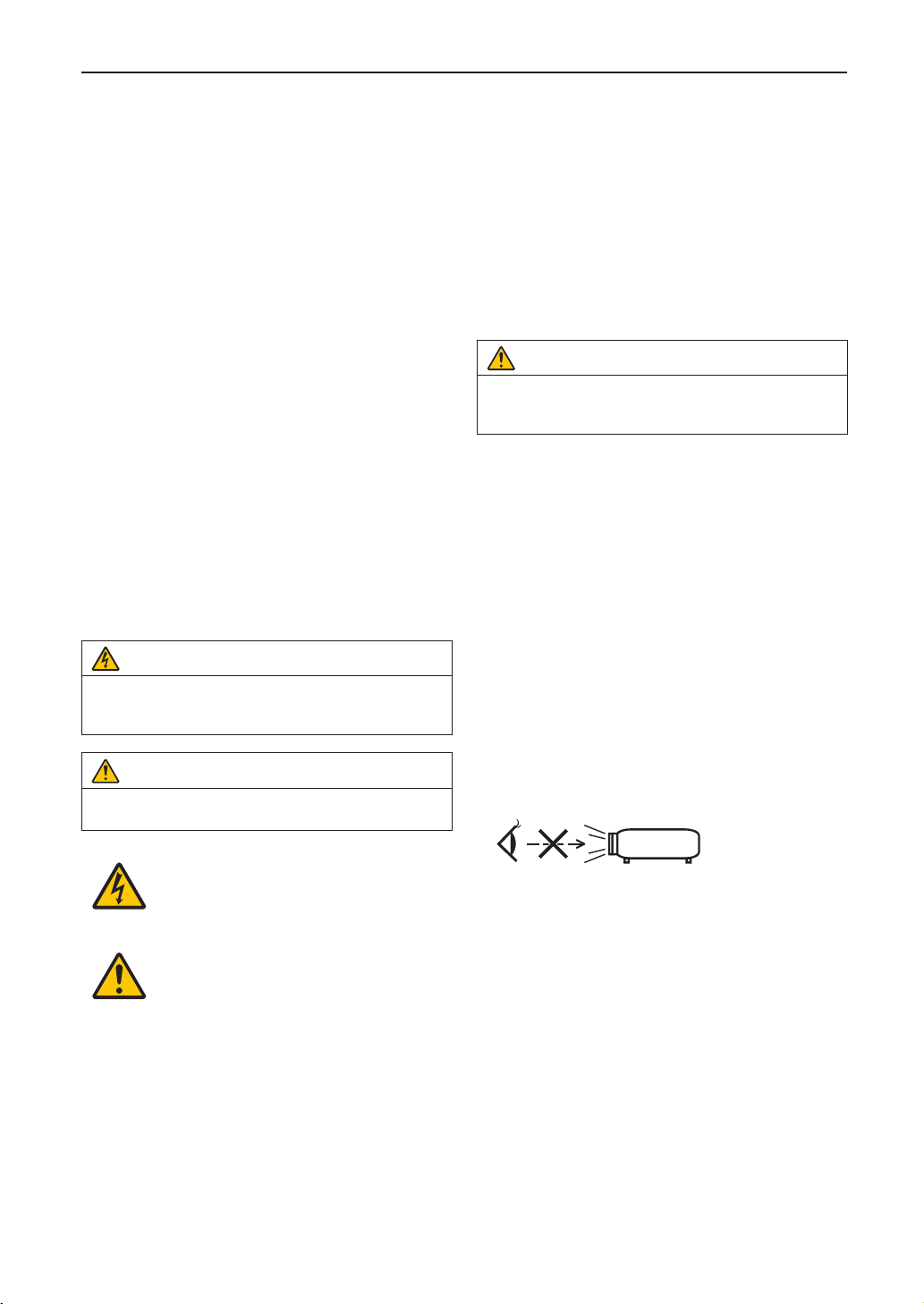
WARNING
TO REDUCE THE RISK OF FIRE OR ELECTRIC SHOCK,
DO NOT EXPOSE THIS APPLIANCE TO RAIN OR
MOISTURE.
CAUTION
TO PREVENT ELECTRIC SHOCK, DO NOT OPEN TOP
COVER. NO USER SERVICEABLE PARTS INSIDE.
This symbol warns the user that uninsulated
voltage within the unit may have sufficient
magnitude to cause electric shock.
Therefore, it is dangerous to make any kind
of contact with any part inside of this unit.
This symbol alerts the user that important
literature concerning the operation and
maintenance of this unit has been included.
Therefore, it should be read carefully in order
to avoid any problems.
Laser Safety Caution
This product is classied as Class 1 of IEC 60825-1 Third
edition 2014. This product is classied as RG3 of IEC/EN
62471-5 First edition 2015.
This product is classied as RG3 of IEC 62471:2006.(for
USA). Obey the laws and regulations of your country in rela-
tion to the installation and management of the device.
• Outlineoflaseremittedfromthebuilt-inlightmodule
Wave length: Blue 450–470 nm
Maximum power: Blue 563 W
• Radiationpatternfromtheprotectivehousing
Wave length: Blue 450-470 nm
Maximum laser radiation output: Blue 750 mW
CAUTION
Use of controls or adjustments of procedures other than
those specied herein may lead to hazardous laser radi-
ation exposure.
• Hazardous optical radiation is emitted from this product,
RG3 IEC 62471:2006. (for USA).
• No direct exposure to the beam shall be permitted, RG3
IEC/EN 62471-5:2015.
Operators shall control access to the beam within the
hazard distance or install the product at the height that
will prevent spectators eyes from being in the hazard
distance.
• Do not look into the lens while the projector is on. Serious
damage to your eyes could result.
• Do not look at operating light source. Eye injury may
result, RG3 IEC 62471:2006. (for USA)
• No direct exposure to beam shall be permitted, RG3 IEC
62471:2006. (for USA).
• Not for household use, RG3 IEC 62471:2006. (for USA)
• This projector must be installed high enough to provide
clearance for people who may walk beneath the beam
path or hazard distance, RG3 IEC 62471:2006. (for USA)
• Direct exposure of human eyes to beam is prohibited.
• The following graphic symbol indicating that looking into
the projector is prohibited is displayed on the projector
cabinet.
• Do not look at the projected light using optical devices
(magnifying glasses, reectors, etc.). Doing so could
result in vision impairment.
• When performing the lens shift adjustment, make sure
that you are behind or beside the projector. Doing so from
the front of the projector may cause intense light to enter
into your eyes, resulting in damage to them.
• This projector, which is an RG3 product, is for business
use and must be installed in location where safety is
assured. For this reason, installation of the projector and
mounting and removal of the lens unit must be performed
by professional service personnel. To do the works, be
sure to consult your dealer. NEVER install the projector
by end users. Doing so may cause visual impairment and
other injuries.
• Keep any items such as magnifying glass out of the light
path of the projector. The light being projected from the
lens is extensive, therefore any kind of abnormal objects
that can redirect light coming out of the lens, can cause
unpredictable outcome such as re or injury to the eyes.
Download manual in English (PDF, 3.54 MB)
(Consider the environment and only print this manual if it is really necessary)

Loading…

Rating

Let us know what you think about the Sharp NP-NC1202L Projector by leaving a product rating. Want to share your experiences with this product or ask a question? Please leave a comment at the bottom of the page.
Are you satisfied with the Sharp NP-NC1202L Projector?
Yes No
Be the first to rate this product
0 votes

Join the conversation about this product

Here you can share what you think about the Sharp NP-NC1202L Projector. If you have a question, first carefully read the manual. Requesting a manual can be done by using our contact form.

More about this manual

We understand that it’s nice to have a paper manual for your Sharp NP-NC1202L Projector. You can always download the manual from our website and print it yourself. If you would like to have an original manual, we recommend you contact Sharp. They might be able to provide an original manual. Are you looking for the manual of your Sharp NP-NC1202L Projector in a different language? Choose your preferred language on our homepage and search for the model number to see if we have it available.

Specifications

Brand Sharp
Model NP-NC1202L
Category Projectors
File type PDF
File size 3.54 MB

All manuals for Sharp Projectors
More manuals of Projectors

Frequently Asked Questions about Sharp NP-NC1202L Projector

Our support team searches for useful product information and answers to frequently asked questions. If you find an inaccuracy in our frequently asked questions, please let us know by using our contact form.

Can I power off my projector immediately after use? Verified

After using the projector the lamp is still very hot. It is best to leave the projector on after use, giving the internal fan time to do it's work and cool the lamp. This will extend the lifetime of the lamp.

This was helpful (215) Read more

What is keystone correction? Verified

A projector can often not be placed straight in front of a screen or wall. The projected image can become distorted because of this. This is the keystone effect. Keystone correction is a feature that addresses this distortion. Not all projectors offer keystone correction.

This was helpful (159) Read more

What is the contrast ratio? Verified

The contrast ratio tells how far the whitest white is from the blackest black. A contrast ratio of for example 400:1 means that the blackest black on screen is 400 times darker than the whitest white. A high contrast ratio contributes to the sharpness of the image.

This was helpful (105) Read more
Manual Sharp NP-NC1202L Projector

Related products

Related categories

×
Download