Manual Samsung SP-LSP3BLA The Freestyle Projector

Need a manual for your Samsung SP-LSP3BLA The Freestyle Projector? Below you can view and download the PDF manual for free in English. This product currently has 3 frequently asked questions, 0 comments and has 1 vote with an average product rating of 100/100. If this is not the manual you want, please contact us.

Is your product defective and the manual offers no solution? Go to a Repair Café for free repair services.

Manual

Loading…
English
Use only a properly grounded plug and wall outlet.
An improper ground may cause electric shock or
equipment damage. (Class l Equipment only.)
To turn off this apparatus completely, disconnect it from the
wall outlet. To ensure you can unplug this apparatus quickly
if necessary, make sure that the wall outlet and power plug
are readily accessible.
Installation
Do not place this apparatus near or over a radiator or heat
register, or where it is exposed to direct sunlight.
Do not place vessels (vases etc.) containing water on this
apparatus, as this can result in a fire or electric shock.
Do not expose this apparatus to water (rain) or moisture.
Do not install your Projector in a location with heavy
dust, chemical substances, too high or low temperature
or high humidity, an automotive or other vehicle used
for transportation, or a location where the Projector will
operate continuously for an extended period of time, such
as an airport or train station. If installed in such locations, a
serious quality problem may occur due to the surrounding
environment.
Do not expose this apparatus to dripping or splashing.
Do not expose this apparatus to oil or oil mist.
Do not use oils or lubricants. This may cause this apparatus
to crack.
Providing proper ventilation for your Projector
When you install your Projector, maintain a distance of at least
10 cm between the Projector and other objects (walls, cabinet
sides, etc.) to ensure proper ventilation. Failing to maintain proper
ventilation may result in a fire or a problem with the product
caused by an increase in its internal temperature.
Operation
Move the product by holding the body. Do not hold the
Lens Cap.
This apparatus uses batteries. In your community, there
might be environmental regulations that require you to
dispose of these batteries properly. Please contact your local
authorities for disposal or recycling information.
Store the accessories (remote control, or etc.) in a location
safely out of the reach of children.
When you need to turn off the Projector completely, wait
until the fan stops completely so that the Projector can cool
down completely.
Do not dispose of remote control or batteries in a fire.
Do not short-circuit, disassemble, or overheat the batteries.
CAUTION: There is danger of an explosion if you replace the
batteries used in the remote with the wrong type of battery.
Replace only with the same or equivalent type.
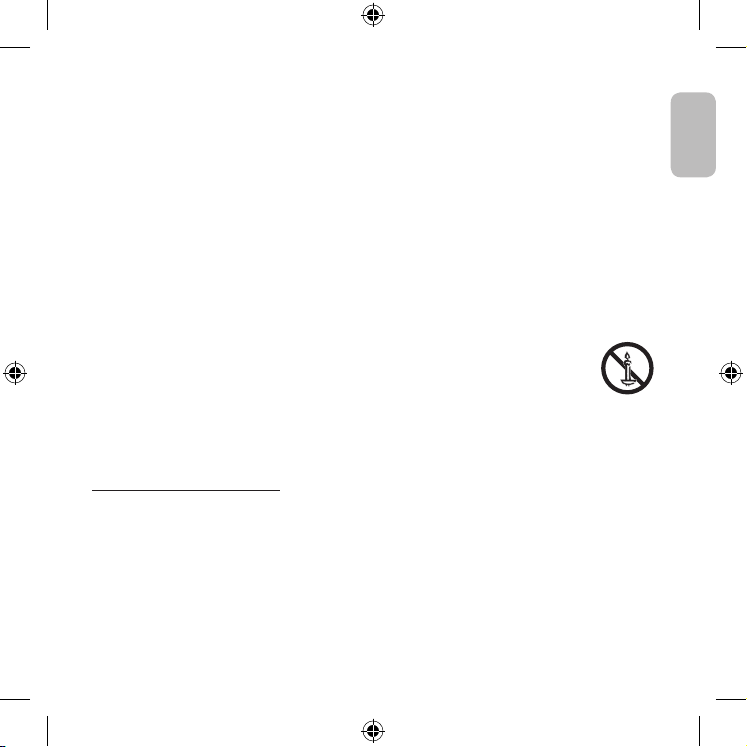
WARNING - TO PREVENT THE SPREAD OF
FIRE, KEEP CANDLES AND OTHER ITEMS WITH
OPEN FLAMES AWAY FROM THIS PRODUCT
AT ALL TIMES.
Do not drop or strike the product. If the product is damaged,
disconnect the power cable and contact a Samsung service
centre.
Caring for the Projector
To clean this apparatus, unplug the power cable from the
wall outlet and wipe the product with a soft, dry cloth. Do not
use any chemicals such as wax, benzene, alcohol, thinners,
insecticide, aerial fresheners, lubricants, or detergents. These
chemicals can damage the appearance of the Projector or
erase the printing on the product.
The exterior of the Projector can get scratched during
cleaning. Be sure to wipe the exterior carefully using a soft
cloth to prevent scratches.
Do not spray water or any liquid directly onto the Projector.
Any liquid that goes into the product may cause a failure, fire,
or electric shock.
English - 3
Download manual in English (PDF, 1.56 MB)
(Consider the environment and only print this manual if it is really necessary)

Loading…

Rating

Let us know what you think about the Samsung SP-LSP3BLA The Freestyle Projector by leaving a product rating. Want to share your experiences with this product or ask a question? Please leave a comment at the bottom of the page.
Are you satisfied with the Samsung SP-LSP3BLA The Freestyle Projector?
Yes No
100%
0%
1 vote

Join the conversation about this product

Here you can share what you think about the Samsung SP-LSP3BLA The Freestyle Projector. If you have a question, first carefully read the manual. Requesting a manual can be done by using our contact form.

More about this manual

We understand that it’s nice to have a paper manual for your Samsung SP-LSP3BLA The Freestyle Projector. You can always download the manual from our website and print it yourself. If you would like to have an original manual, we recommend you contact Samsung. They might be able to provide an original manual. Are you looking for the manual of your Samsung SP-LSP3BLA The Freestyle Projector in a different language? Choose your preferred language on our homepage and search for the model number to see if we have it available.

Specifications

Brand Samsung
Model SP-LSP3BLA The Freestyle
Category Projectors
File type PDF
File size 1.56 MB

All manuals for Samsung Projectors
More manuals of Projectors

Frequently Asked Questions about Samsung SP-LSP3BLA The Freestyle Projector

Our support team searches for useful product information and answers to frequently asked questions. If you find an inaccuracy in our frequently asked questions, please let us know by using our contact form.

Can I power off my projector immediately after use? Verified

After using the projector the lamp is still very hot. It is best to leave the projector on after use, giving the internal fan time to do it's work and cool the lamp. This will extend the lifetime of the lamp.

This was helpful (215) Read more

What is keystone correction? Verified

A projector can often not be placed straight in front of a screen or wall. The projected image can become distorted because of this. This is the keystone effect. Keystone correction is a feature that addresses this distortion. Not all projectors offer keystone correction.

This was helpful (159) Read more

What is the contrast ratio? Verified

The contrast ratio tells how far the whitest white is from the blackest black. A contrast ratio of for example 400:1 means that the blackest black on screen is 400 times darker than the whitest white. A high contrast ratio contributes to the sharpness of the image.

This was helpful (105) Read more
Manual Samsung SP-LSP3BLA The Freestyle Projector

Related products

Related categories

×
Download