
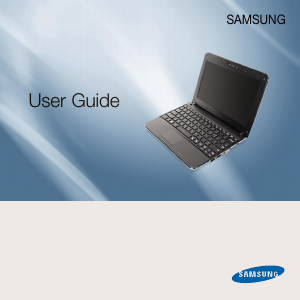
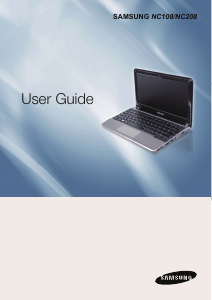
Manual Samsung NP-N145-JP1HSE Laptop
Need a manual for your Samsung NP-N145-JP1HSE Laptop? Below you can view and download the PDF manual for free in English. This product currently has 10 frequently asked questions, 0 comments and has 0 votes. If this is not the manual you want, please contact us.
Is your product defective and the manual offers no solution? Go to a Repair Café for free repair services.
Manual
Loading…


Loading…
Rating
Let us know what you think about the Samsung NP-N145-JP1HSE Laptop by leaving a product rating. Want to share your experiences with this product or ask a question? Please leave a comment at the bottom of the page.More about this manual
We understand that it’s nice to have a paper manual for your Samsung NP-N145-JP1HSE Laptop. You can always download the manual from our website and print it yourself. If you would like to have an original manual, we recommend you contact Samsung. They might be able to provide an original manual. Are you looking for the manual of your Samsung NP-N145-JP1HSE Laptop in a different language? Choose your preferred language on our homepage and search for the model number to see if we have it available.
Specifications
| Brand | Samsung |
| Model | NP-N145-JP1HSE |
| Category | Laptops |
| File type | |
| File size | 17.5 MB |
All manuals for Samsung Laptops
More manuals of Laptops
Frequently Asked Questions about Samsung NP-N145-JP1HSE Laptop
Our support team searches for useful product information and answers to frequently asked questions. If you find an inaccuracy in our frequently asked questions, please let us know by using our contact form.
Is it necessary to drain my lithium-ion battery before recharging it again? Verified
No, this is not necessary. With older batteries this was the case. Lithium-ion batteries can be charged after use and be taken off the charger when needed.
This was helpful (161) Read moreI spilled liquid on the trackpad of my laptop, what should I do? Verified
In any case directly switch off the laptop! Only in the case of small amounts of water it is possible that the trackpad, after having dried, will function unchanged.
This was helpful (143) Read moreCan I clean the ventilation exhaust of my laptop with a vacuum cleaner? Verified
No, a regular vacuum cleaner is too powerful. Use a damp cloth to clean the exhaust or suck away the dust with a hand vacuum.
This was helpful (105) Read moreWhat is the best way to clean my keyboard Verified
Never insert objects between the edges of the keys, as this will mainly push dirt in and damage the keyboard. It is best to clean the keyboard with compressed air while keeping the keyboard upside down. The top of the keys can be cleaned with a slightly damp cloth.
This was helpful (69) Read moreWhat does HDMI stand for? Verified
HDMI stands for High-Definition Multimedia Interface. HDMI is a connection to send high quality video and audio from one device to another.
This was helpful (61) Read moreHow much are kilobyte, megabyte, gigabyte and terabyte? Verified
One kilobyte consists of 1000 bytes. 1 megabyte = 1000 kilobyte. 1 gigabyte = 1000 megabyte. 1 terabyte = 1000 gigabyte.
This was helpful (50) Read moreWhat is the best way to store a lithium-ion battery for a long period? Verified
The best way to store a lithium-ion battery is at a temperature between 5 and 45 degrees Celcius. It's also a good idea make sure the battery is about 67% charged before it is stored away.
This was helpful (46) Read moreUnder what conditions will my lithium-ion battery function optimally? Verified
Lithium-ion batteries function optimally at a temperature between 5 and 45 degrees Celcius. With very cold or warm weather you may notice that the battery will drain quicker. Charging is not recommended at temperatures lower than 5 or higher than 45 degrees Celcius.
This was helpful (46) Read moreWhat can I best use to clean the screen of my mobile device? Verified
It's best to use a microfiber cloth, possibly with a specialized detergent. Never use kitchen towels or other paper cloths, these will leave scratches!
This was helpful (46) Read moreDoes bluetooth work through walls and ceilings? Verified
A bluetooth signal will work through walls and ceiling, unless these are made from metal. Depending on the thickness and the material of the wall the signal can lose in strength.
This was helpful (44) Read more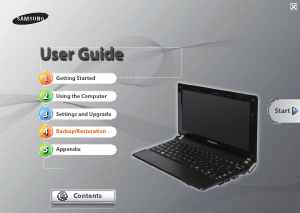
Join the conversation about this product
Here you can share what you think about the Samsung NP-N145-JP1HSE Laptop. If you have a question, first carefully read the manual. Requesting a manual can be done by using our contact form.