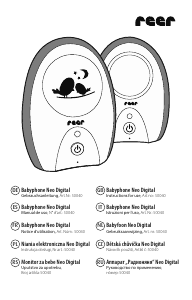
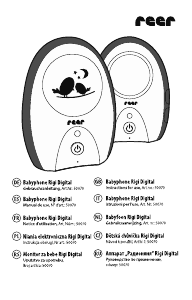
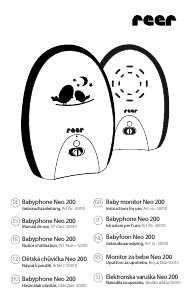
Manual Reer Neo 200 Baby Monitor

Need a manual for your Reer Neo 200 Baby Monitor? Below you can view and download the PDF manual for free in English. This product currently has 2 frequently asked questions, 0 comments and has 0 votes. If this is not the manual you want, please contact us.

Is your product defective and the manual offers no solution? Go to a Repair Café for free repair services.

Manual

Loading…

Warranty
Disposal instructions
Please retain your receipt, the user manual and item number.
Warranty claims or claims from promises of guarantee must be processed by the dealer.
The technical specication, information and characteristics of the product described
herein have been compiled to the best of our knowledge and belief and are correct at
the time of printing. Any information provided by reer should be correct and authoritative.
Nevertheless, reer does not accept liability for potential errors in this document and
reserves the right to make changes to the product design and/or specications without
prior notice. Reproduction and disclosure of information contained in this copyright-
protected document, in any form or by any means - graphical, electronic or mechanical by
photocopying, recording on tape or storage in a data retrieval system (even in part), require
prior written consent from reer.
At the end of its life, this product must not be disposed of as normal
domestic waste, but should be recycled at a collection point for electrical
appliances. Please see the relevant symbol on the product, in the user
manual and packaging. Materials can be recycled as specied. Do not put
used batteries into household waste. Instead they should be disposed of as
hazardous waste or with a battery collection station provided by the dealer. An important
contribution to the protection of the environment can be made by reusing the unit,
recycling its components or otherwise reusing old appliances. Please contact your local
council to nd out more about an appropriate disposal centre.
Troubleshooting
The status LED does not light up
Make sure that both units are switched on.
Check the connection of the mains adapter to the wall power socket and the unit.
Exchange the batteries and/or check the polarity.
Check the channel setting (A or B) of the transmitter and receiver.
The status LED flashes orange
The parent unit receives sounds. Turn up the volume on the parent unit to make sure
that you hear the sounds from your baby.
The status LED flashes red + alarm tone
The batteries are depleted. Replace the batteries or connect the unit to the power supply.
No sound transmission despite established connection
Check if the volume control button has been turned all the way down.
You can hear other wireless devices
As this baby monitor works with analogue radio technology, interference from other
wireless devices can occur. Change the channel.
A loud whistling tone sounds from the parent unit (feedback)
The baby unit is too close to the parent unit. Increase the distance between the baby
unit and the parent unit.
No connection between parent and baby unit / random noise / connection is lost
Make sure that both units are switched on.
Check the channel setting and/or change the channel.
The maximum range has been exceeded. Move the baby monitor to a different position
and/or reduce the distance between the baby and parent unit.
The baby/parent unit is close to interfering devices (e.g. microwave) or metal objects.
Try to find the source of interference and move the units to a different position.
The batteries are almost depleted. Replace the batteries or connect the units to the
power supply.
GB
1918
Download manual in English (PDF, 5.76 MB)
(Consider the environment and only print this manual if it is really necessary)

Loading…

Rating

Let us know what you think about the Reer Neo 200 Baby Monitor by leaving a product rating. Want to share your experiences with this product or ask a question? Please leave a comment at the bottom of the page.
Are you satisfied with the Reer Neo 200 Baby Monitor?
Yes No
Be the first to rate this product
0 votes

Join the conversation about this product

Here you can share what you think about the Reer Neo 200 Baby Monitor. If you have a question, first carefully read the manual. Requesting a manual can be done by using our contact form.

More about this manual

We understand that it’s nice to have a paper manual for your Reer Neo 200 Baby Monitor. You can always download the manual from our website and print it yourself. If you would like to have an original manual, we recommend you contact Reer. They might be able to provide an original manual. Are you looking for the manual of your Reer Neo 200 Baby Monitor in a different language? Choose your preferred language on our homepage and search for the model number to see if we have it available.

Specifications

Brand Reer
Model Neo 200
Category Baby Monitors
File type PDF
File size 5.76 MB

All manuals for Reer Baby Monitors
More manuals of Baby Monitors

Frequently Asked Questions about Reer Neo 200 Baby Monitor

Our support team searches for useful product information and answers to frequently asked questions. If you find an inaccuracy in our frequently asked questions, please let us know by using our contact form.

Why is the range of my baby monitor less than the brochure/manual describes? Verified

Brands tend to state a range that is based on use without obstacles like walls or a distance that covers multiple floors. If the range is insufficient, try to place the baby monitor so that it has minimum obstacles.

This was helpful (685) Read more

When listening to my baby I can clearly hear breathing, but the baby monitor doesn't let me hear this. Why is that? Verified

This is due to the sensitivity of the baby monitor. Adjust the settings to be more sensitive and pick up quieter sounds.

This was helpful (374) Read more
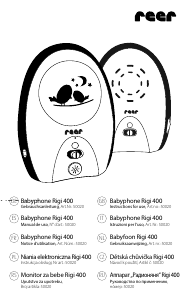
Manual Reer Neo 200 Baby Monitor

Related products

Related categories

×
Download